


In 2026, traffic arbitrage has finally ceased to be a lottery. Today, it is a high-tech survival game where Google and Meta's Deep Learning algorithms are on one side, and your infrastructure is on the other. To consistently run at a profit, simply "closing" a link is no longer enough. You need a flexible tool that mimics the requirements of any vertical and deceives moderation neural networks on their own turf.
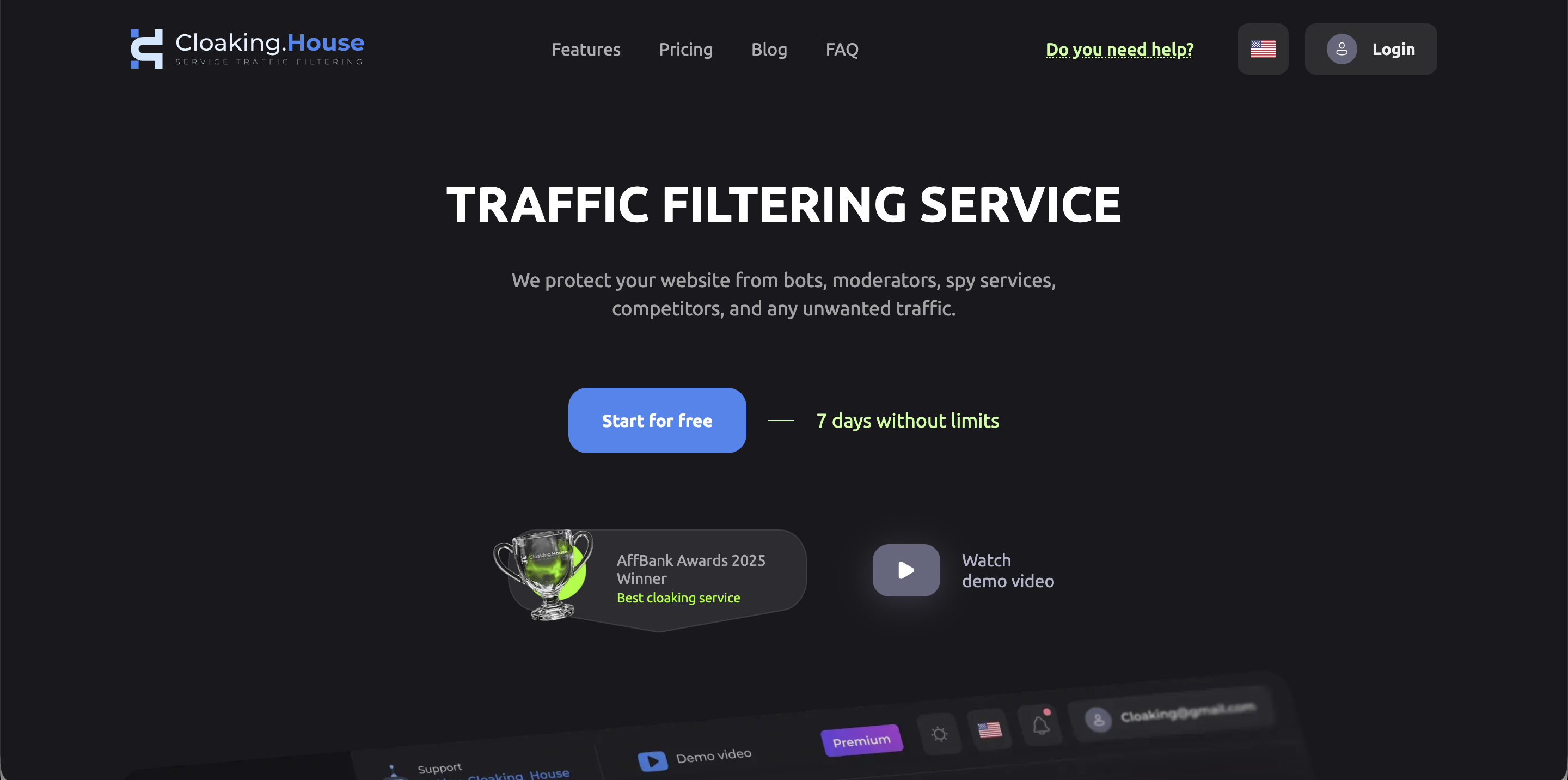
Cloaking.House is your command center, allowing you to maintain offer anonymity in the most aggressive conditions. Let's break down step-by-step how to build "invisible" protection for any launch.
Step 1. Building the Foundation: AI White Page
The first thing to do before launching is to prepare a "face" for the moderator. In 2026, stolen or downloaded sites are a direct path to a ban for "Circumventing systems". You need unique code.
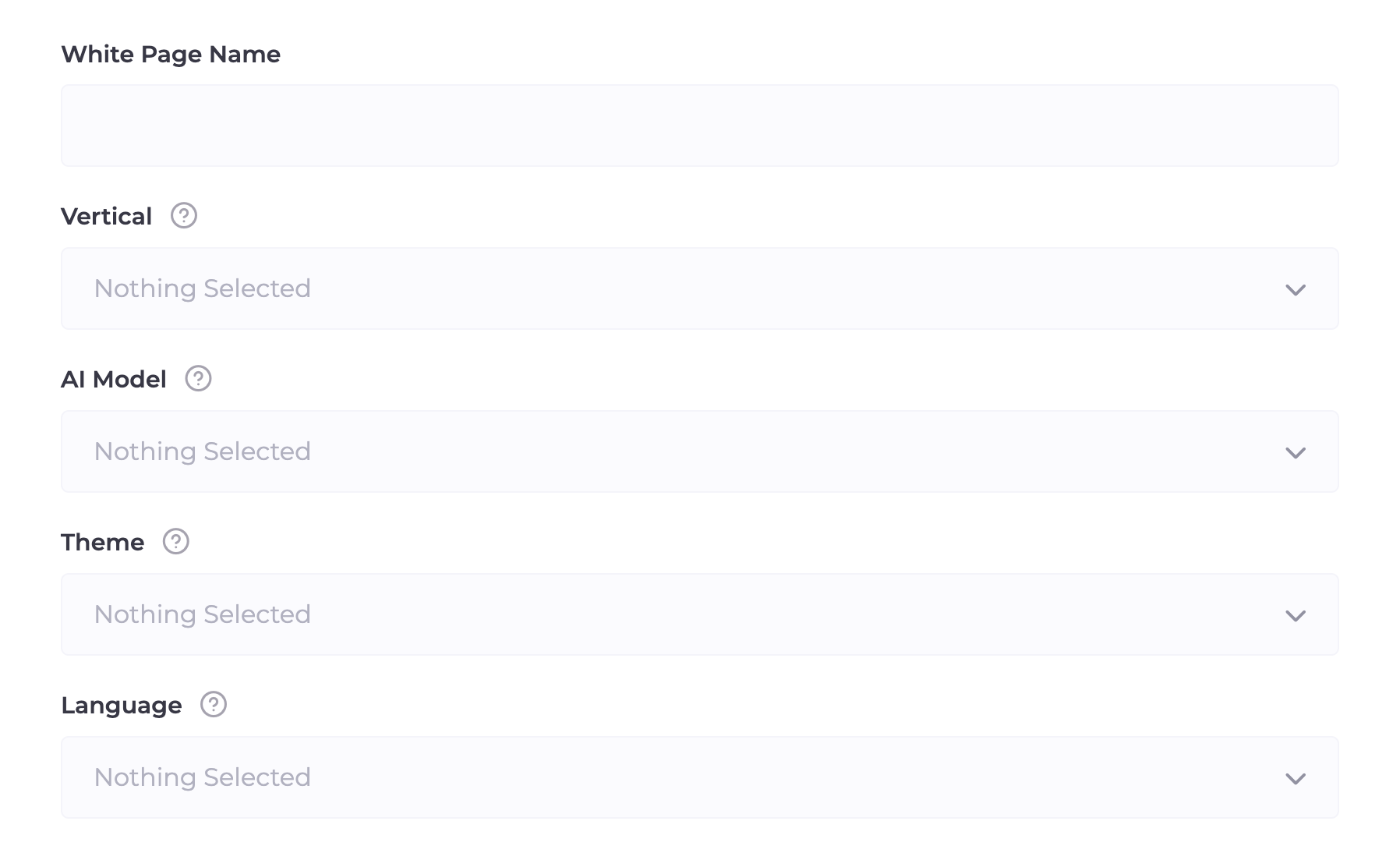
Cloaking.House features an advanced AI generator that creates a White Page for your tasks in a couple of minutes:
Vertical (Niche Selection): You specify the vertical of your launch (Dating, Nutra, Finance, Gambling, Crypto, Adult, Apps, etc.). The system adapts the site structure to the requirements of the specific niche.
AI Model (Site Format): Cloaking AI One Page: Lightweight and fast adaptive landing pages. Cloaking AI for Apps: A special format for working with WebView and PWA applications. Cloaking AI for Ads: Complex multi-page resources for passing manual reviews.
Theme (Thematic Vector): Choose a direction (Travel, Beauty, Finance, Technologies, Food, Fitness, etc.). The system generates relevant content.
Language (Localization): Support for over 40 languages. Your White Page will look "native" for any GEO.
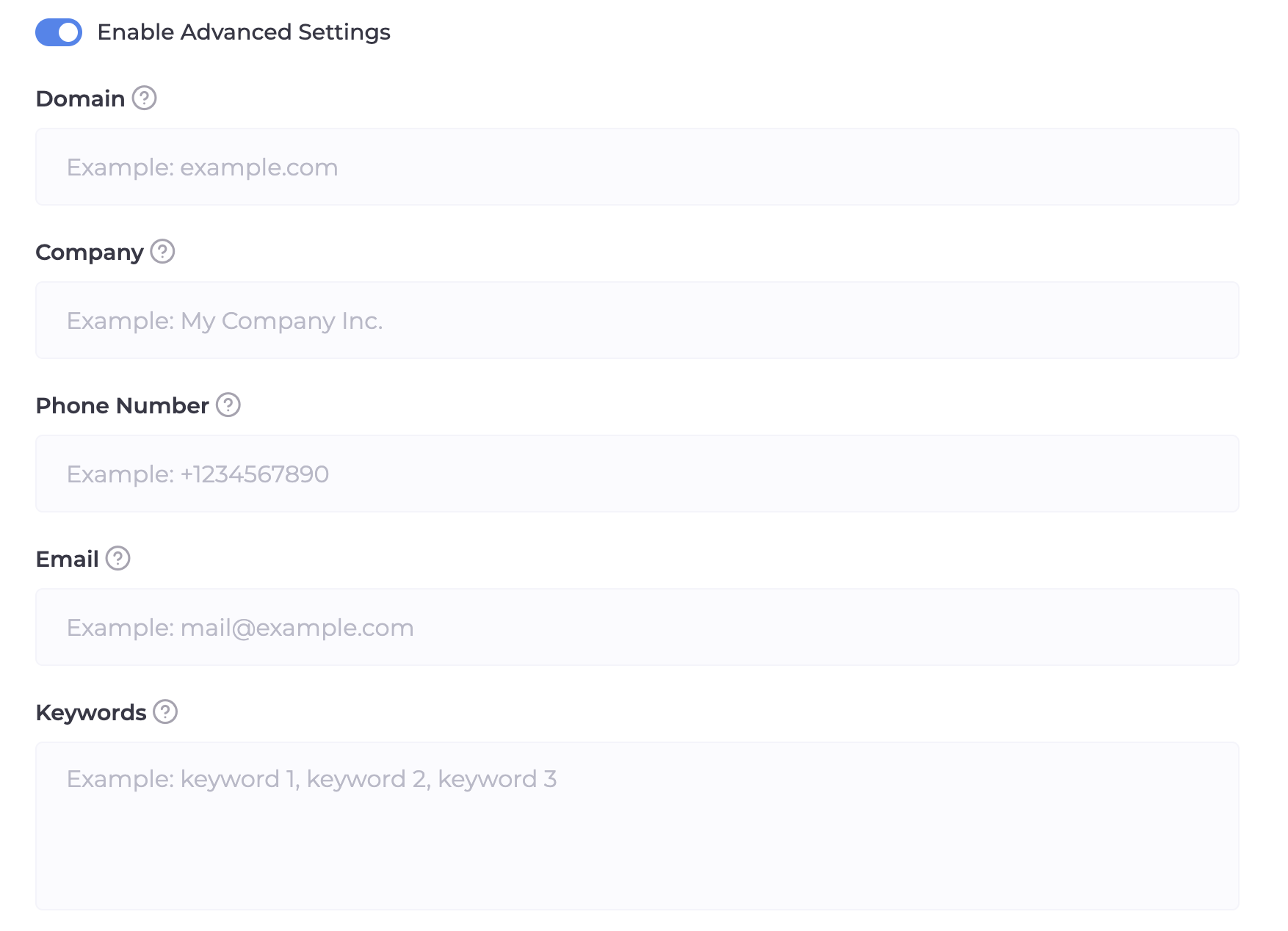
Advanced Settings:
Do not ignore this block! This is where the details that "lull" the moderation's vigilance are written.
Domain: Specify the domain where the White Page will be hosted.
Company Name, Phone, and Email: Be sure to enter this data. The neural network will automatically insert them into the "Contacts" page and the footer. For Google, the presence of "live" contacts is a huge plus for trust.
Keywords: Enter 5–10 words related to your "white" topic. The neural network will weave them into the texts and headers, providing the exact relevance the moderator is looking for.
Step 2. Creating and Configuring the Flow
When your White Page is ready, we move on to configuring the "brain" of the system — the Flow. The process is divided into three stages.
1. Links and Path Selection (White & Offer)
Here we set the basic routes for traffic.
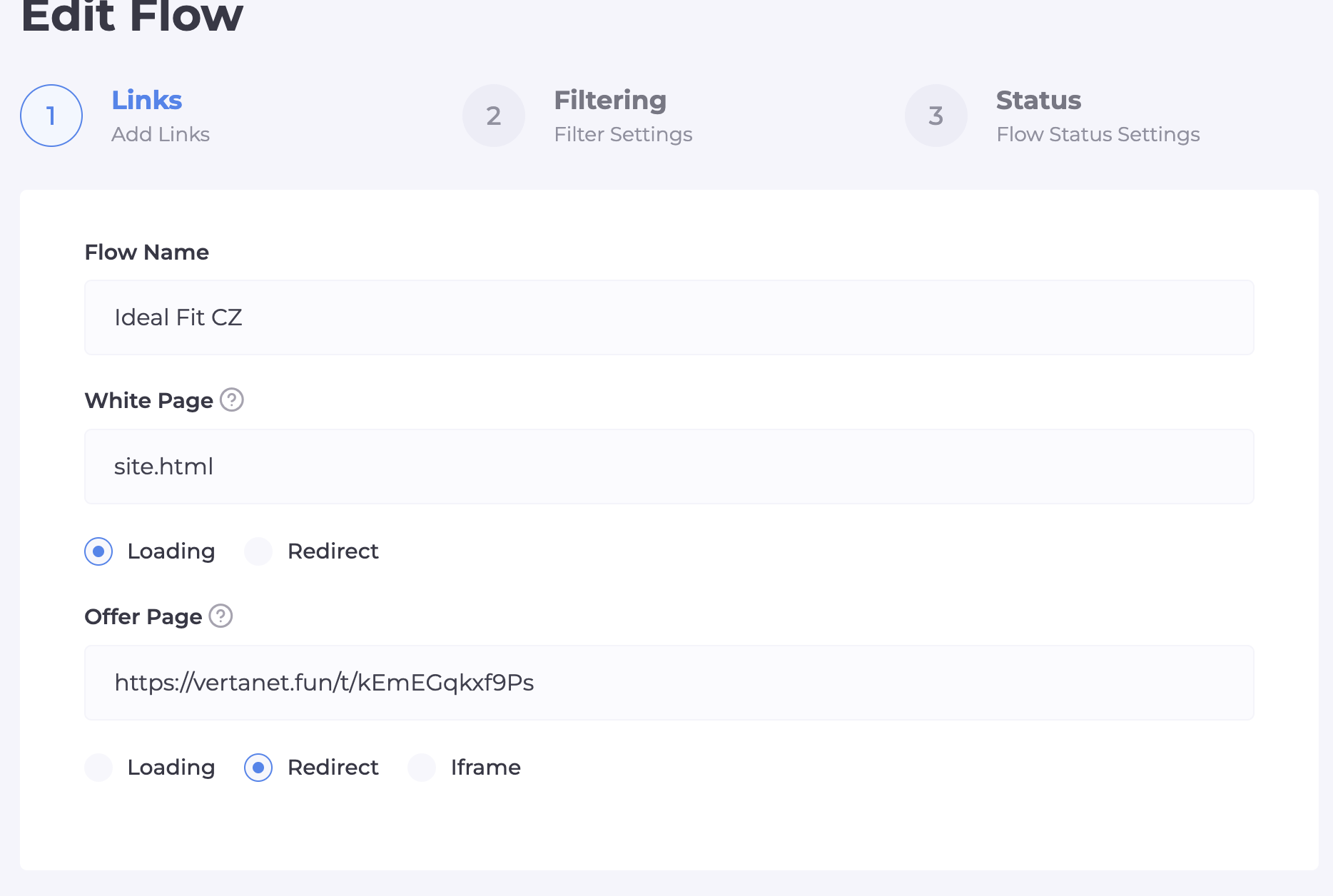
Flow Name: Enter a unique name (e.g., Nutra_IT_Google).
White Page: Enter the name of your file (e.g., site.php). Just below, select the "Loading" method. This is critically important: during loading, the address in the browser does not change, which does not arouse suspicion from moderation.
Offer Page: Enter the path to the real offer. If it is an external link, choose the "Redirect" method. If the offer is uploaded as a file to the hosting, use "Loading".
2. Filtering (Intelligent Barrier)
Here we build a protection system that determines whether it is a real person or another spy bot.
Main Filtering Toggles:
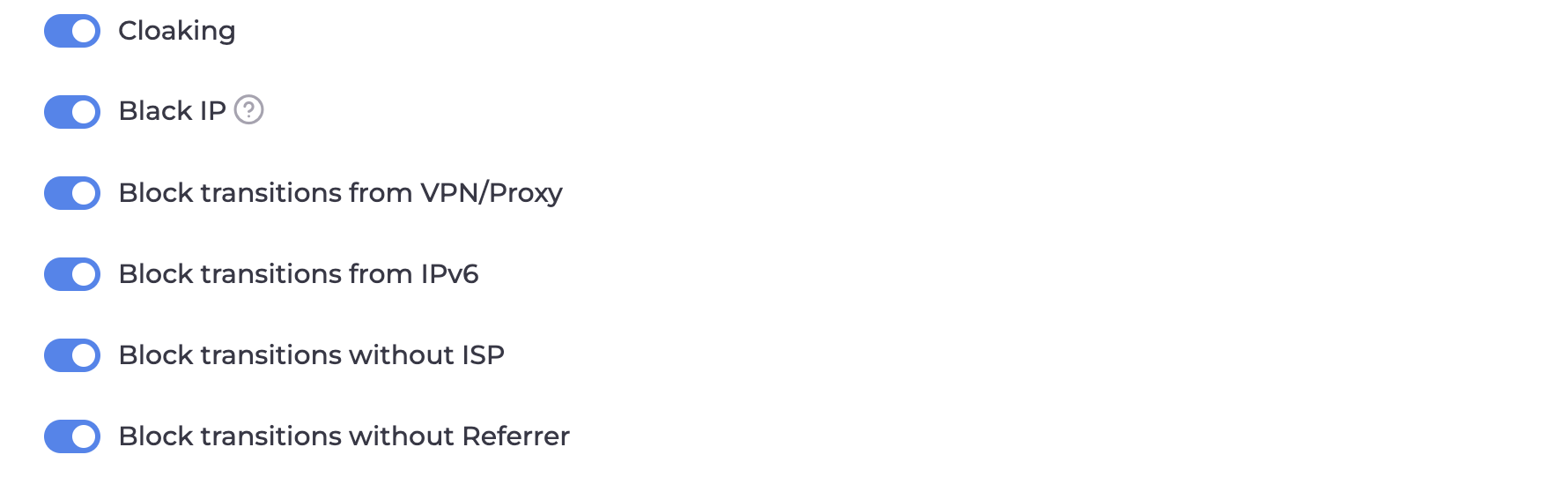
Cloaking and Black IP: Must be turned on. This is the automatic Cloaking.House database that knows most moderators and bot networks by sight.
Block VPN/Proxy: Turn this on. Moderators almost always use proxies for masking. A real buyer enters from their provider's direct IP.
Block IPv6: Turn this on. In Cloaking.House, this filter automatically sends any visit via the IPv6 protocol to the White Page. Since Google and Facebook moderators, among others, increasingly use IPv6 for checks, while regular users in most GEOs are still on IPv4, this becomes an excellent additional barrier for protecting your offer.
Block without ISP: Turn this on. This filter kills visits from data centers (Amazon, Google Cloud). If the visitor does not have the name of a real provider (ISP), it is 100% a bot.
Segmentation and Targeting:
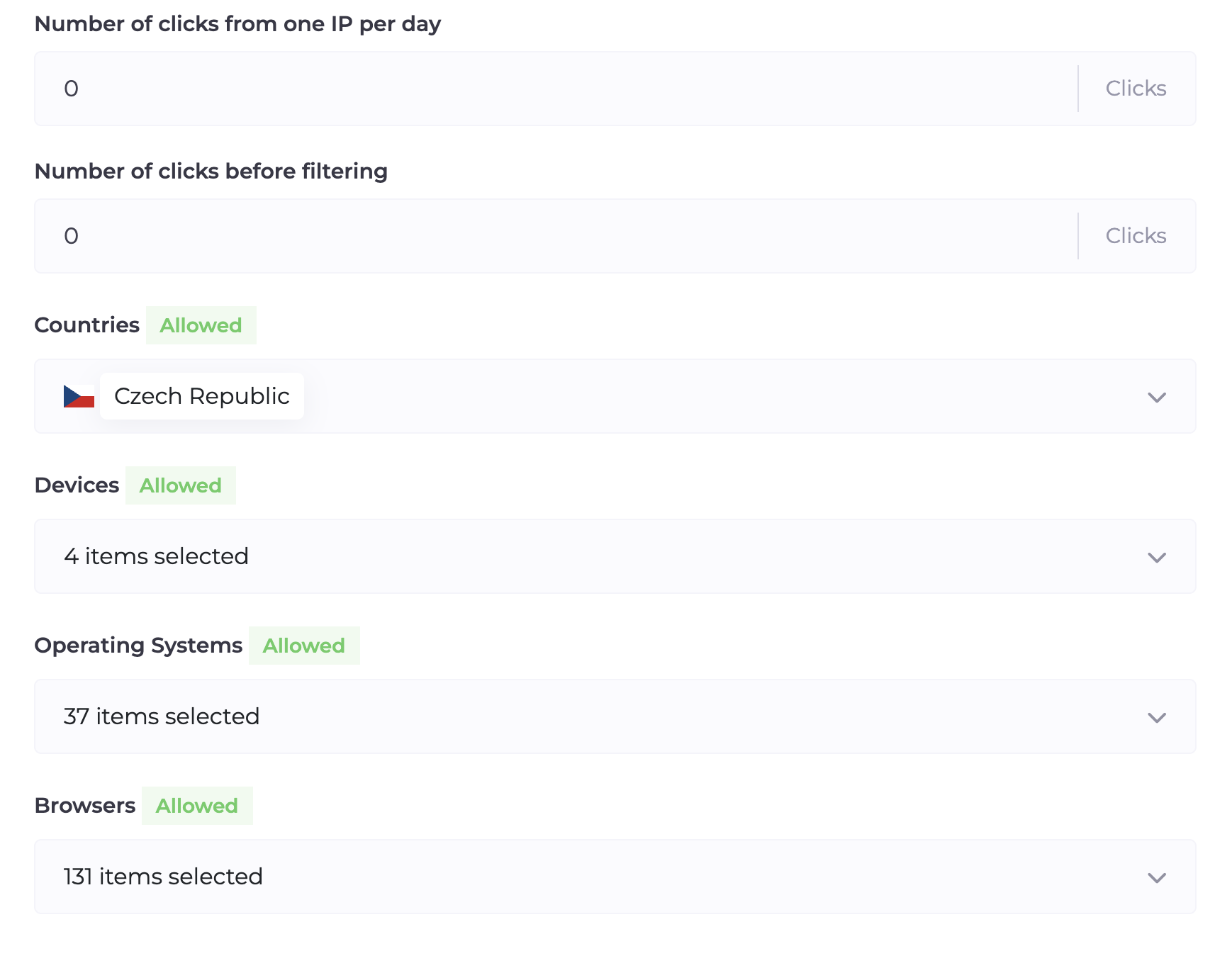
GEO: Choose strictly the country for which you are running ads. Any transition from another region will be automatically sent to the White Page.
Devices, OS, and Browsers: Cut off everything unnecessary. If you are only running on Android mobile traffic, block desktops and iOS.
Filtering by GET Parameters
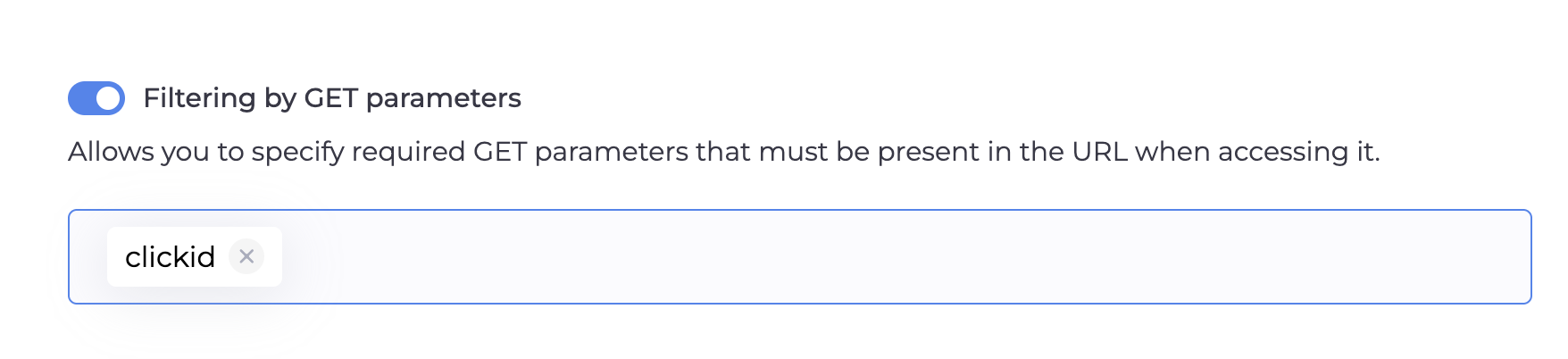
This is your "digital password". You set a required key (e.g., subid). If a bot or competitor enters via a direct link without this tag, the system will automatically show them the White Page.
Additional Settings:
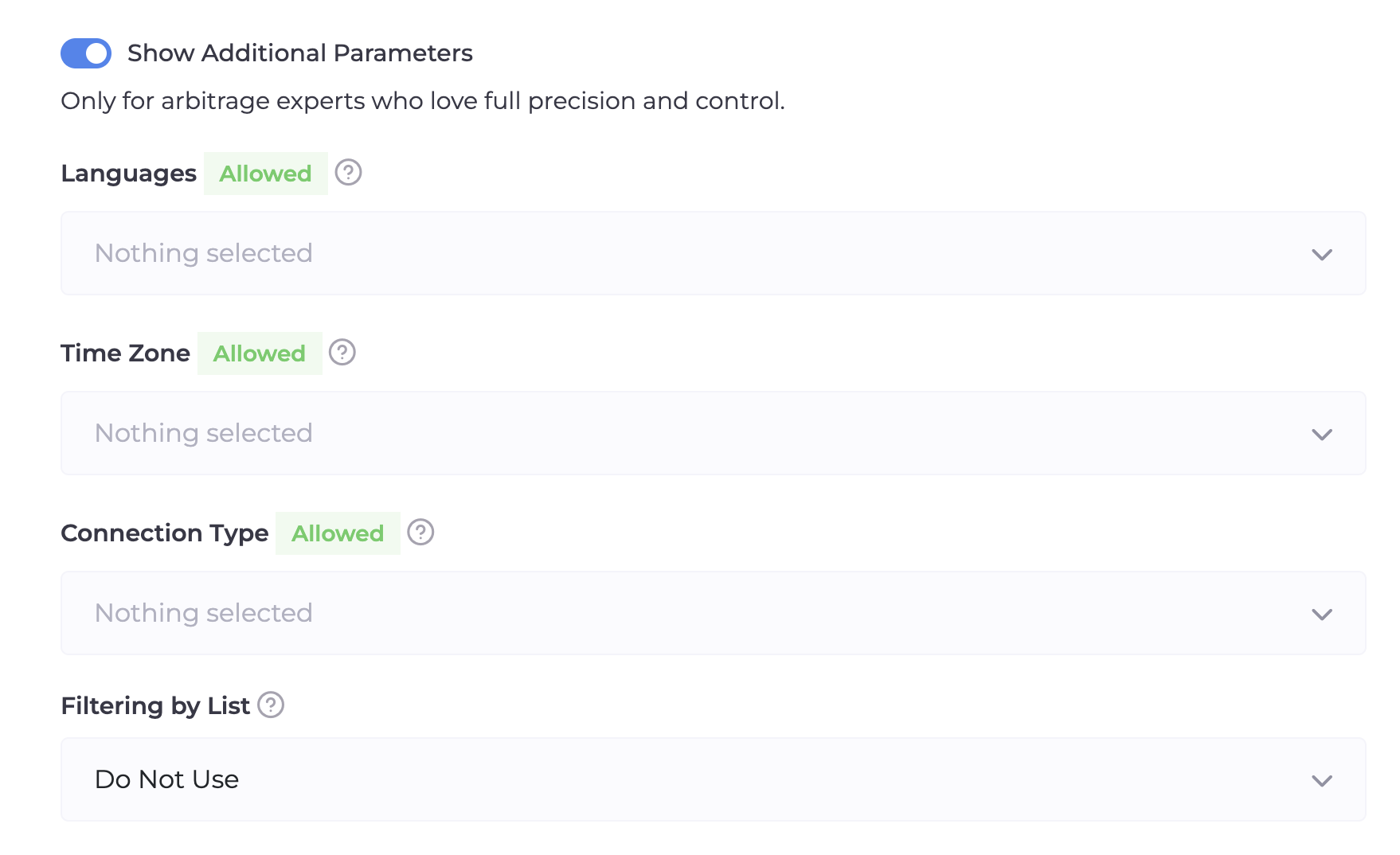
Languages: Set a filter by browser language. If you are advertising in Germany and a user with an English or Chinese language enters, the system will send them to the White Page.
Filtering Lists: If you have accumulated bases of "bad" IPs, connect them here in the Black List format.
3. Status and White List
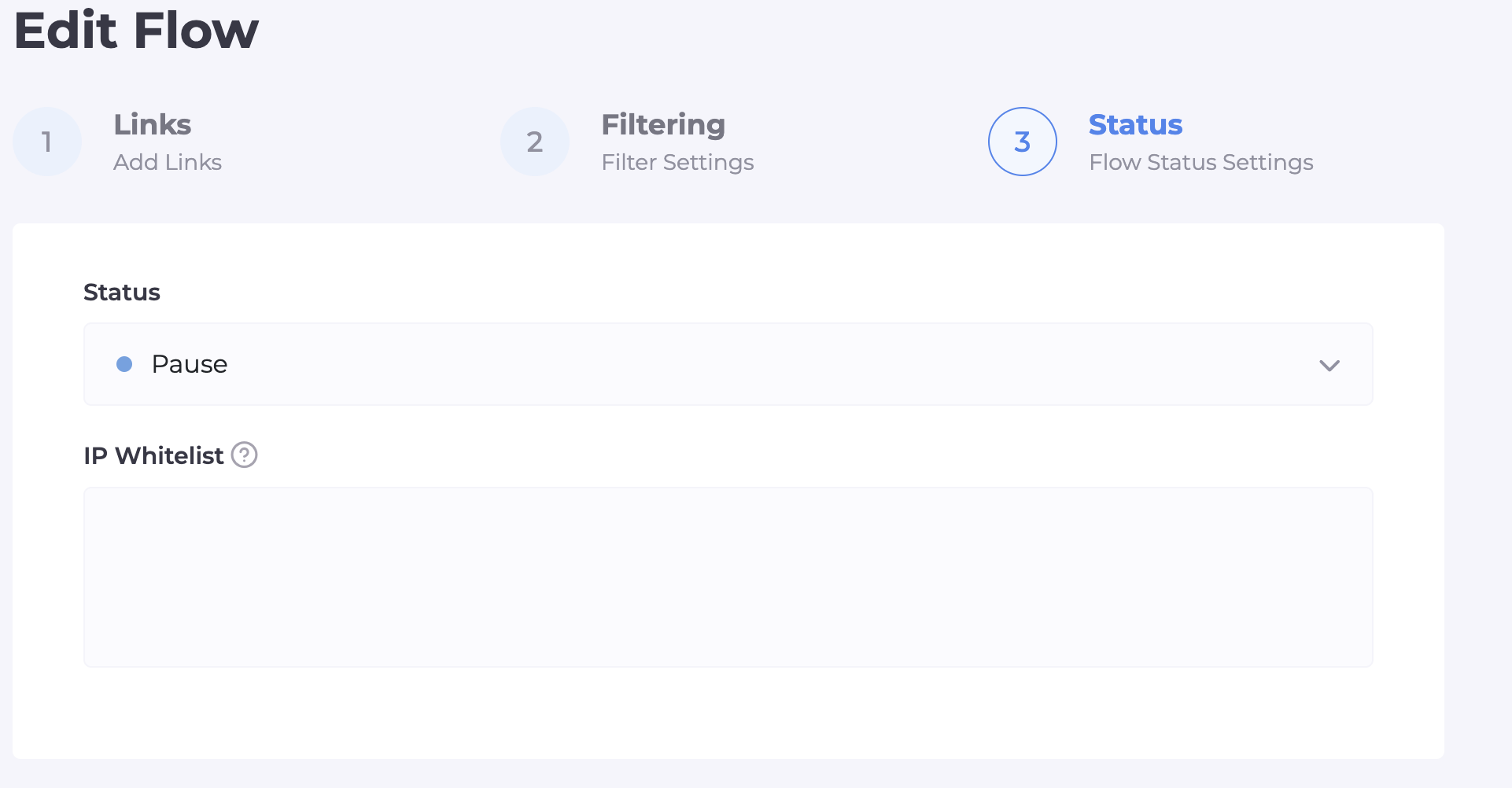
Flow Status: Select "Active" (If you select "Pause," all your clicks will go only to the White Page).
White List IP: Insert your current IP here. This will allow you to personally bypass all filters and see the Offer Page to check the display correctness.
Step 3. Integration on Hosting
Now you need to "bring to life" the protection on your domain. This is done in three simple steps:
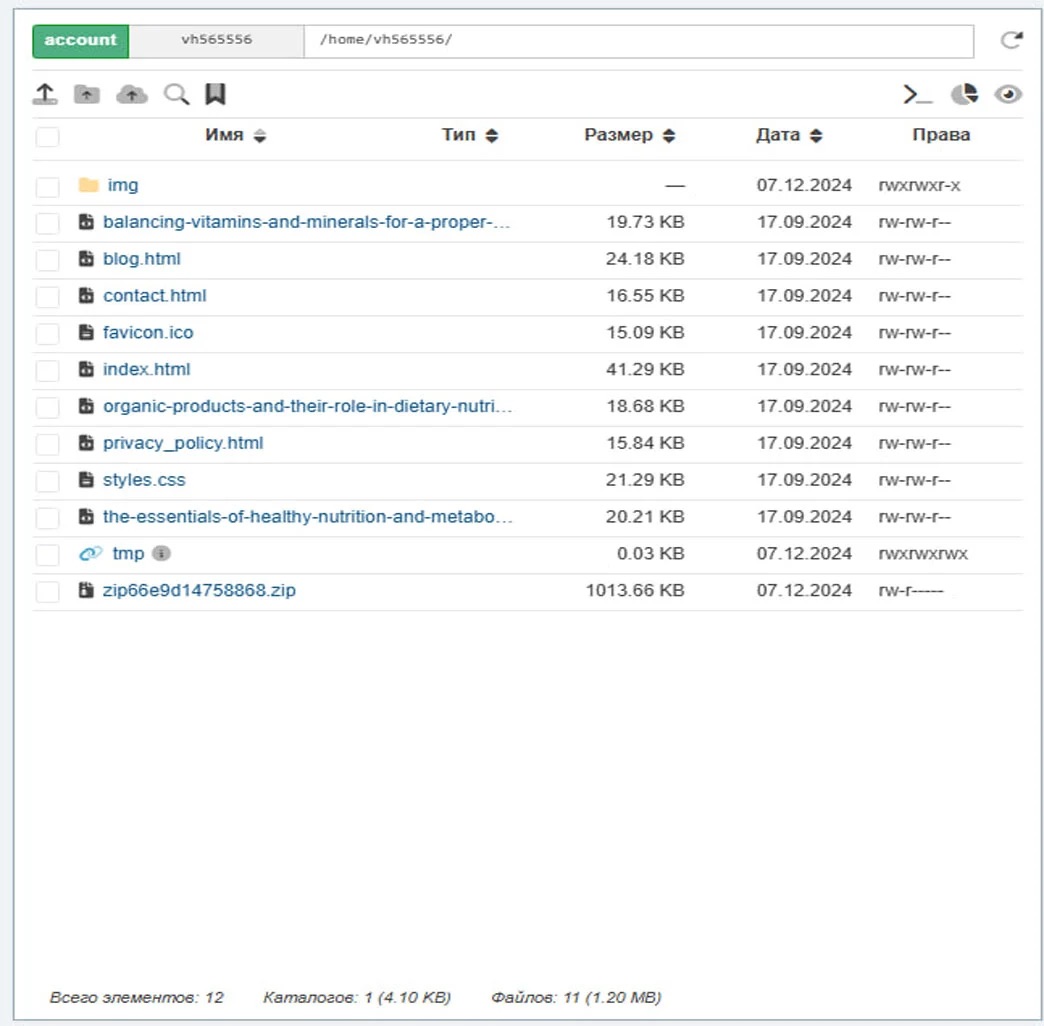
Download the file: In the flow settings in Cloaking.House, download the index.php integration file.
Upload to hosting: Through the file manager (public_html folder), upload this file to the root of the site.
Rename files: The file that is your "white" site (e.g., index.html) needs to be renamed to site.html (or the name you specified in the White Page field when creating the flow).
Now, when accessing the domain, your index.php will be the first to greet visitors and invisibly distribute them to different pages.
Work Strategy and Analytics
Algorithm after launch:
Data collection: Run the first 100–200 (live) clicks on maximum filters.
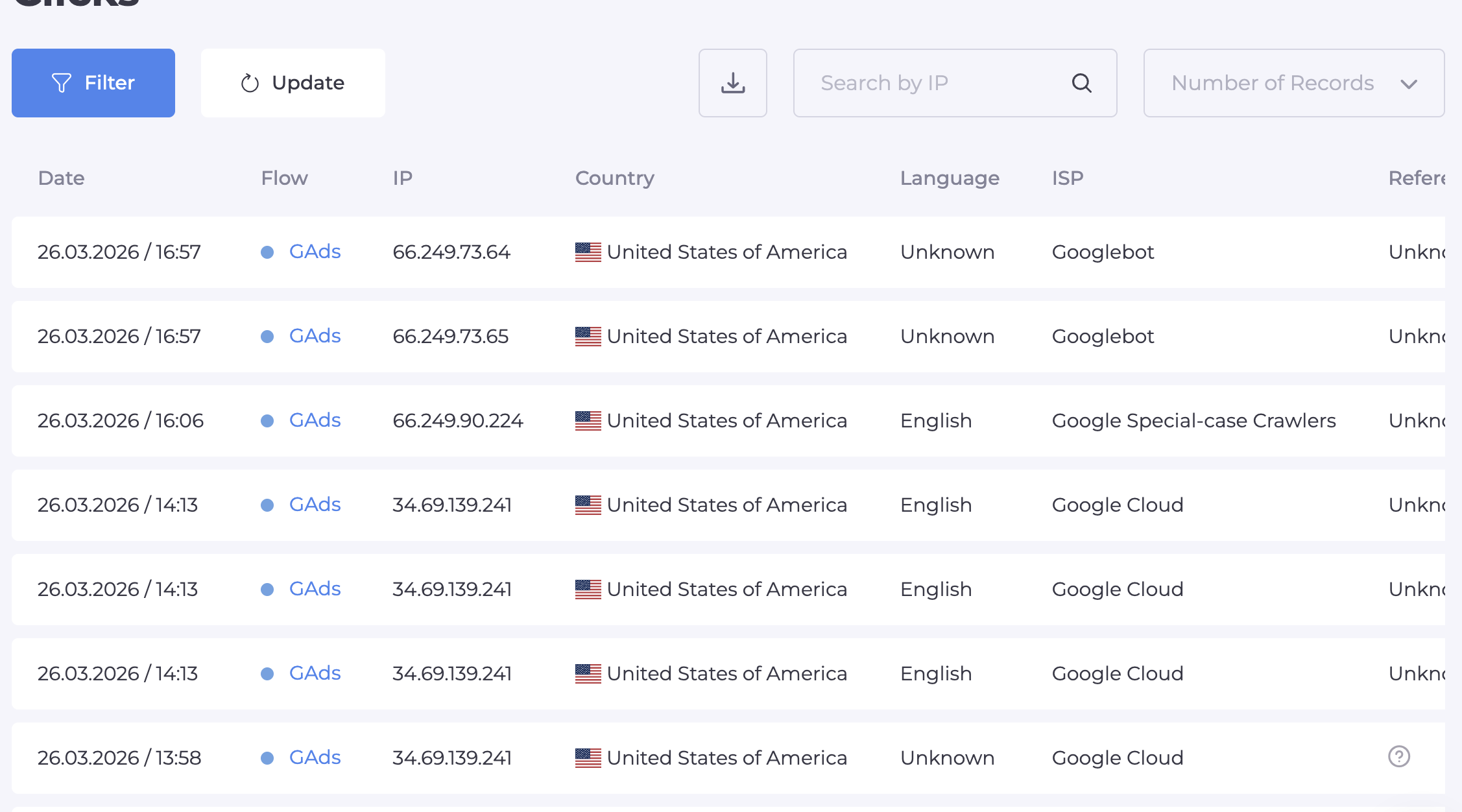
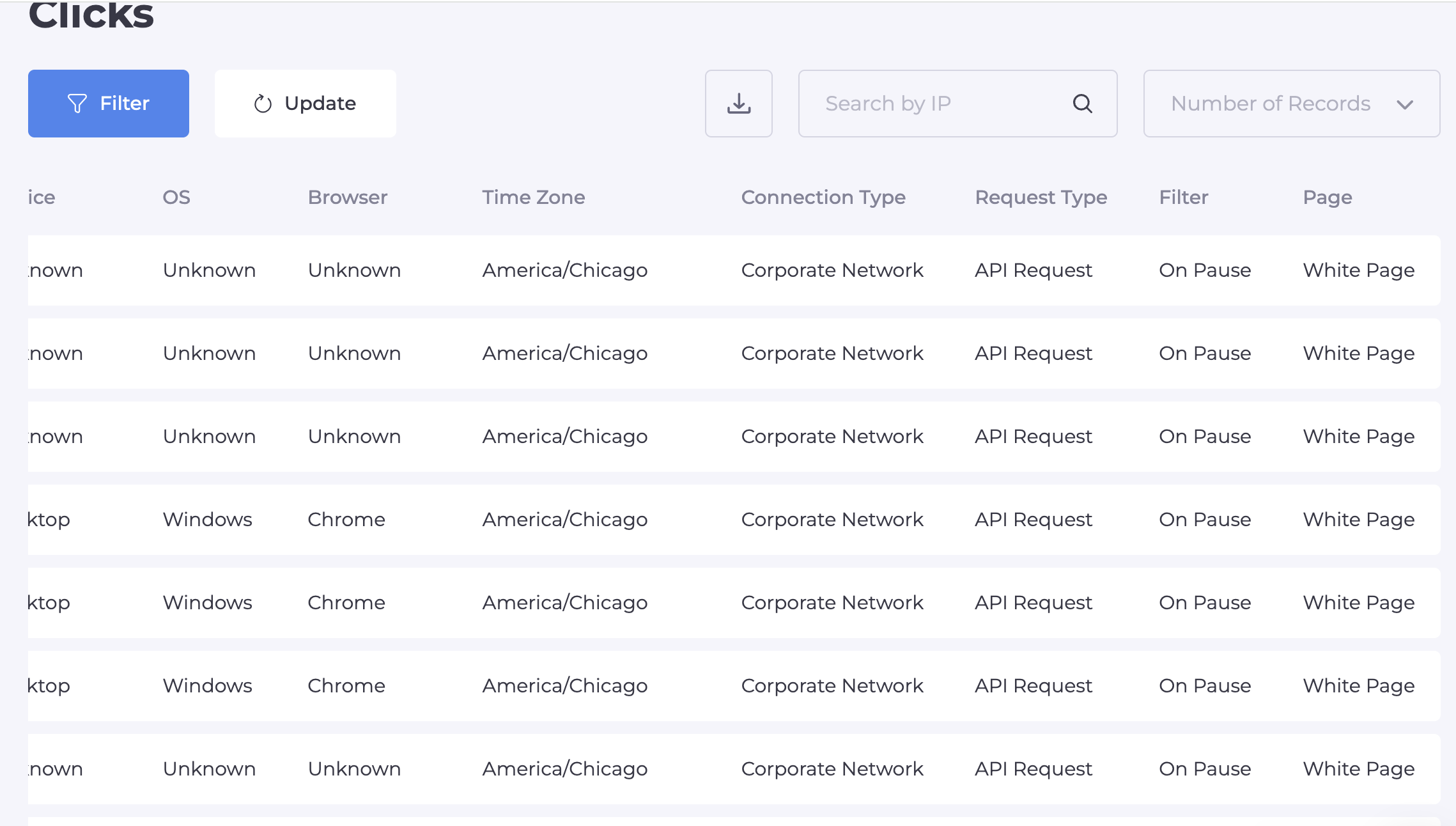
Click analysis: Go to the Clicks section. Cloaking.House shows every visitor and the reason for their filtration.
Optimization: If you see that real users are landing on the White Page, selectively loosen filters (for example, disable a specific ISP by creating Filtering Lists).
Pricing and Conclusion
Cloaking.House is a universal tool for those planning to scale in 2026 and run without bans.
7-day Trial: A free week with all functions for testing.
Annual Subscription: A 50% discount for serious players.
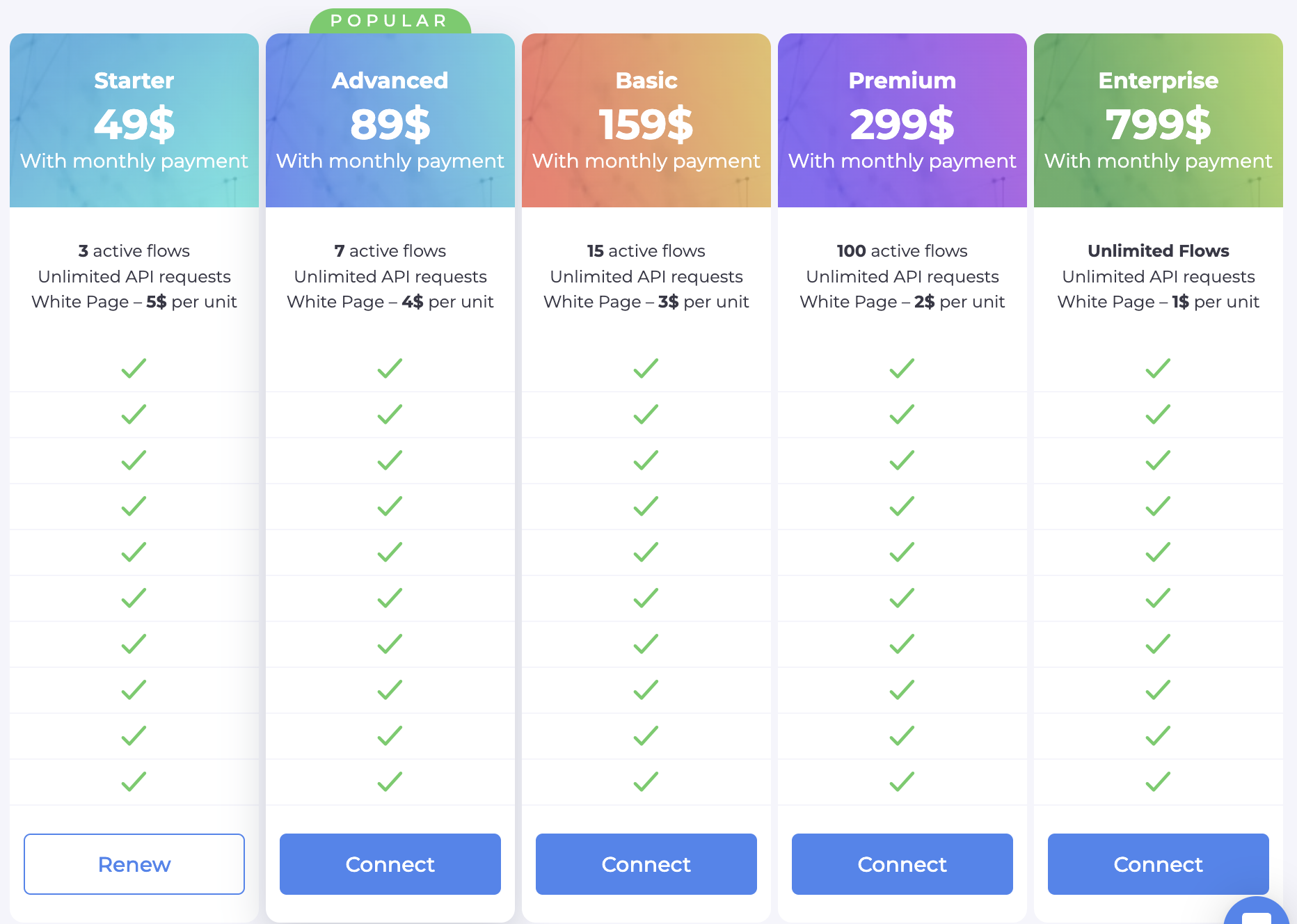
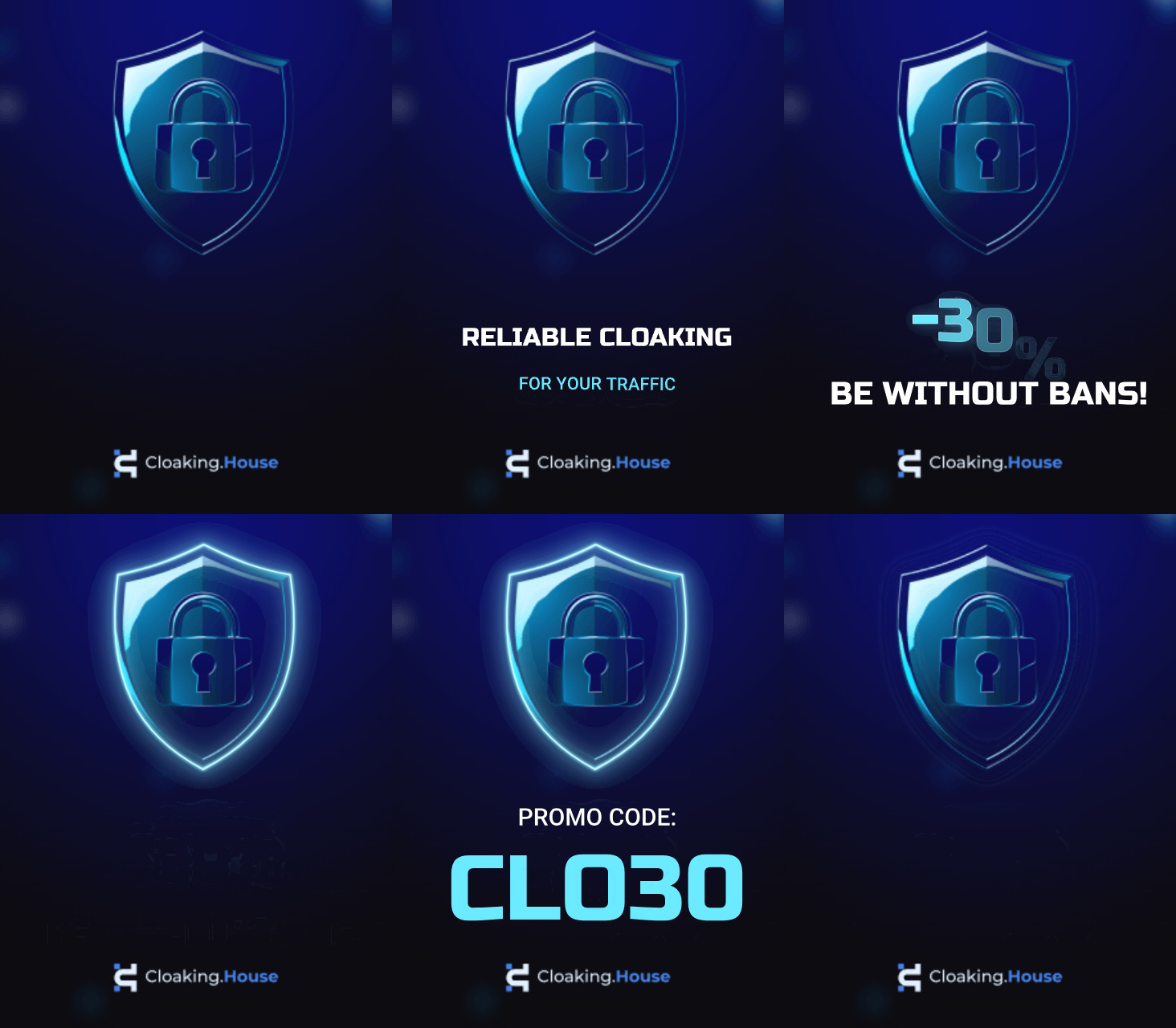
🎁 Your starting bonus: Use promo code BVBV_BRO_30 when paying for any plan and get an additional 30% discount.
Cloaking.House — your reliable shield in the world of aggressive arbitrage. Launch and run at a profit!




Be the first to share your opinion!
We value your feedback — share your thoughts.