


Launching ads in Google Ads today is not just about filling in fields in the dashboard, but a full-fledged game of chess with one of the most powerful neural networks in the world. In 2026, Google moderation has ceased to be a set of rigid rules. It is now a flexible predictive analysis system that evaluates your "digital footprint" even before you click the "Publish" button.
If you regularly see the "Account Suspended" banner, it means your launch strategy is leaving too many clues. Let’s break down exactly what causes buyers to get burned and how to build a defense that the AI considers "trustworthy".
The Foundation: Why Proxies and Accounts are Your Passport
Google does not see the internet the way we do. For the system, your login to the dashboard is a set of signatures. If you use cheap data center proxies, you look to the system like a person in a mask entering a bank. In 2026, data center IPs are an automatic trigger for verification.
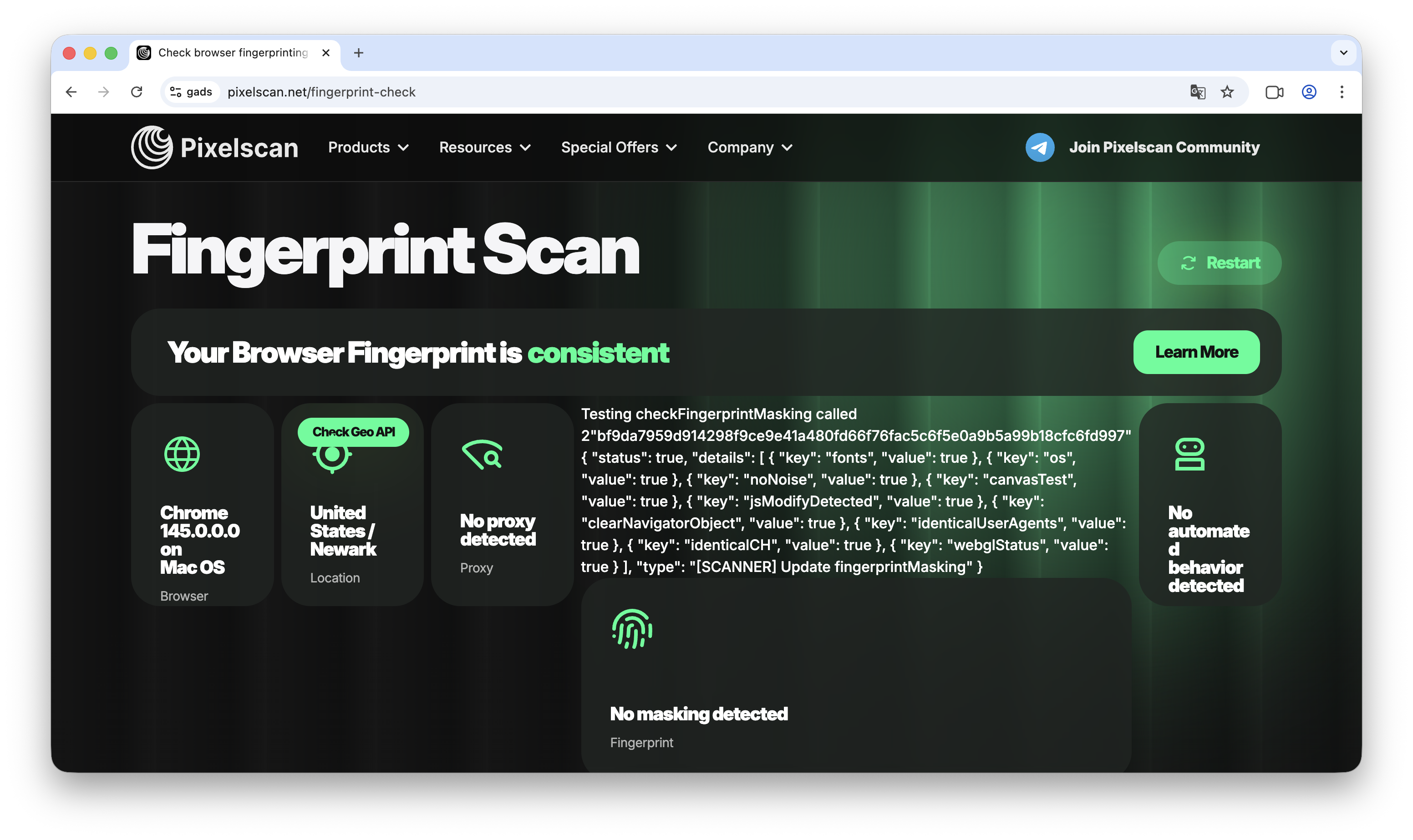
The only viable option today is ISP (residential) proxies. They mimic real home internet. In combination with high-quality farming that has a browsing history (cookies), this creates the illusion of a real entrepreneur. If you take an "empty" account and log in from a dirty IP, a ban for "Suspicious Activity" will arrive as early as the card linking stage.
The Art of the White Page: Why Copying is a Death Sentence
Many still use Spy services to download someone else's "white" site. In 2026, this is a fatal mistake. Google Ads possesses visual intelligence: it compares the structure, code, and even the pixel placement of your site with its massive database. If your White Page has already been "seen" in bans or is simply indexed as someone else's resource, you will receive a System Circumvention ban instantly.
A White Page must be unique not only externally but also at the code level. This is why multi-page sites created via the AI generator Cloaking.House live longer. The neural network writes new text and builds a unique structure every time, which Google considers high-quality content for the user.

Technical Masking: Goodbye, Redirect
If you are still using direct redirects, you are working with decade-old technology. Any jump from one domain to another at the moment of the click is a red flag for Google.
Today, the standard is PHP integration. This is a "loading" method where the content changes right inside your domain. The moderator follows the link and sees your White Page, while a real user on the same link sees the offer. No redirects, no changes in the address bar. Clean, seamless, and safe.
Behavioral Triggers and "Money" Trust
Google watches how you spend money very closely. A sharp increase in budget (for example, from $20 to $200 in one evening) is perceived by the system as an "account hack" or an aggressive dump before a ban. The result is a suspension pending investigation.
The same applies to payment data. If your card's BIN is "tainted" by thousands of first-bills from other media buyers, your account is doomed. Using proven services, such as Pay2.House, allows you to link cards with a clean history that Google perceives as a reliable payment tool.
Fine-Tuning: Where are the Leaks Hiding?
Sometimes accounts drop due to simple carelessness in filtering settings. For example, if you haven't filtered IPv6, which Google bots often use, or if you haven't enabled verification by GET parameters.
In the latest update of Cloaking.House, we added the ability to allow only those who have your unique token (e.g., sub_id) in the link to see the offer. If a bot or spy service follows a "naked" link, it automatically sees the White Page. This cuts off 99% of unwanted checks.
Cloaking.House Integration: Step-by-Step Setup
1. Creating a White Page: Requirements and Sources
In Google Ads, the White Page is the foundation. Google moderation checks not only for prohibited content but also for the "quality of the resource for the user". If the site looks like a cheap imitation, the campaign will be rejected with the label "Low landing page quality".
Technical Requirements for a White Page:
Maximum Relevance: If you write about "gardening tips" in your ad, then the White Page must have articles about gardening. Keywords from the ad must be present in the headers (H1, H2) of your White Page.
Speed and Mobile-First: The site must open instantly. Check it via Google PageSpeed Insights—the scores should be in the green zone. 90% of Google's checks simulate mobile devices, so responsiveness is mandatory.
Legal Pages: The bottom of the site must have links to Privacy Policy, Terms of Service, and Contact Us. On the contact page, it is advisable to provide a real address and a map.
Unique Content: Google excels at recognizing stolen content. Texts must be unique (check them through third-party services), and images must be of high quality.
Where to Get a High-Quality White Page (Sources):
AI Generator in Cloaking.House: This is the most reliable method. The "AI White Page" tab allows you to generate a unique multi-page site for a specific vertical. The neural network writes the texts and builds the structure that Google considers "trustworthy".
Important Note: We strongly recommend against copying other people's sites via Spy services. Google stores "snapshots" of almost all sites in its database. If you upload a copy of a site that has already run in ads or is simply indexed, you will receive a "System Circumvention" ban at the review stage.
Once the technical requirements are clear, proceed to creation. The safest path for Google Ads is using the built-in neural network generator, as it creates unique code and content with no history in Google's database.
Log in to your Cloaking.House personal account and go to the "AI White Page" tab.
Main Fields to Fill:
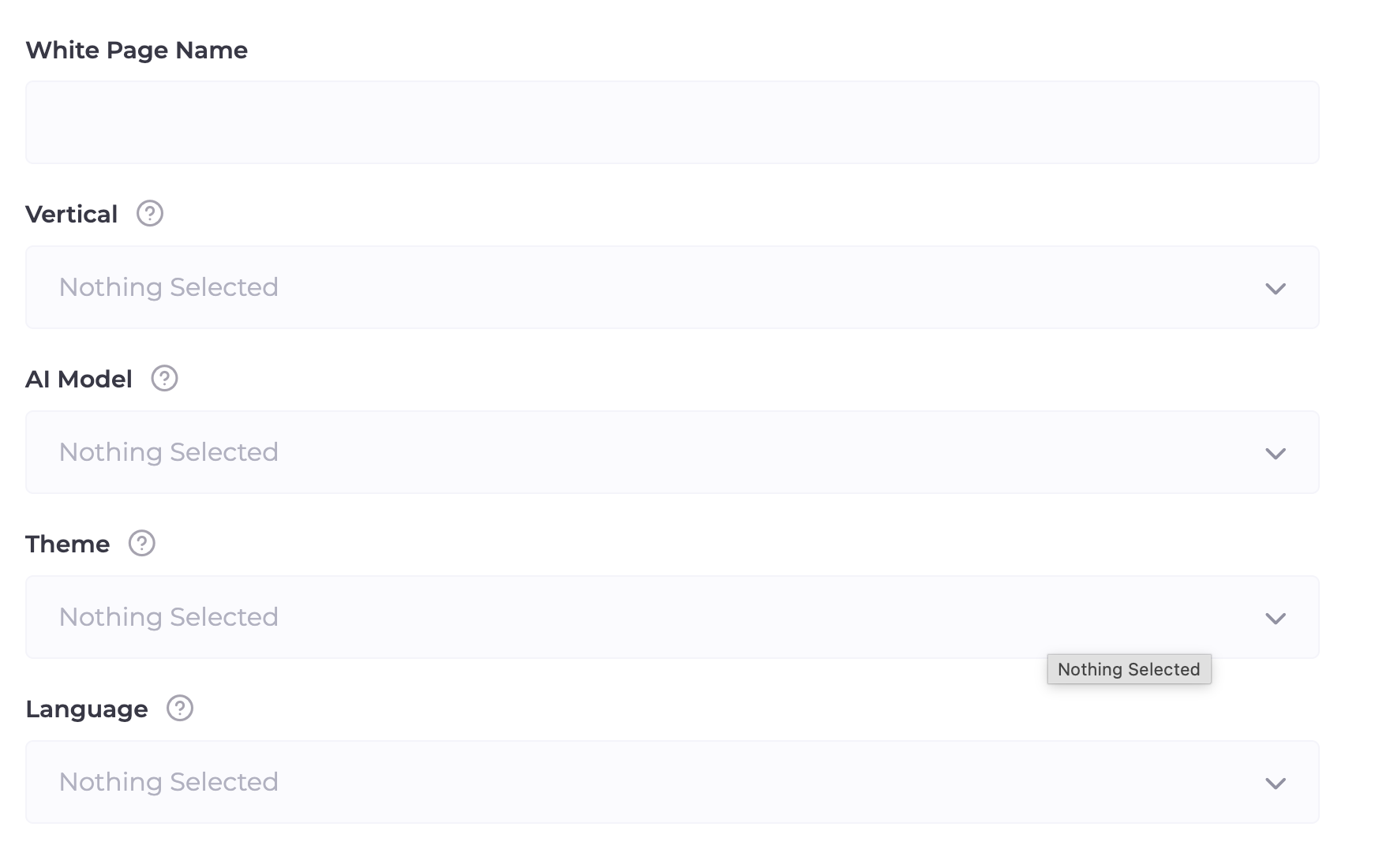
Name: Internal name for your project (the moderator does not see this).
Vertical: Choose a niche (e.g., Nutra, Gambling, or Technology). This sets the direction for text generation.
AI Model: Selection of site structure. One Page is a stylish landing page. For Apps is optimized for app launches. For Ads is the ideal choice for Google, creating a full multi-page site, which maximizes trust in the eyes of moderators.
Theme: Visual style of the design.
Language: Select the language of the target GEO.
Advanced Settings:
Do not ignore this block! This is where details are specified that "lull" Google's vigilance.
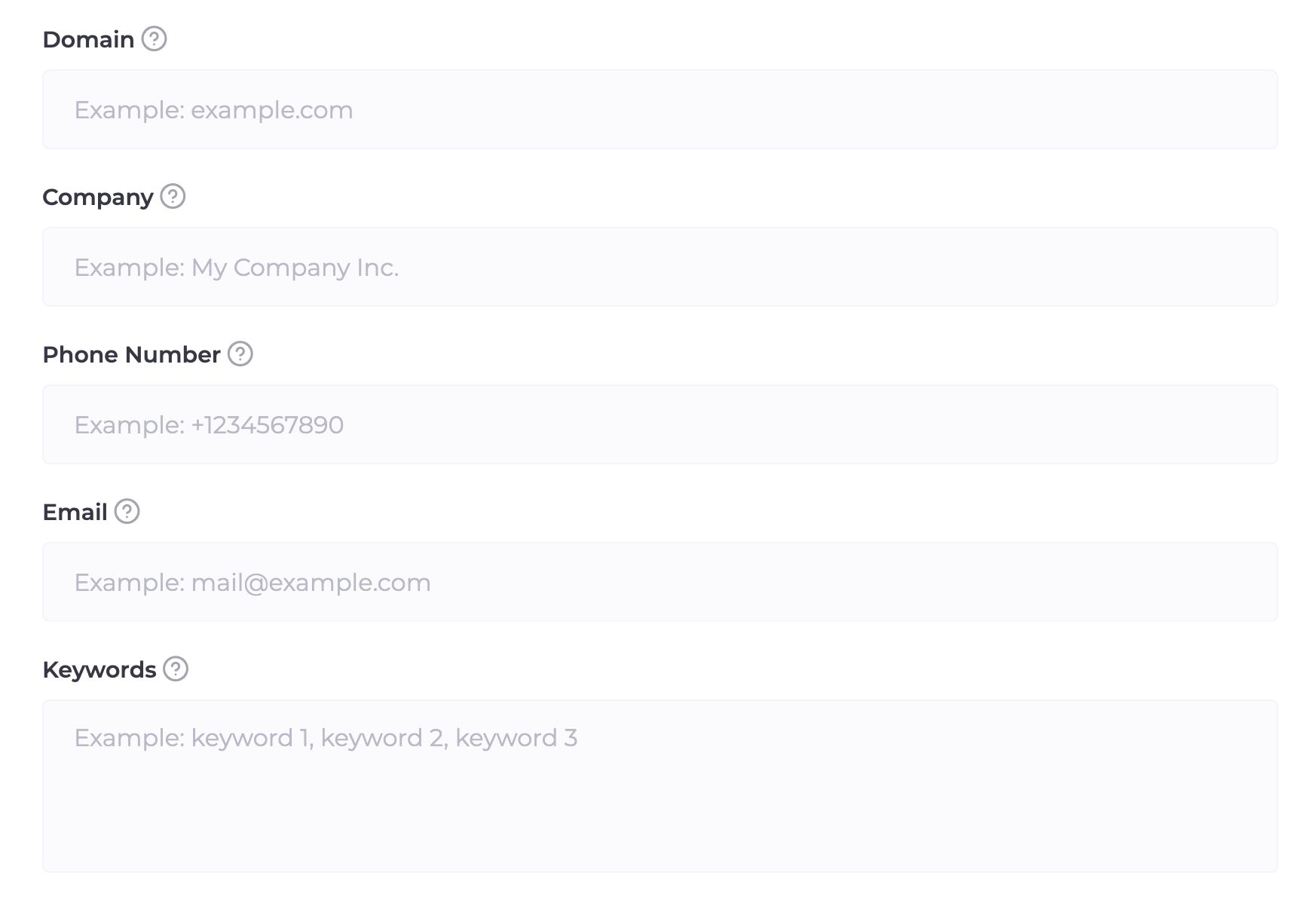
Domain: Specify the domain where the White Page will be hosted.
Company Name, Phone, and Email: Be sure to enter this data. The neural network will automatically insert them onto the "Contact" page and into the footer. For Google, the presence of "live" contacts is a huge plus for trust.
Keywords: Enter 5–10 words related to your "white" topic. The neural network will weave them into the texts and headers, ensuring the relevance the moderator is looking for.
After filling everything out, click the "Generate" button. In a few minutes, the system will provide a ready-made archive that just needs to be uploaded to the hosting.
The Hosting Installation Process Takes Less Than a Minute:
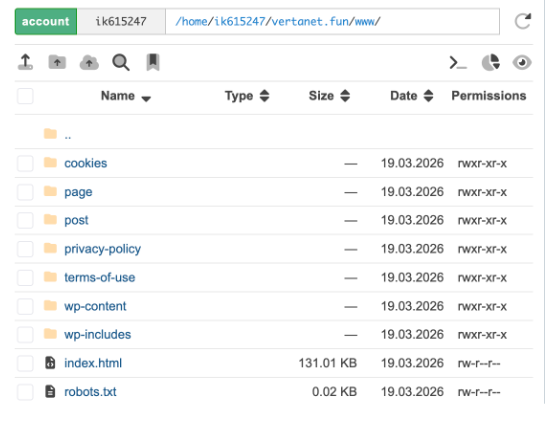
Log in to your hosting control panel (this article uses hosting.xyz) and open the "File Manager".
Go to the root folder of your domain (usually public_html).
Upload the received archive there and click the "Extract" button.
All White Page files, images, and folder structures will automatically fall into place. You don’t need to design or code anything—the neural network has already done all the work for you. After extraction, the archive itself can be deleted to save space.
2. Creating a Flow in Cloaking.House
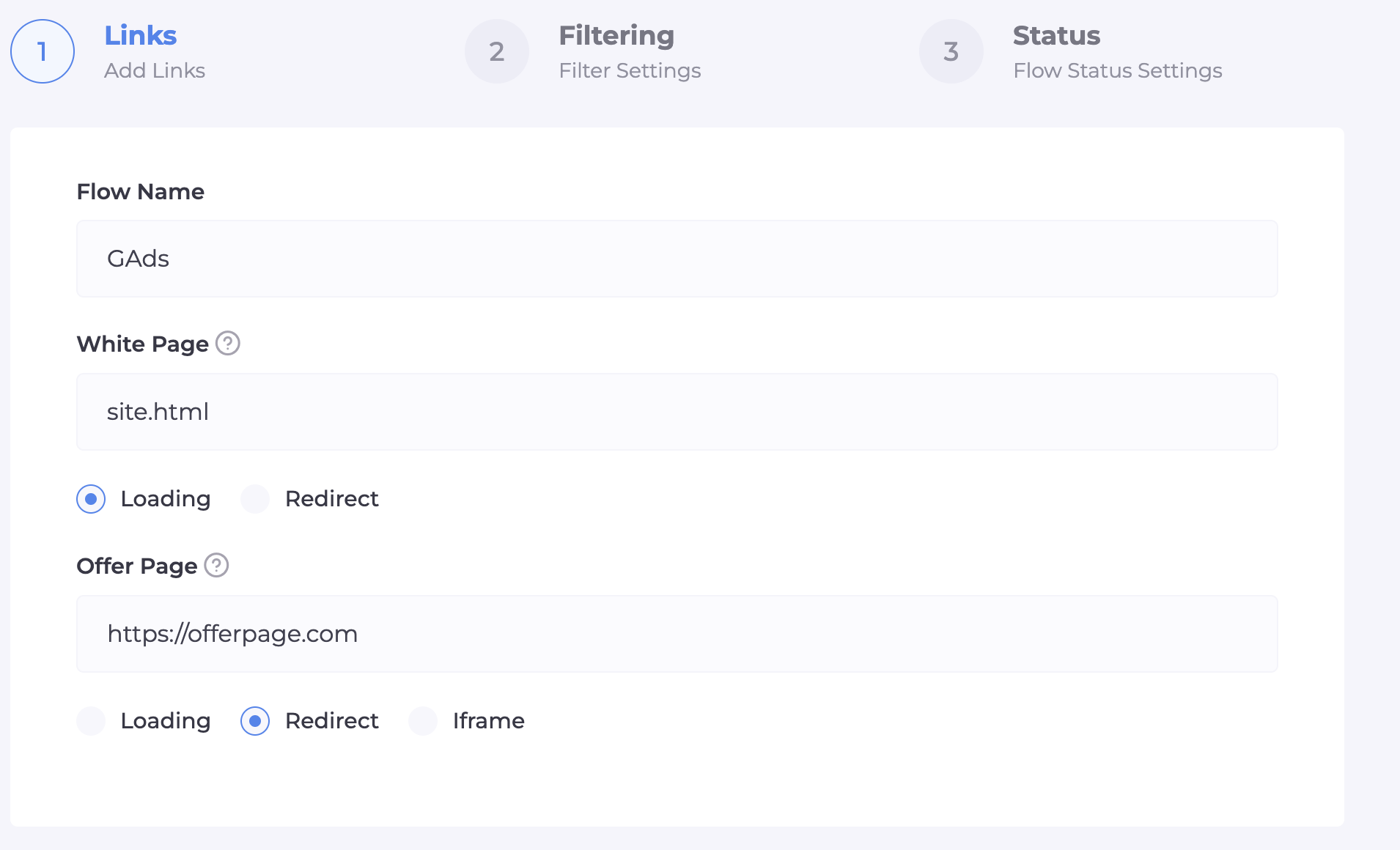
Step 1: Name and Path Selection (White & Offer)
At this stage, we set the basic routes for traffic. It is important to choose the right content display methods to avoid leaving "digital footprints" for Google.
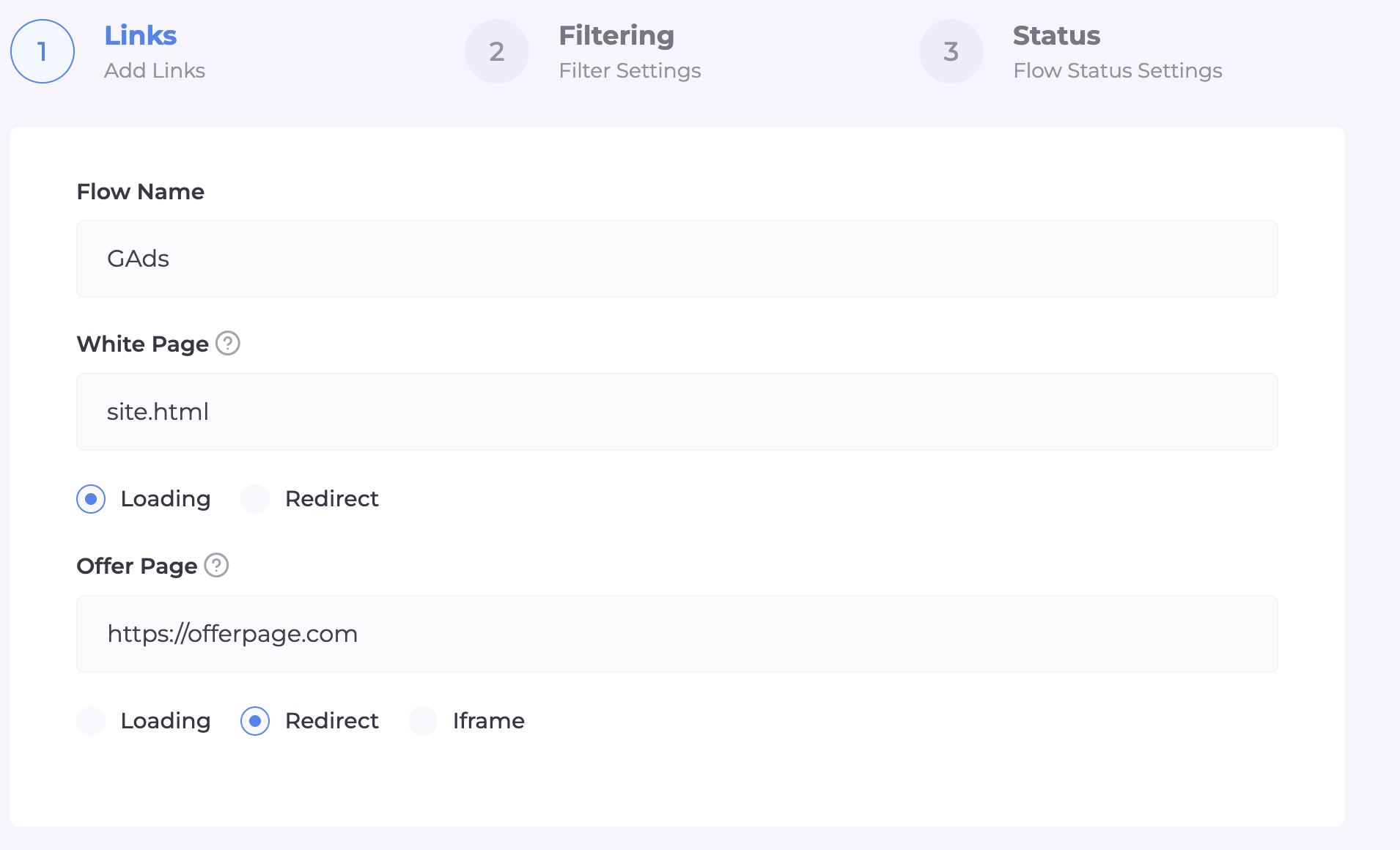
Flow Name: Enter a unique name. It’s better to use the offer name and GEO so as not to get confused when scaling.
White Page: Enter the name of your file (specify the full filename with its extension: if your White Page is PHP, write site.php; if HTML, write site.html). In the drop-down menu, select the "Loading" method. This is critical: with loading, the address in the browser bar remains the same, which does not arouse suspicion from Google. We will perform the file integration on the hosting a bit later.
Offer Page: Enter the path to your real offer. If your offer is on an external resource (affiliate link), select the "Redirect" method. If the offer is uploaded to your hosting as a file, use the loading method.
Step 2: Fine-Tuning Filters (The Intellectual Barrier)
Here we build the protection system that will determine if the visitor is a real person or another Google spy bot.
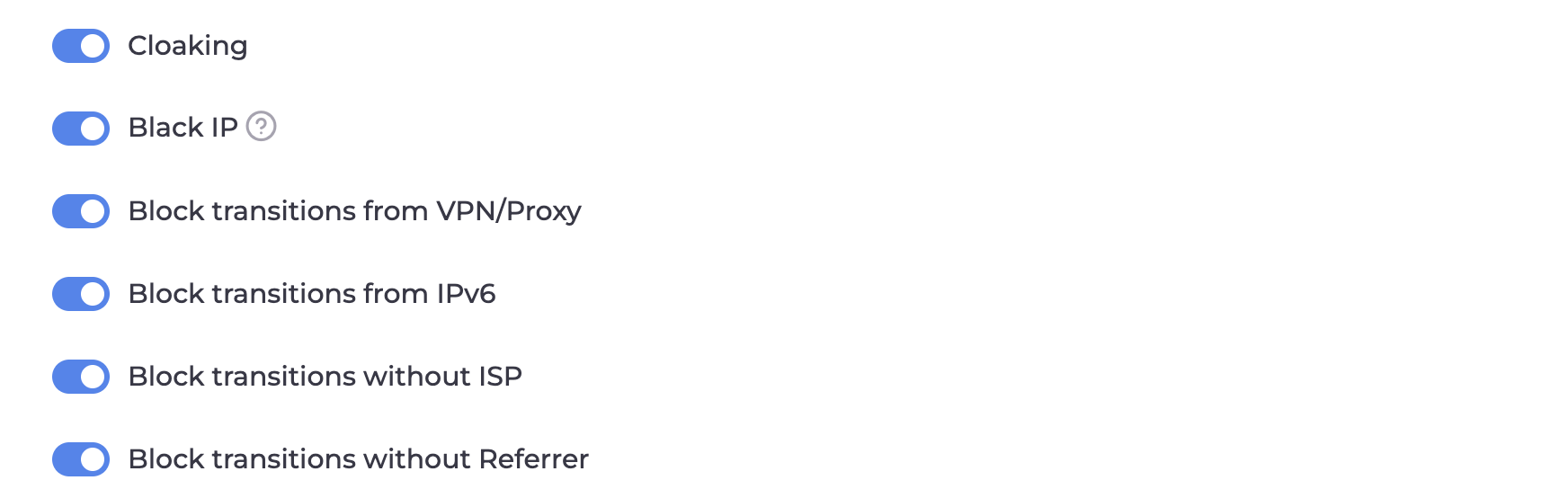
Main Filtering Toggles:
Cloaking and Black IP: Must be enabled. This is the automatic Cloaking.House database that knows most moderators and bot networks by sight.
Block VPN/Proxy: Enable this. Google moderators almost always use proxies for masking. A real buyer enters from their provider's direct IP.
Block IPv6: Be sure to turn this OFF. Note for Google Ads: Google's checks often go through the IPv6 protocol. If you block this protocol, the Google bot won't even be able to reach your White Page, which will lead to ad rejection.
Block without ISP: Enable this. This filter kills visits from data centers (Amazon, Google Cloud). If a visitor does not have a real provider name (ISP), it is 100% a bot.
Segmentation and Targeting:
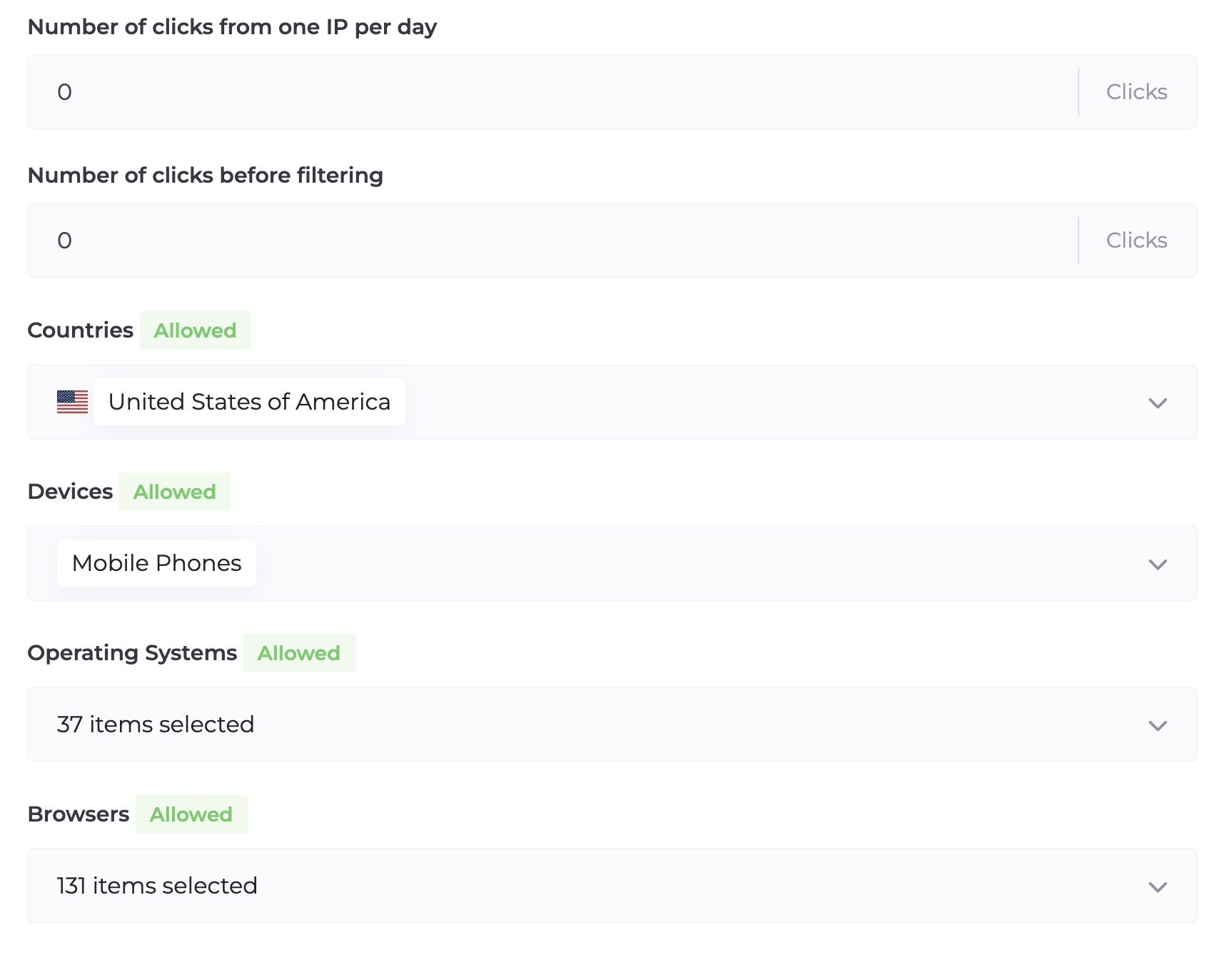
GEO: Choose strictly the country you are running ads for. Any transition from another region will be automatically sent to the White Page.
Devices, OS, and Browsers: Cut out everything unnecessary. If you are running only for mobile Android traffic, block desktops and iOS.
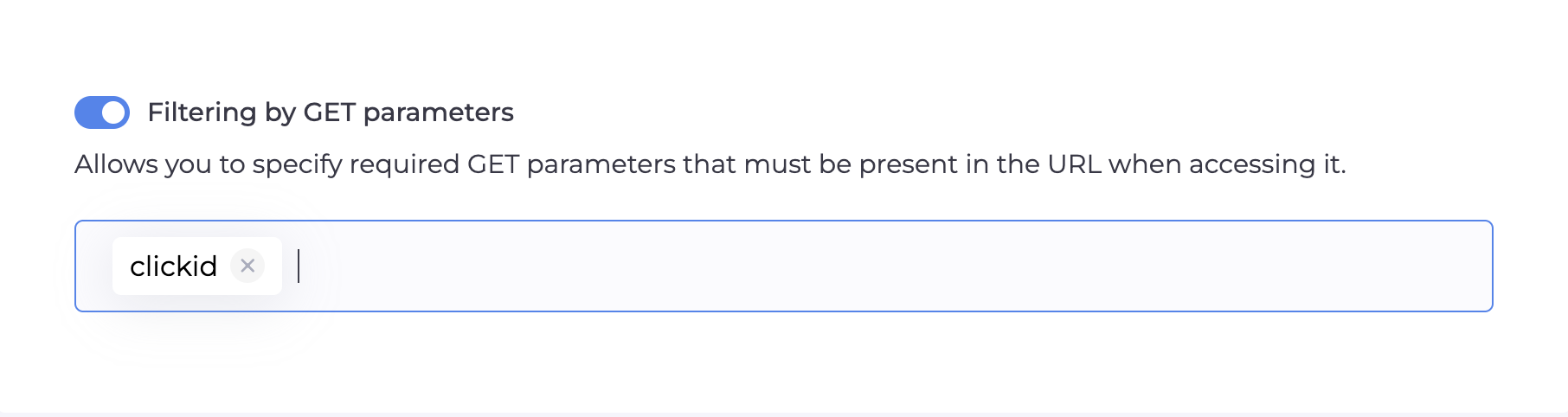
Filtering by GET Parameters
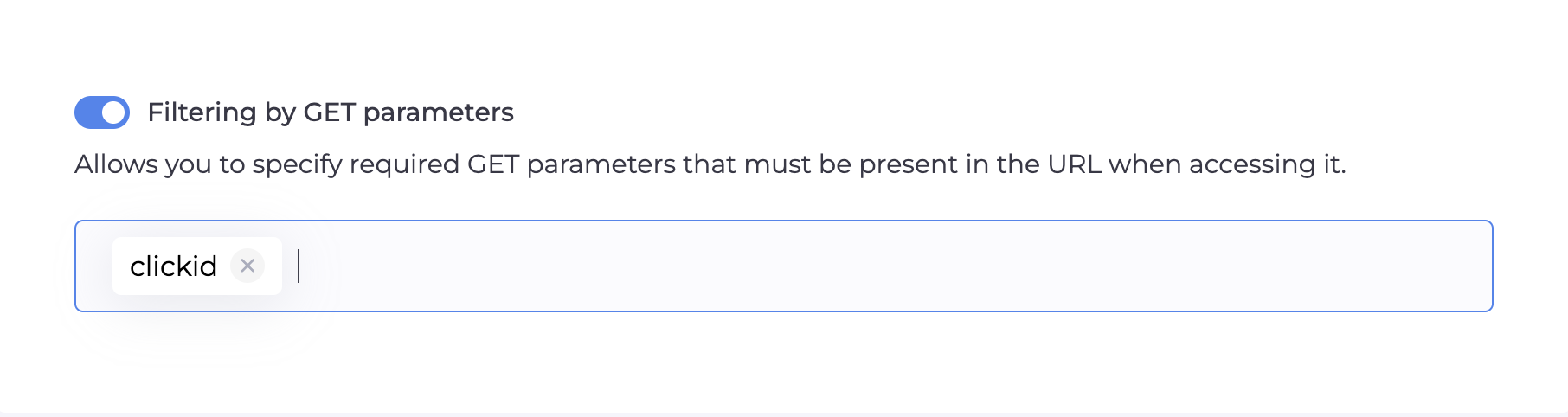
After a recent update in Cloaking.House, filtering by the presence of GET parameters became available. This is a technical barrier that allows verifying incoming traffic at the URL structure level:
Mechanics: You set a list of required keys (e.g., click_id, sub_id, utm_term) that must be present in the link.
Validation Logic: The system checks for the presence of the specified parameters in the URL, regardless of their values.
Action: If at least one of the specified parameters is missing from the link, the traffic is automatically considered undesirable and redirected to the White Page.
This is an effective way to cut off ad network bots and spy services that often follow "direct" links without dynamic tracker tags.
Additional Settings:
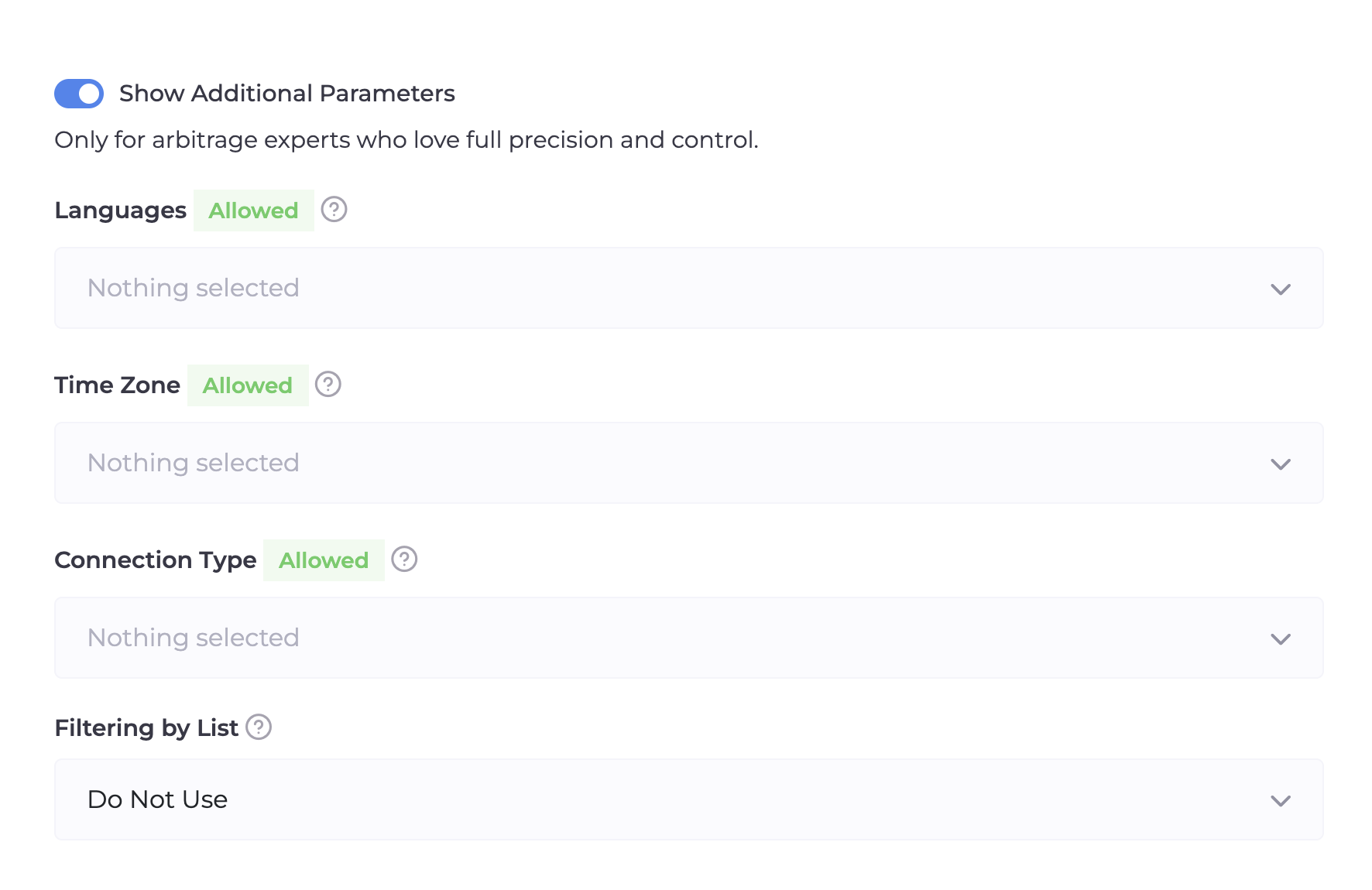
Languages: Set a filter by browser language. If you are advertising in Germany and a user with English or Chinese language enters, the system will send them to the White Page.
Filtering Lists: If you have accumulated databases of "bad" IPs, connect them here in Black List format.
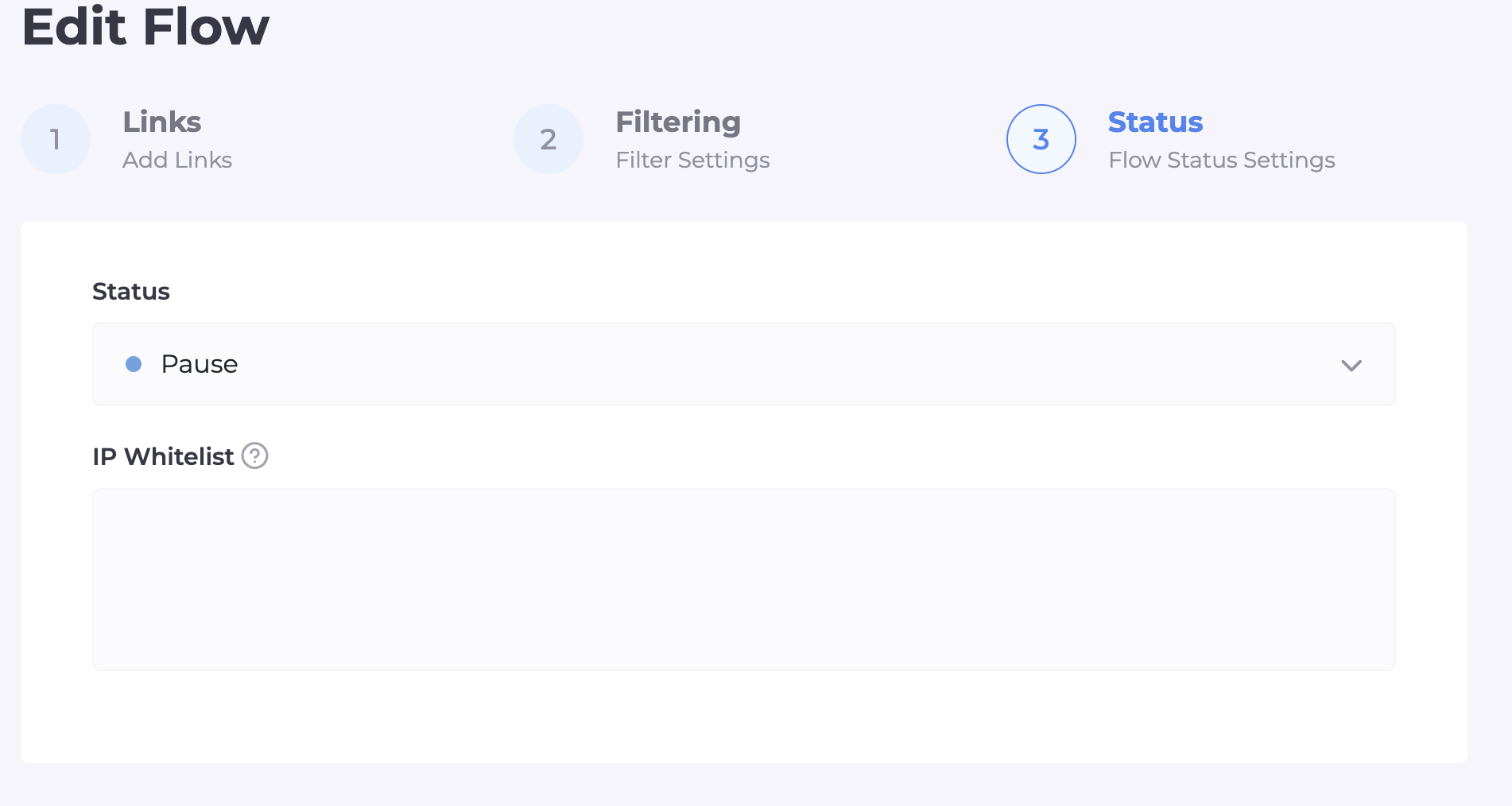
Step 3: Status and Access Check (White List)
The final stage where we activate the flow and check its performance "on ourselves".
Flow Status: Select "Active" if you are ready to work, or "Pause" if you want absolutely everyone (including you) to see only the White Page until a certain moment.
White List IP: Find the IP address input field and paste your current IP there. This adds you to the "white list": you will be able to bypass all filters and see the Offer Page to ensure it displays correctly.
3. Integrating Cloaking.House on Your Site
Now that the domain and hosting are fully ready, it's time for the most important part—"bringing to life" our protection. We need to integrate the cloaking file onto our hosting and domain that we prepared earlier. Don't be intimidated by the technical part: this is very simple, done in just a few clicks, and does not require programming skills. Now we will turn an ordinary site into a powerful filter that will invisibly separate Google moderators and real clients onto different pages.
Step-by-Step Integration Algorithm:
Download the File: Go to your flow in Cloaking.House and download the integration file index.php.

Upload to Hosting: Through your hosting's file manager, drop this file into the root of the site (public_html folder).
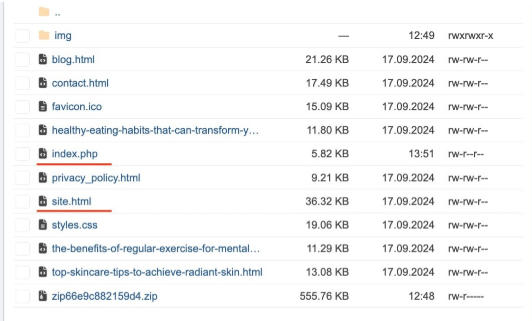
Renaming Files: This is an important moment! The file that is currently your "white" site (usually index.html) needs to be renamed to site.html (or the name you specified in the White Page field when creating the flow).
Activation: Now, when accessing the domain, our index.php will trigger first. In the Cloaking.House dashboard, change the flow status from "Pause" to "Active". Be sure to check your IP in the White List to ensure that the Offer Page opens for you personally, while the White Page opens for everyone else (including Google bots).
Conclusion
Google Ads in 2026 is not a platform that can be taken "by storm". Here, the winner is the one who knows how to mimic a legal business. Clean ISP proxies, unique AI White Pages, the absence of redirects, and smart filtering through Cloaking.House are your mandatory set of tools for playing in the "major leagues". Stable scaling is only possible when the technical part causes nothing but trust from Google's neural networks.
Pricing and Bonuses
Arbitrage requires investment, but Cloaking.House makes entry as comfortable as possible. Every new user has access to a 7-day Trial—a free week for tests and first launches. When paying for a yearly subscription, you save 50% of the cost.
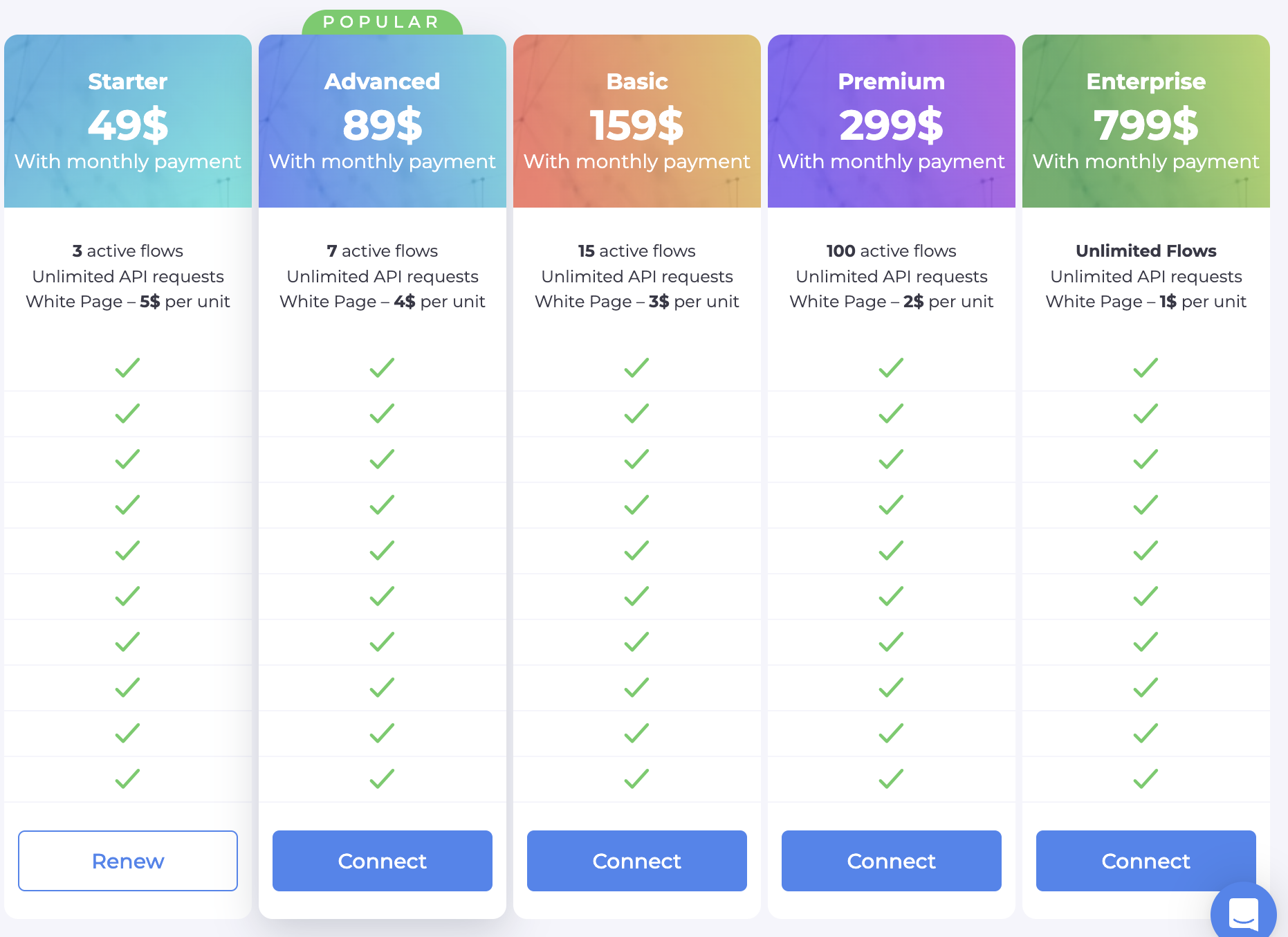
🎁 Our Gift: Use the promo code BVBV_BRO_30 when paying for any plan and get an additional 30% discount.
Register, set up your first flow, and take the profit that previously seemed unreachable!





Be the first to share your opinion!
We value your feedback — share your thoughts.