



In the era of advanced internet tracking systems, data security has become a top priority. Traffic arbitrageurs, SMM managers, and contextual advertising specialists use a proxy server as a basic element of protection. However, a situation often arises where, after purchasing a high-quality private address and configuring it in the browser, the target website still imposes a block or requests additional verification.One of the main reasons for deanonymization is a technical vulnerability known as a WebRTC leak. This is a fundamental security breach that allows web resources to freely look behind any proxy server to see your real IP address. In this article, we will break down the physics of this process and learn how to completely eliminate the vulnerability.
What is WebRTC Technology and Why Was It Created
WebRTC (Web Real-Time Communication) technology is an open standard and an application programming interface (API) built into most modern browsers. It allows for the organization of streaming data transmission between users in real time directly, without the participation of intermediate servers.It is thanks to WebRTC that we can make audio and video calls directly from the browser, hold conferences in Google Meet or Zoom, play multiplayer games, and instantly transfer files from hand to hand (peer-to-peer). The technology is integrated by default into Google Chrome, Mozilla Firefox, Safari, and Opera. It makes the internet faster by eliminating the need to install outdated plugins like Flash Player.
Leak Mechanism: How Websites See Your Real IP
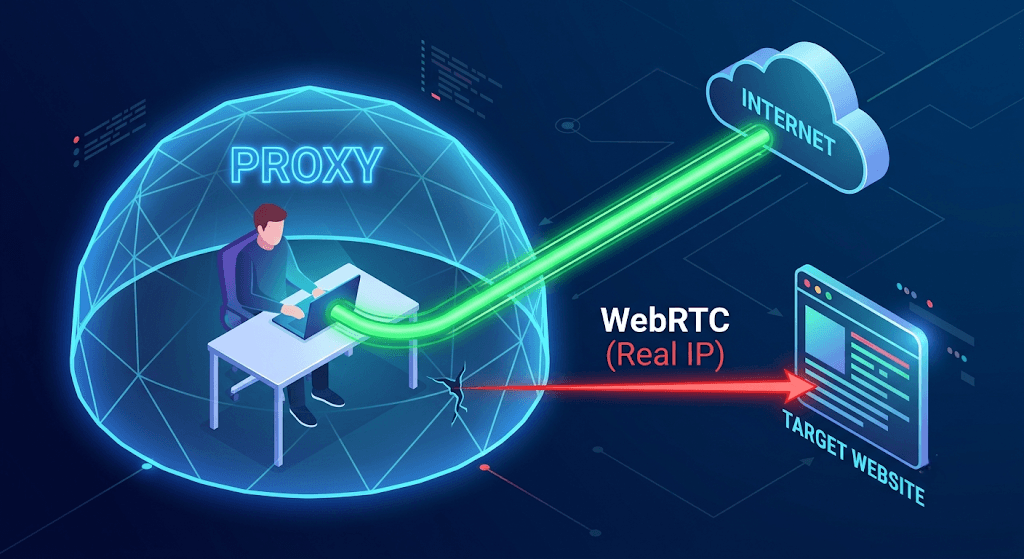
The problem with WebRTC lies not in a software bug, but in the originally intended operational logic of this protocol. To establish a direct connection between two computers bypassing servers, browsers must exchange their exact network coordinates.
The ICE Candidate Collection Procedure
When you visit a website that uses WebRTC, your browser launches an automatic process of searching for all possible paths to establish a connection. This process is coordinated by the ICE (Interactive Connectivity Establishment) protocol, which queries your computer's operating system and network card, collecting so-called ICE candidates.This list includes:
Local IP addresses of your internal home or corporate network (for example, 192.168.1.5);
External public IP addresses issued by your internet service provider;
IP addresses of virtual network adapters.
Why a Proxy Server Proves Helpless
A standard proxy server configuration works at the level of HTTP, HTTPS, or SOCKS protocols. The proxy intercepts regular text and graphic web requests (loading pages, images, submitting forms) and substitutes headers.However, WebRTC sends low-level requests bypassing standard settings through special STUN server and TURN servers, whose task is to determine the real address of a device located behind a router. As a result, WebRTC receives your real IP address directly from the operating system and passes it to the website via JavaScript. The target web resource compares two values: the IP address from which the regular HTTPS request came (your proxy address will be there), and the IP address obtained via WebRTC (your real address will be there). A data conflict occurs, signaling the antifraud system about an identity spoofing attempt.
Consequences of a WebRTC Leak for Professional Activity
For a regular user, revealing an IP address only risks a loss of basic privacy. However, for specialists whose business relies on internet marketing and automation, this vulnerability can be fatal.
Risks in Traffic Arbitrage and Multi-Accounting
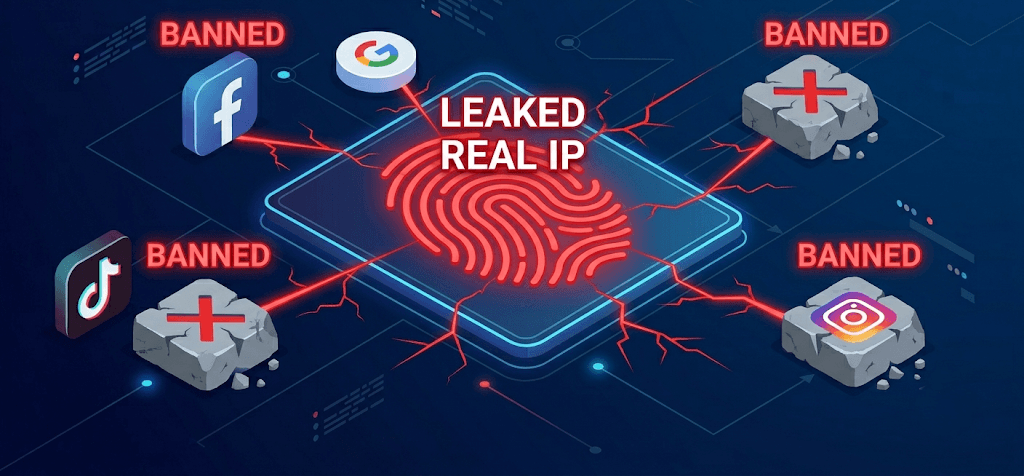
When running a network of accounts in Facebook, Google Ads, TikTok, or Instagram, specialists strive to completely isolate profiles from one another. If a WebRTC leak occurs on even one of the accounts, the platform's protective system instantly logs your true IP address.Further consequences unfold in a chain reaction:
Security algorithms link previously isolated profiles into a single subnetwork based on your real IP address.
A mass automatic ban of the entire account farm occurs.
Payment cards attached to these ad accounts get blacklisted.
Time and financial resources invested in warming up the accounts are lost.
Problems When Working with Marketplaces and Message Boards
Major trading platforms, such as Amazon, eBay, or OLX, strictly crack down on attempts to run multiple stores by a single person. A WebRTC leak allows their anti-fraud systems to discover that behind a dozen different sellers, supposedly located in different cities, hides the exact same real computer. The result is a lifetime ban of all associated business profiles.To minimize such risks, professionals use a comprehensive approach. Along with software disabling of vulnerabilities, they purchase clean and verified addresses from specialized providers. For instance, on the Proxy Stores platform, you can select proxies for specific social networks and tasks with a guaranteed clean history, which reduces the likelihood of manual checks by platforms, even if the site's protective scripts try to scan your device.
How to Test Your Browser for Vulnerability
Before proceeding to cure the problem, it is necessary to diagnose the current working environment. This can be done using specialized free web services that check the user's digital fingerprint.
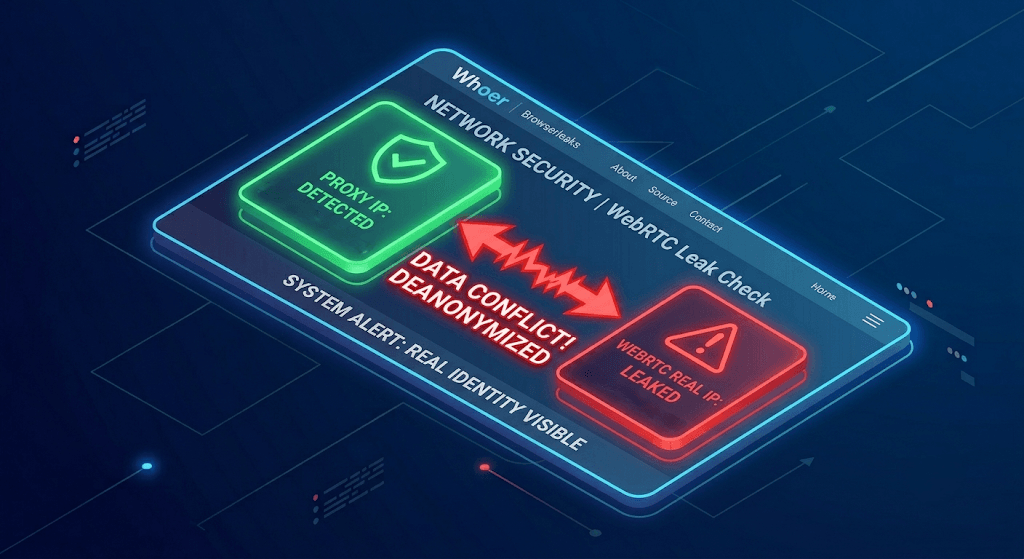
The verification algorithm is as follows:
Enable your working proxy server in the browser or extension settings.
Go to any reputable website that analyzes network parameters (for example, Whoer, Browserleaks, or 2IP).
Find the section dedicated to WebRTC in the scan results.
Carefully study the lines labeled Local IP and Public IP. If the Public IP line displays the address of your real internet service provider rather than the purchased proxy, your browser is vulnerable, and you are at risk.
Solution Methods and Protection Against Leaks
There are several effective ways to close the WebRTC security gap. The choice of method depends on your technical skills, the software used, and the regularity of the tasks performed.
Method 1: Using Anti-Detect Browsers (Recommended for Pros)
For those engaged in multi-accounting professionally, regular browsers are not suitable. Anti-detect browsers (Dolphin{anty}, AdsPower, Multilogin) solve the WebRTC problem at the source code level.
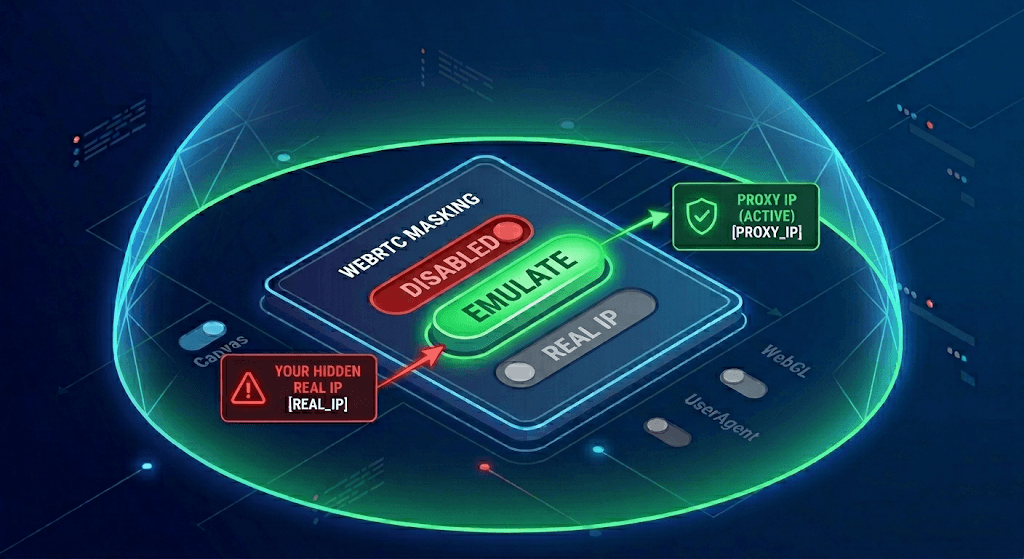
They offer three options for configuring this parameter:
Complete disabling: The WebRTC API is fully deactivated. This is reliable, but some advanced websites see that the function has been artificially cut out and treat such a profile with suspicion.
Emulation (spoofing): The browser intercepts ICE requests and substitutes your real IP address with your proxy server data, including a plausible local address. To the target website, the device looks completely natural.
Direct connection: The function is left in its original form, which is only permissible when working without a proxy.
Method 2: Browser Extensions for Blocking
If you work in a regular Google Chrome or Mozilla Firefox, you can use special plugins from the official extension store. Such micro-programs as WebRTC Control, WebRTC Leak Prevent, or uBlock Origin allow you to block the transmission of IP addresses via the ICE protocol. In the extension settings, it is enough to activate the toggle switch, after which the browser will stop responding to external STUN requests from websites.
Method 3: Manual Disabling in Settings (For Mozilla Firefox)
The Mozilla Firefox browser is one of the few classic navigators that allows you to completely disable WebRTC without installing third-party software.To do this, follow these steps:
Type the command
about:configin the browser address bar and press Enter.Accept the warning about the risk of changing deep settings.
In the search field, enter the parameter
media.peerconnection.enabled.Double-click on the found line to change its value from true to false.
After this procedure, WebRTC technology in this browser will be completely paralyzed, and a leak will become technically impossible. In Chromium-based browsers (Google Chrome, Opera, Edge), a similar built-in deep setting is unfortunately not provided, so you will have to resort to extensions there.
The Role of Cloaking in Comprehensive Campaign Protection
In professional traffic arbitrage, security must work at all levels. While high-quality proxies and correct WebRTC configuration protect your hardware and the accounts themselves from bans, at the stage of launching ads, it is necessary to protect your ad setups. This is where professional traffic distribution systems like Cloaking.House come to the rescue. This tool perfectly complements your anonymity architecture: while you safely manage advertising accounts without the risk of leaking your real IP, Cloaking.House filters incoming traffic on the server side, flawlessly cutting off moderators, bots, and competitors. The combined use of reliable proxies, protection against WebRTC leaks, and powerful cloaking creates an impenetrable system that allows accounts to live longer and lets you run traffic into a stable profit.
Conclusion
To achieve the maximum level of security, it is necessary not only to invest in high-quality, clean IP addresses from verified suppliers of the Proxy Stores level, but also to strictly control the technical parameters of the browser itself. Only the synchronous spoofing of the network address and the competent configuration of the software's digital fingerprint will allow you to freely scale business projects, avoid automatic blocks, and maintain complete confidentiality in the global network.






Be the first to share your opinion!
We value your feedback — share your thoughts.