


Today, you don't have to prepare ads for Facebook Ads, Instagram, and other major platforms from scratch. It is enough to find someone else's working creatives and rework them a little. Someone else's, but adapted ad will work just as well as your homemade one. Rather, even better, because it has stood the test of time.
Question: how to find someone else's working creatives, for example for Facebook? They can be found in the Facebook ad library or even the TikTok Creative Center. However, neither the Meta Ads library nor the TikTok Creative Center are the most convenient places to find potentially profitable ads. Because in the official ad libraries, a minimal set of search filters is available, ads from blocked advertisers are hidden, and downloading videos is unavailable.
It is much more convenient to search for creatives through spy tools. Firstly, spy tools have a wide range of search and filtering instruments. Secondly, spy tools contain valuable and useful data for analyzing creatives. Based on this data, one can judge the success and potential profitability of a particular ad.
Let's look at the three most popular spy tools for Facebook. So, let's go review them.
TYVER
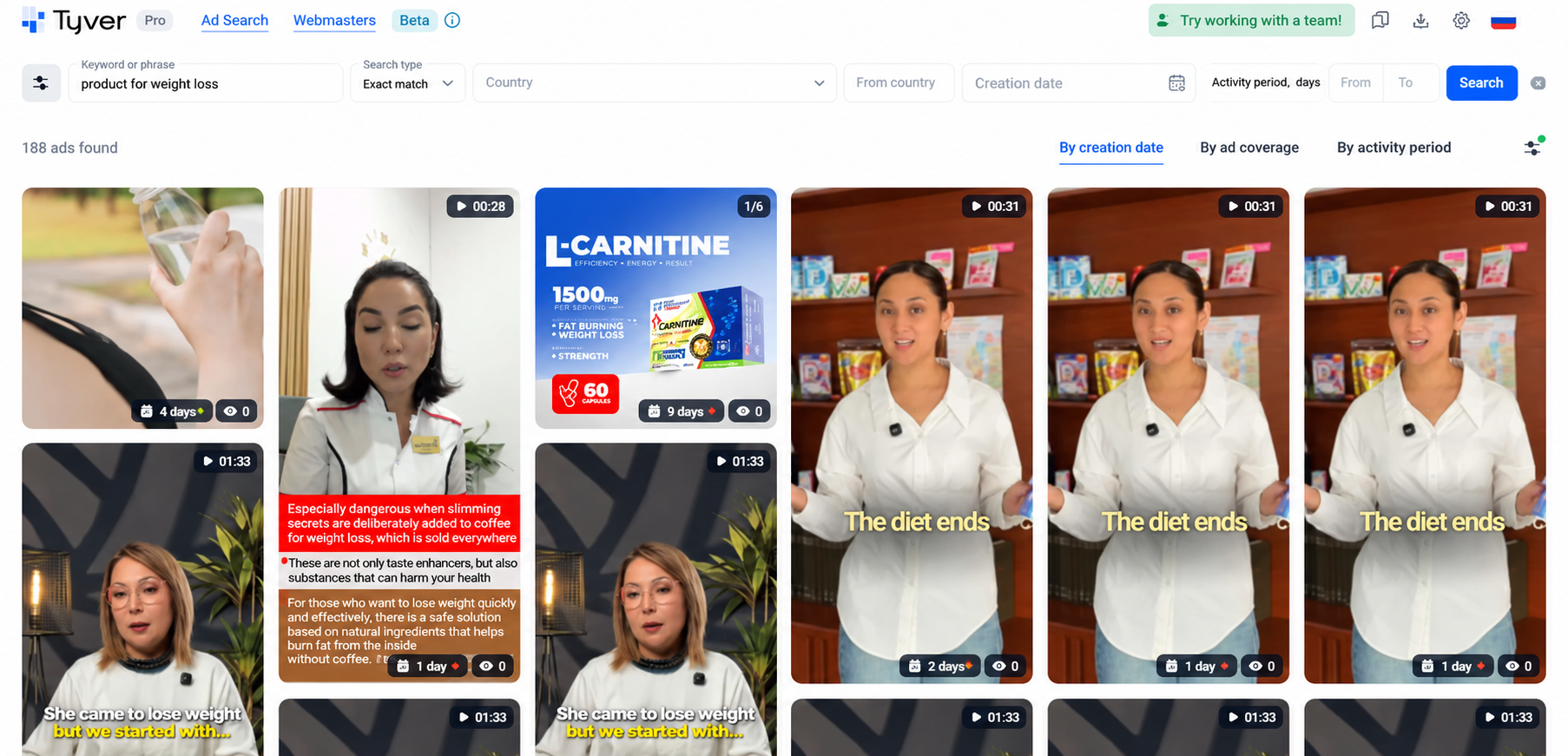
Minimalistic and practical - this is about Tyver. Everything is simple: enter a keyword and get ads exactly on the topic of the query. For example, a weight loss product.
Every day the Tyver database is replenished with about 4 million ads from more than 140 GEOs, and it is updated every couple of hours. Therefore, fresh competitors' creatives appear in the search results just a couple of hours after launch.
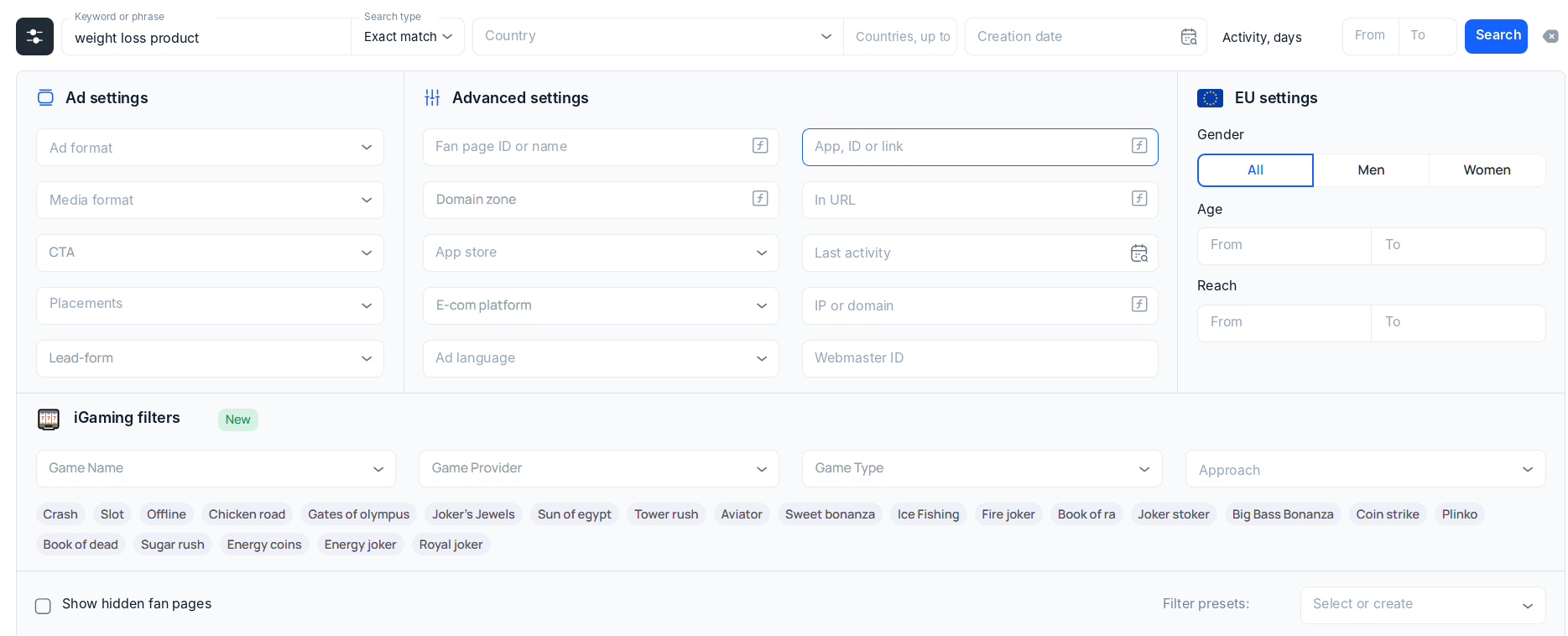
 But as a rule, we do not need all creatives, but a specific type: for e-commerce, for affiliate marketing, for promoting a blog, etc. Therefore, you need to use tools for finding creatives. In Tyver, in addition to keyword search, the following are available:
- Search for gambling creatives by buttons: using the appropriate buttons, you can leave in the search results only ads on the topic of gambling, as well as for specific games and game providers;
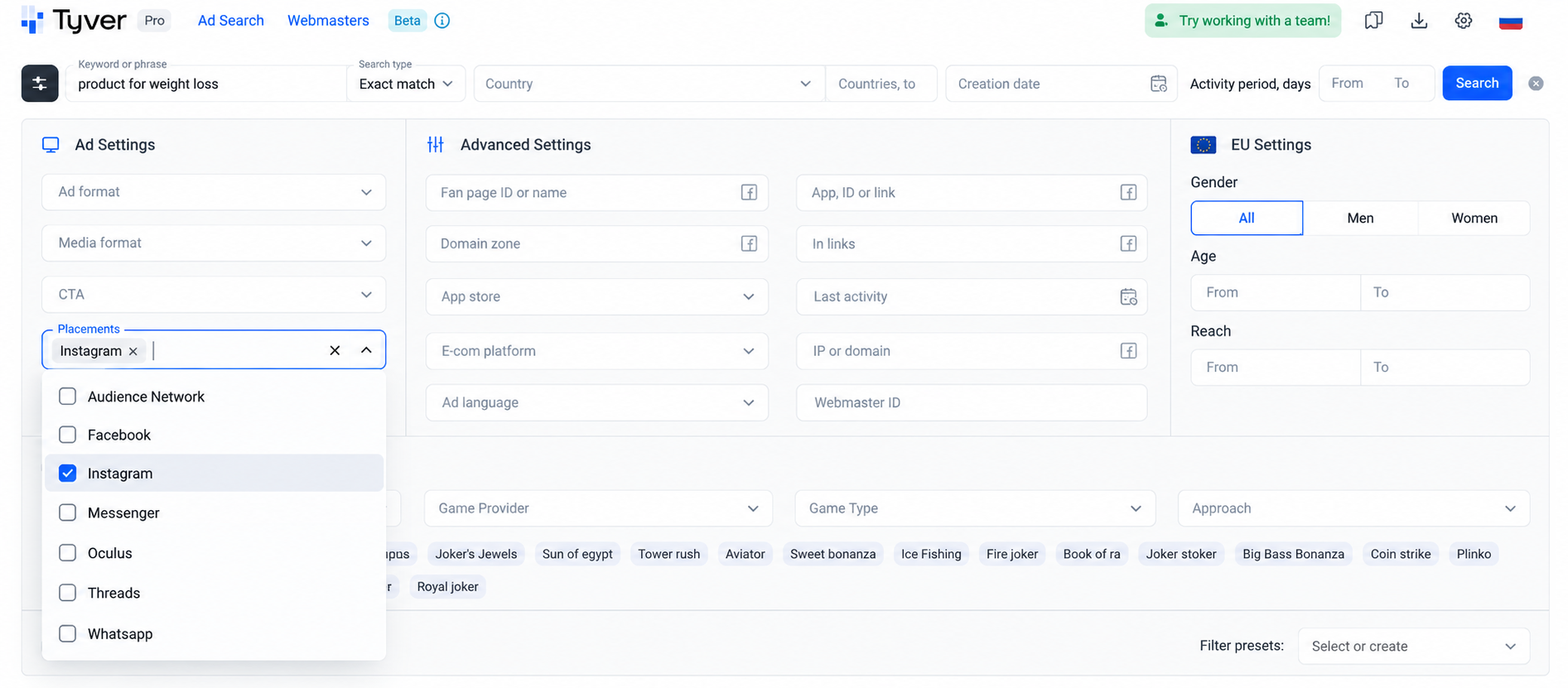
Search filters: by e-com platforms, app stores (Google Play, App Store), by domains and URL fragments. There are also filters by ad format, target actions, and Meta platforms (placements). For the EU, filters by views and target audience age are available; - Targeting: by regions, countries, ad languages.
 Suppose we do not need all weight loss ads, but only the creatives of affiliate marketers. To select the creatives of affiliate marketers, you need to apply the following filters:
- By URL fragments. Affiliate marketers use tracking macros utm, pix, pixel and some others;
- By domains. For landing pages in affiliate marketing, domains .com.ua|.pw|.info|.site|.fun|.club|.space|.website|.best|.online|.icu|.xyz are usually used
Let's use filters by the "In link" field for example.
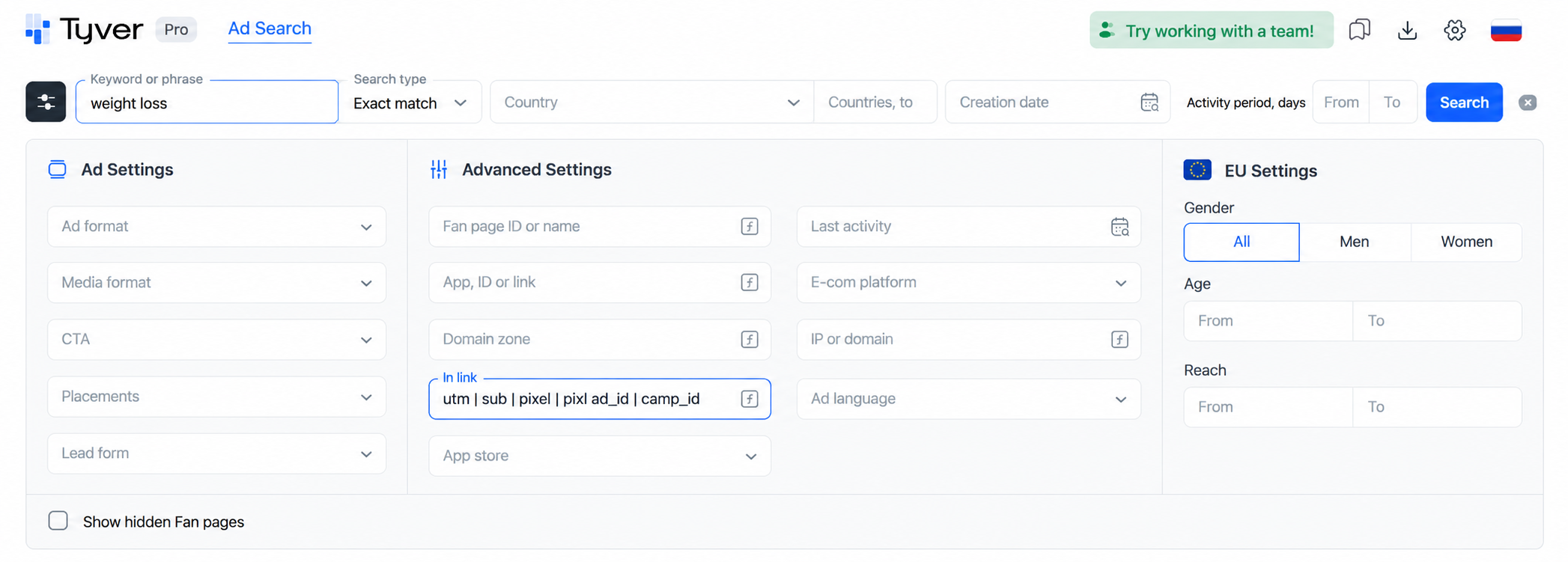
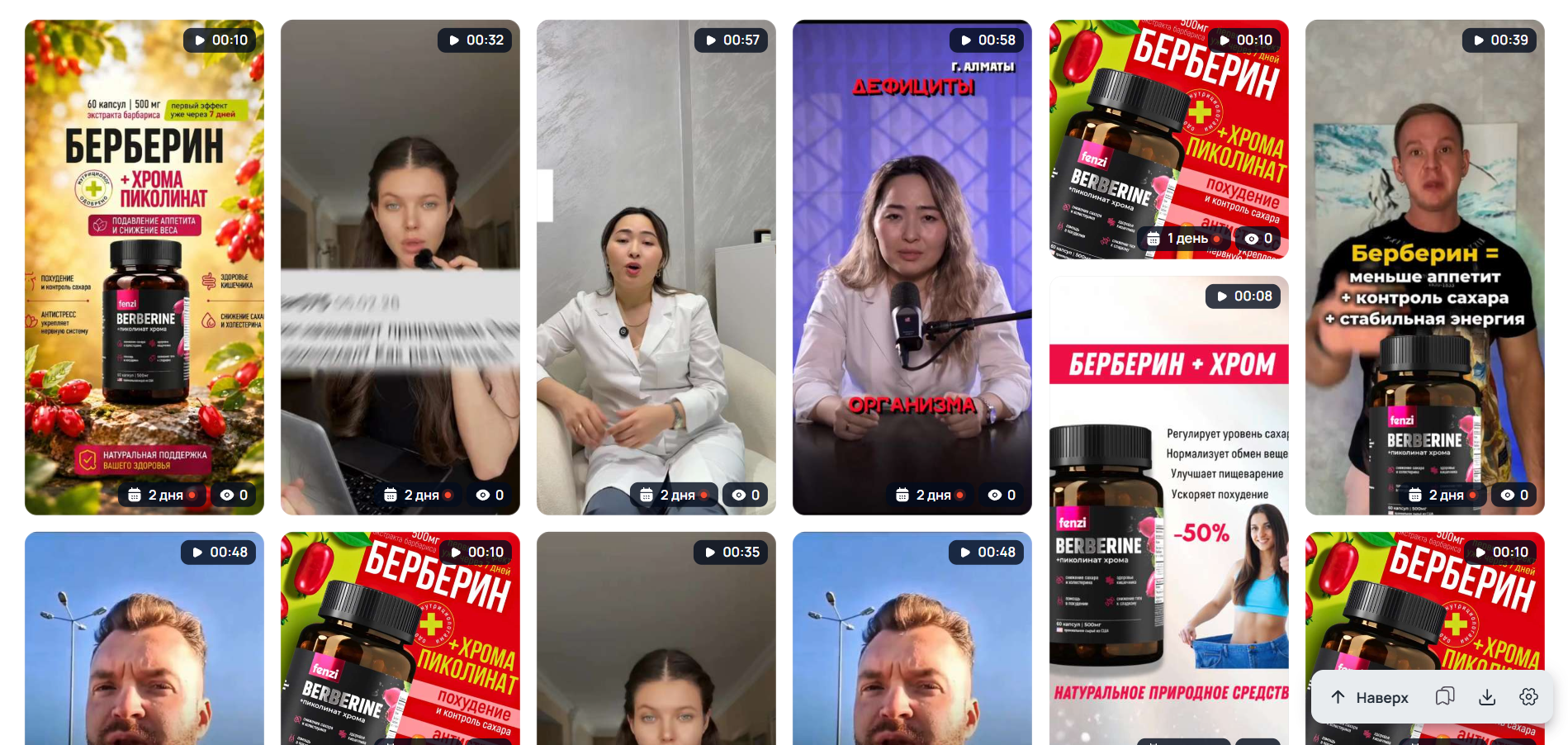 As a result, we get clearly affiliate creatives. Similarly, you can find advertising creatives from Instagram by removing other Meta platforms from the search results.
 There is another feature in Tyver: by opening one ad, you can view the rest of the creatives of this advertiser. For example, let's look for a gambling creative, open it and scroll down to the related ads section.
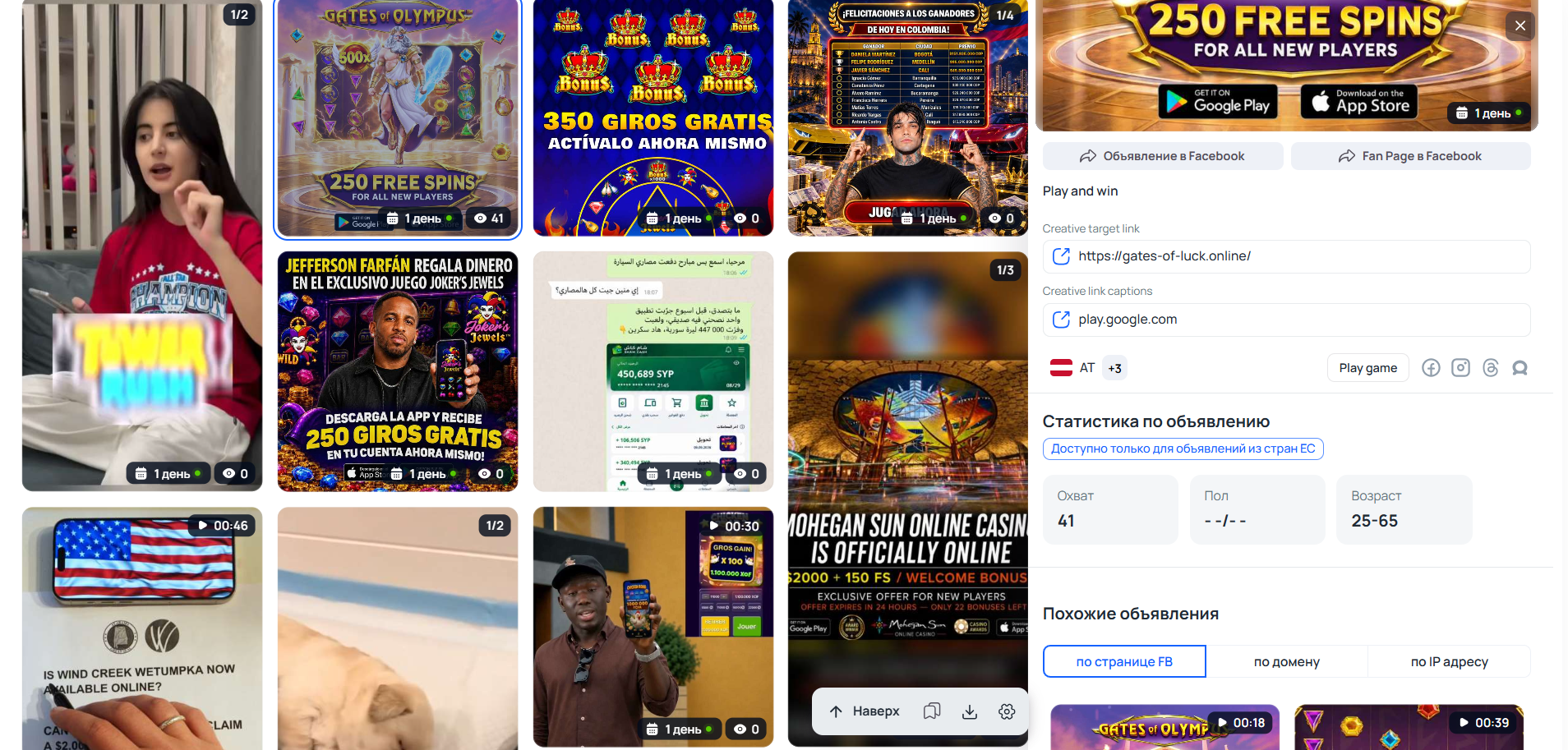 Then click on any ad in the related section for the FB page.
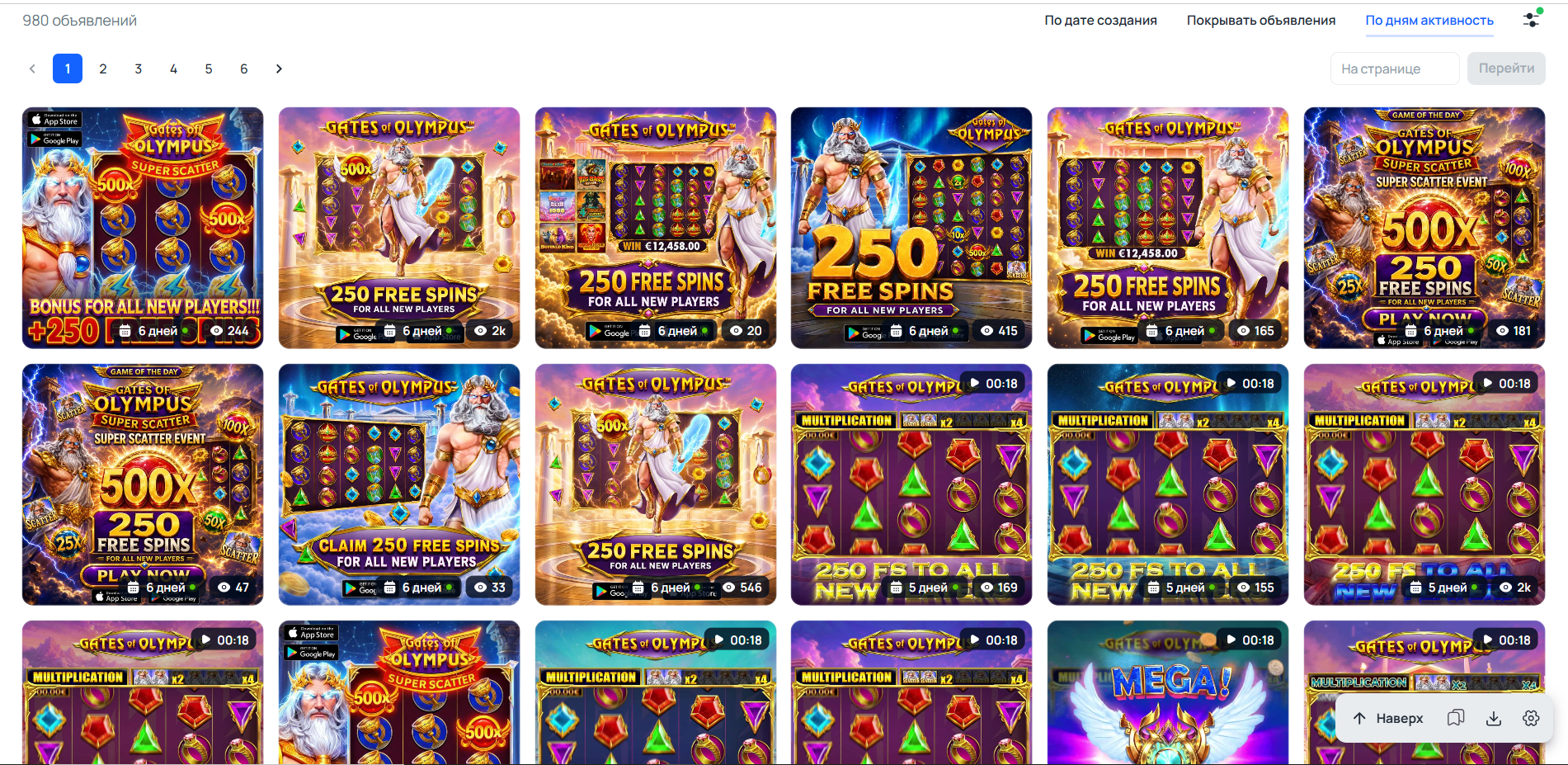 As a result, a page opened containing all ads launched from one fan page. Thanks to the search for related ads by pages, Tyver allows you to:
- Find the maximum of ads on a specific topic;
- Investigate a specific advertiser. You can see which ads get more views and running time, and which get less. You can also check whether creatives for different topics or the same one are launched from this FB page. If the latter, it means the advertiser has found a winning campaign, and simply periodically throws new creatives into it. Full-fledged competitor ad analysis!
Thus, Tyver:
- On the one hand, the interface is not overloaded: all the necessary filters are in place, but do not interfere until they are needed;
- On the other hand, it allows you to extract a huge amount of valuable information not only on the topic, but also on the effectiveness of creatives, advertiser behavior, as well as cut off unnecessary data that overloads the search.
Tyver - the best choice for an affiliate marketer who needs to quickly separate winning campaigns from regular ads. And in gambling it is stronger than competitors due to filters by games, providers and approaches.
The promo code CL-HOUSE gives a 20% discount on the first payment for any Tyver tariff. Enter it during registration.
AdHeart
This is not only a spy tool for Instagram and Facebook, but also TikTok. It works much like Tyver: enter a keyword, get ads for the desired topic, and then use filters to narrow down the search results. However, there are more filters and buttons here, and most importantly, they are not hidden. Because of this, the interface looks overloaded.
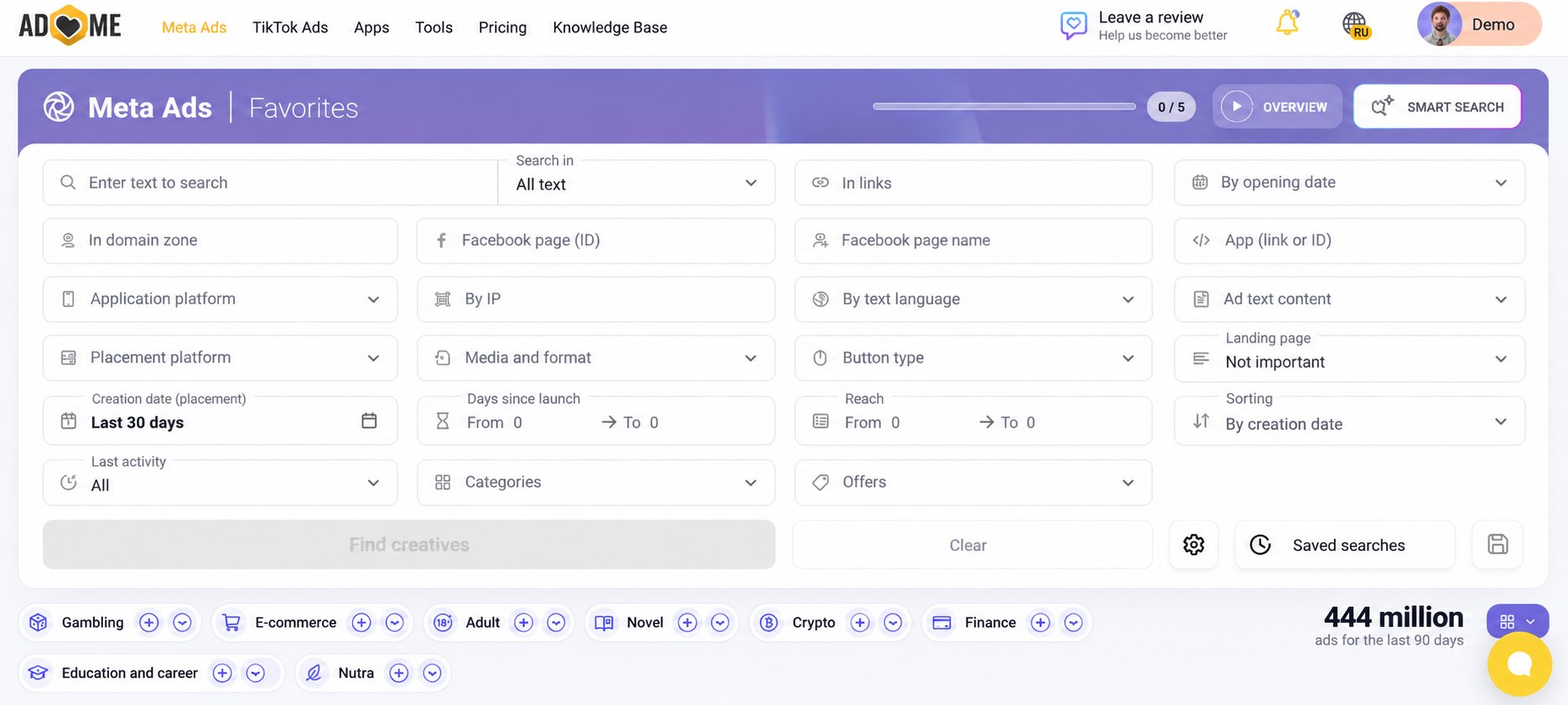 In AdHeart, you can use the following filters:
- By links and domain zones. You can find ads leading to a specific site or containing a specified URL fragment, as well as select domain zones like .xyz, .fun or .top;
- By applications. You can search for ads for a specific application, as well as separately select applications for Android and iOS;
- By targeting. Filters by GEO and ad language are available;
- By ad type. You can select the Meta platform, creative type and format, CTA button, presence of an Instant Form and other parameters;
- By running time. Ads can be selected by launch date, number of active days, and time of last detection. For example, this way you can separate recently appeared creatives from those that the advertiser has been using for a long time.
For example, let's also look for a weight loss product. We will not limit the search with filters in any way, because there are only 246 ads in the search results anyway.
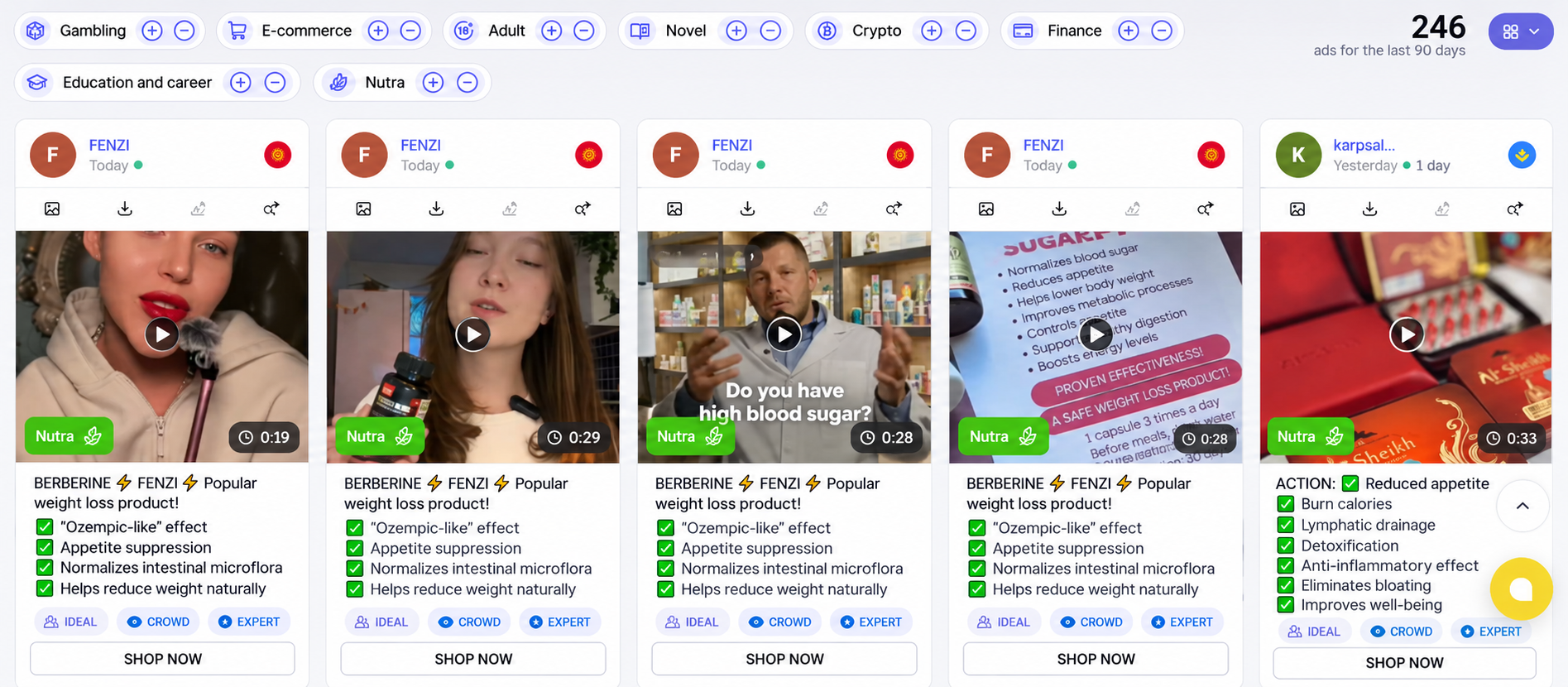 AdHeart has an interesting feature. These are very detailed ad cards.
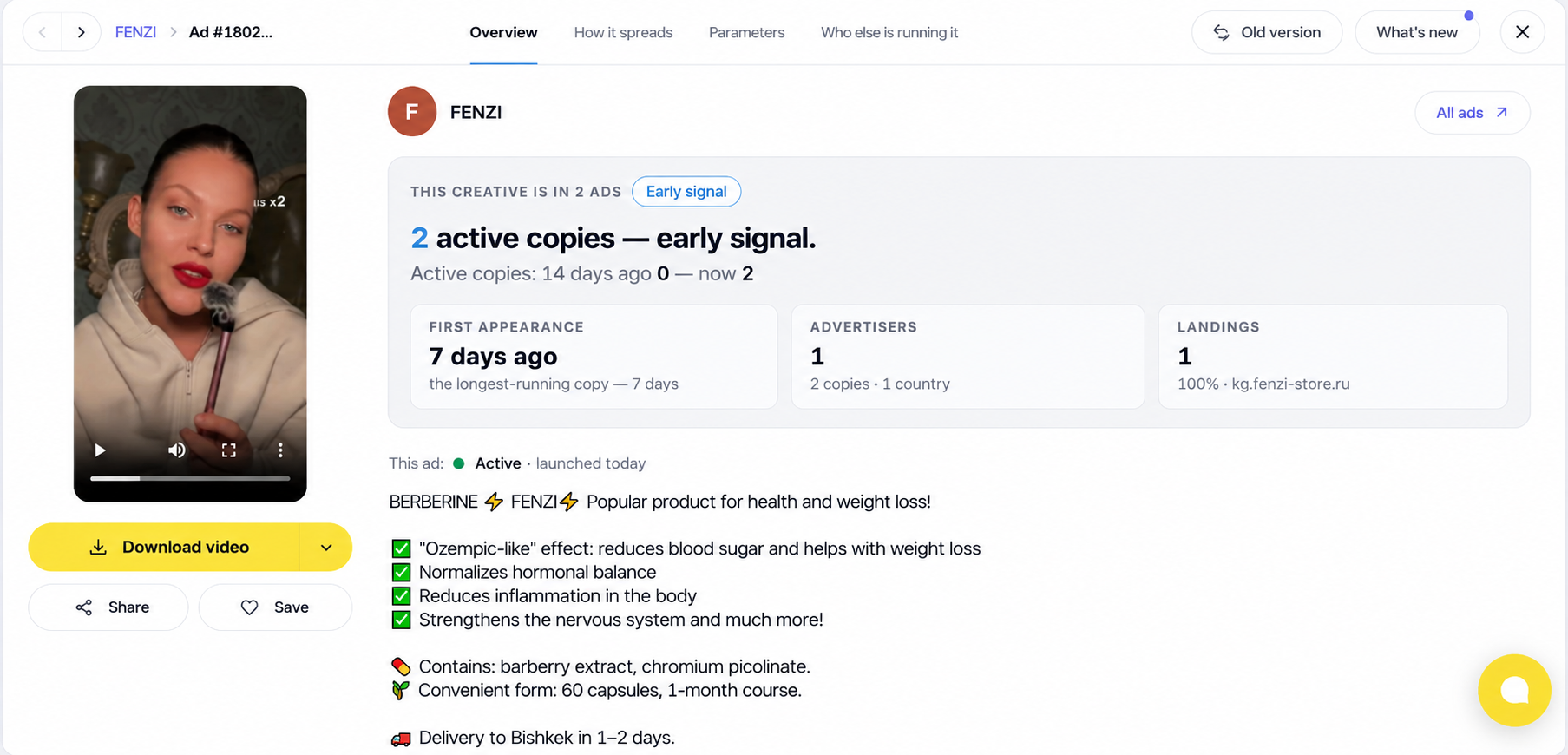 And in this card, not only the main parameters are indicated (when it was launched, where it leads, etc.), but also engagement and retention techniques (transformation and dream, social proof, etc.). True, we do not recommend blindly trusting AdHeart's ratings. The creative should be analyzed independently, moreover, in comparison with other ads. It is worth comparing the running time and the number of views (in Tyver it is a little more convenient, but AdHeart is also good as a service for ad analysis).
BigSpy
In BigSpy, you can search for advertising creatives not only on Facebook and Instagram platforms, but also on TikTok, YouTube, AdMob, Twitter, Unity Ads, AppLovin and Yahoo. True, apart from FB and Insta, there are no other Meta platforms (Threads, WhatsApp, Audience Network, etc.) in BigSpy.
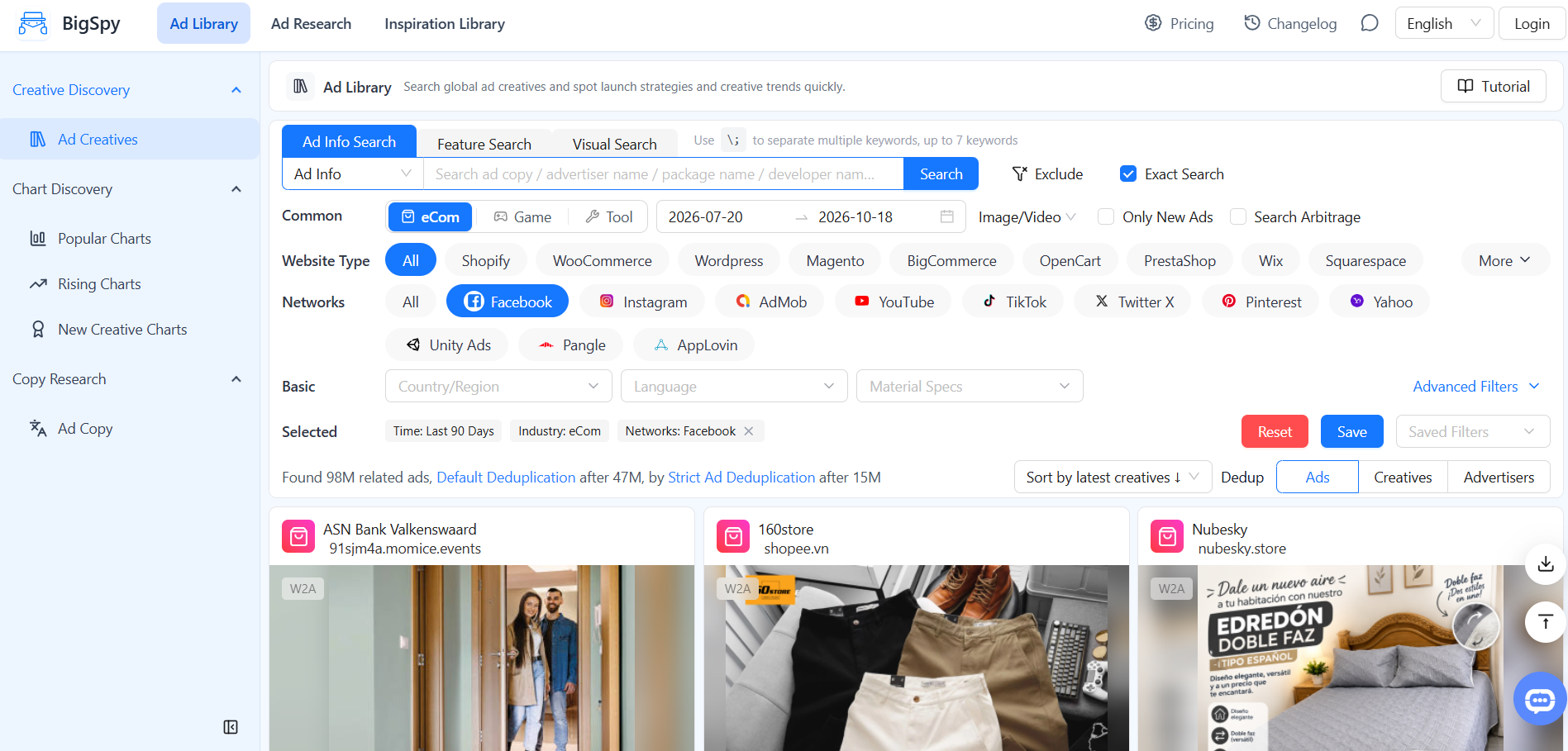 There are not so many search results filters in BigSpy:
- Targeting: by countries, regions and language;
- Filtering: by creative formats, number of likes and comments, as well as target actions.
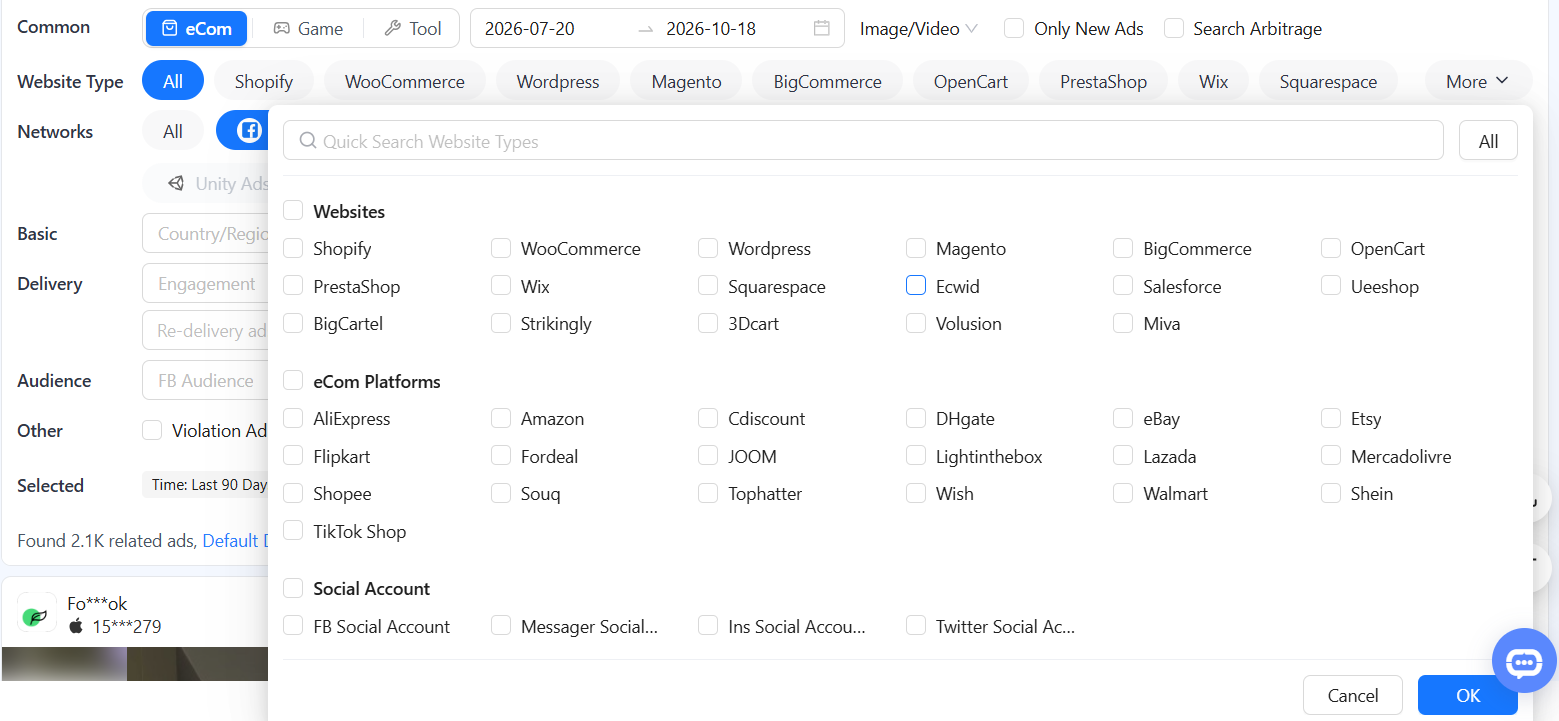
But BigSpy has many filters for E-com platforms and sites for creating online stores. There are also search filters by gaming platforms.
 We tried to search for ads using the keyword "weight loss product", but the search yielded no results, so we limited ourselves to the keyword "weight loss".
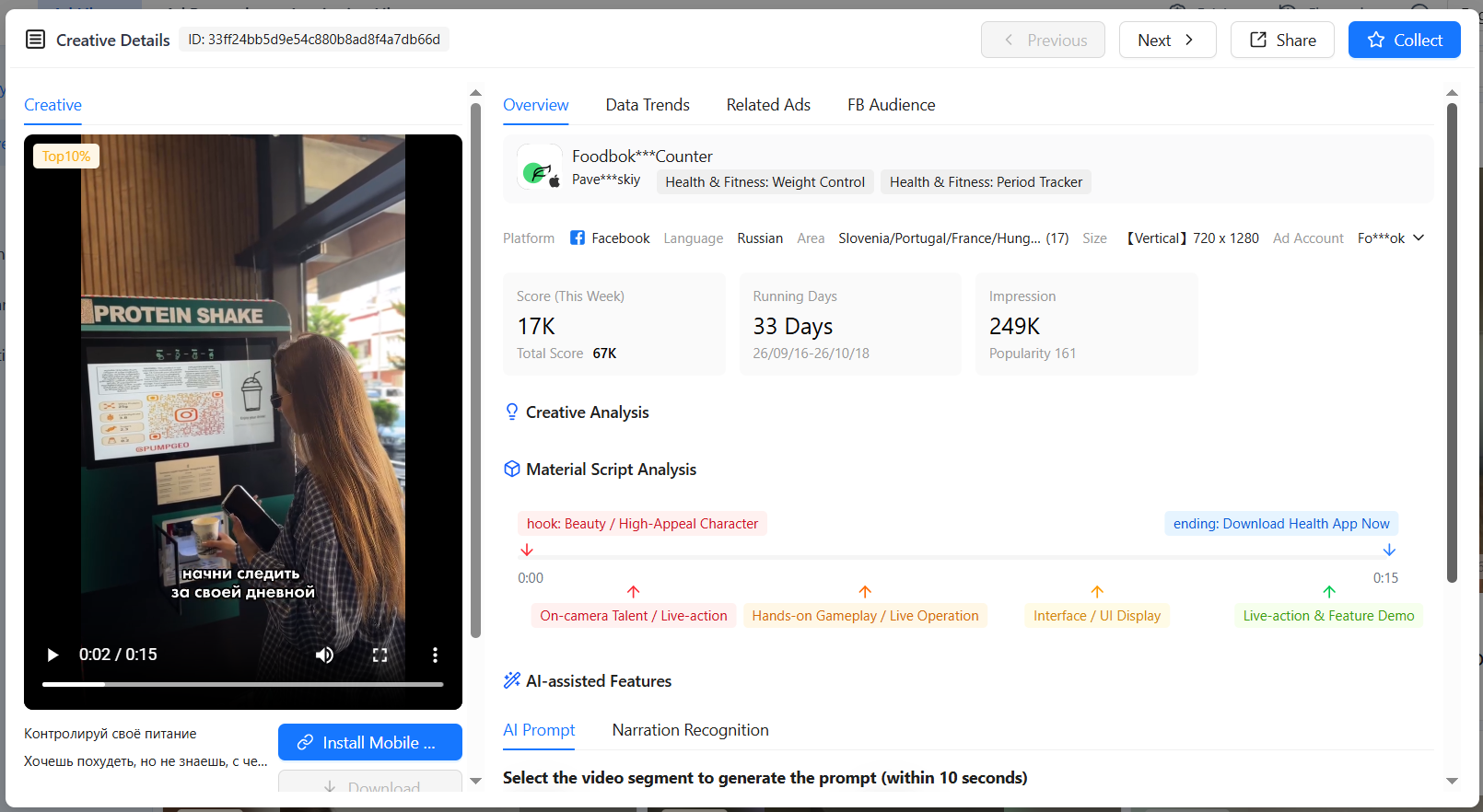 Unlike previous services for finding ad creatives, BigSpy does not have filtering by domains and URL fragments, so it was not possible to select only affiliate creatives.
For example, let's open the first creative.
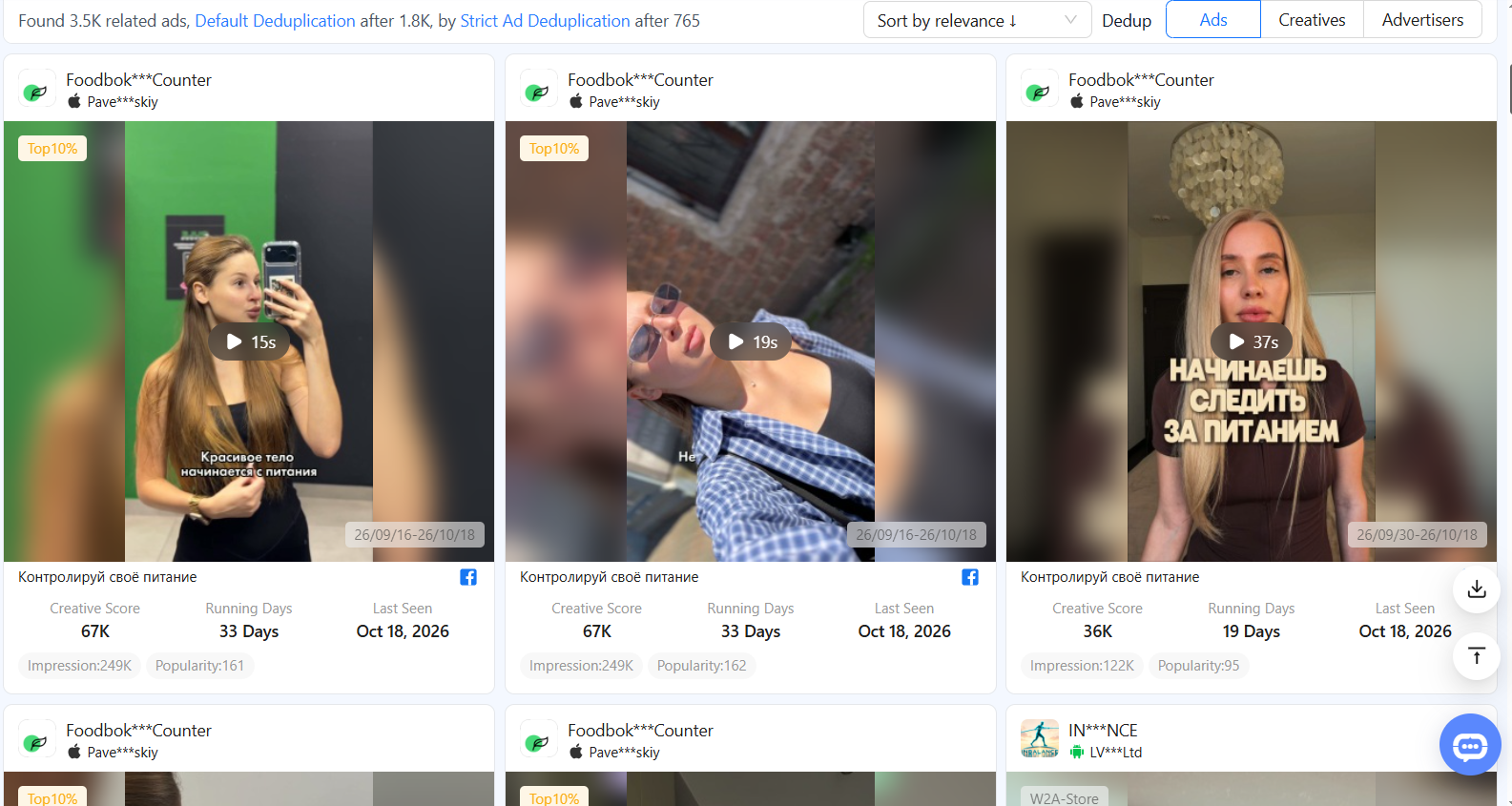 As we can see, all the main data is provided, as well as advertising hooks. BigSpy also offers to compose a prompt for AI based on hooks. Generating a prompt is good, but it is faster and more reliable to simply download creatives with the best indicators and make them unique.
As in Tyver, here in the creative card there is a section of related ads (Related Ads) that are launched from one fan page. True, the creatives are listed here, and on the new page you can view only 1 creative, and not the whole list.
Thus, BigSpy's strong point is the search for Facebook ad creatives for online stores and online games. The most detailed filtering is available for them. In terms of searching for affiliate ads, it is inferior to AdHeart and especially Tyver.
Comparison of Tyver, AdHeart and BigSpy
| Criterion | Tyver | AdHeart | BigSpy |
| Selection of affiliate creatives by links and domains | Yes | Yes | No |
| Gambling: filters by games, providers and approaches | Yes | No | Only gaming platforms |
| All ads of one fan page | Yes, in a general list | No data | Yes, but one creative at a time |
| Interface | Minimalistic | Overloaded with filters | Simple, few filters |
| Platforms | Facebook, Instagram and other Meta platforms | Meta and TikTok | FB, Instagram, TikTok, YouTube and others |
| Best suited for | Gambling, e-commerce, nutra and finance | Analyzing techniques in creatives | E-com and games |
In conclusion
Every spy tool has its strengths and weaknesses. For example, Tyver is strongest in finding gambling creatives, filtering affiliate creatives, and also in ease of use. It has a minimum of buttons and search fields, but a maximum of what is necessary. AdHeart is strongest in interpreting ad metrics, and this makes it stand out among ad analysis services. And BigSpy is good for finding ads for games and online stores.
However, any even the most simple and primitive spy tool is much more convenient than the Facebook library and even more so than independently parsing competitors' ads.
If you work with affiliate marketing or gambling, start with Tyver: it separates winning campaigns from regular ads faster than others.
Do not forget to enter the promo code CL-HOUSE during registration: it gives a 20% discount on the first payment for any tariff.






Be the first to share your opinion!
We value your feedback — share your thoughts.