


Shopify is a powerhouse for e-commerce, but its biggest hurdle in the affiliate world is the inability to run "gray" offers or aggressive marketing directly. Facebook and Google moderators are notorious for banning direct links to stores the moment they detect something they don't like.
The solution? PHP Integration. By creating a "safe layer" on a separate hosting provider, you can show moderators a flawless White Page while redirecting real, high-quality customers straight to your Shopify store.
What You’ll Need:
An account at Cloaking.House.
A separate domain and PHP hosting (e.g., Bluehost, Namecheap, etc.). Important: Do not use Shopify’s own hosting for this specific setup.
Your Shopify store URL (this will be your Offer Page).
A White Page (your safe site for moderators).
Step 1: Preparing the White Page on Your Hosting
First, we need to build the "shield" for the moderators.
Create or download a White Page: This should be a simple, multi-page site relevant to your ad’s theme. If you’re in a rush, you can generate a White Page directly within the Cloaking.House dashboard.
Upload the files: Log into your hosting file manager (usually the
public_htmlfolder).Rename the main file: Locate your
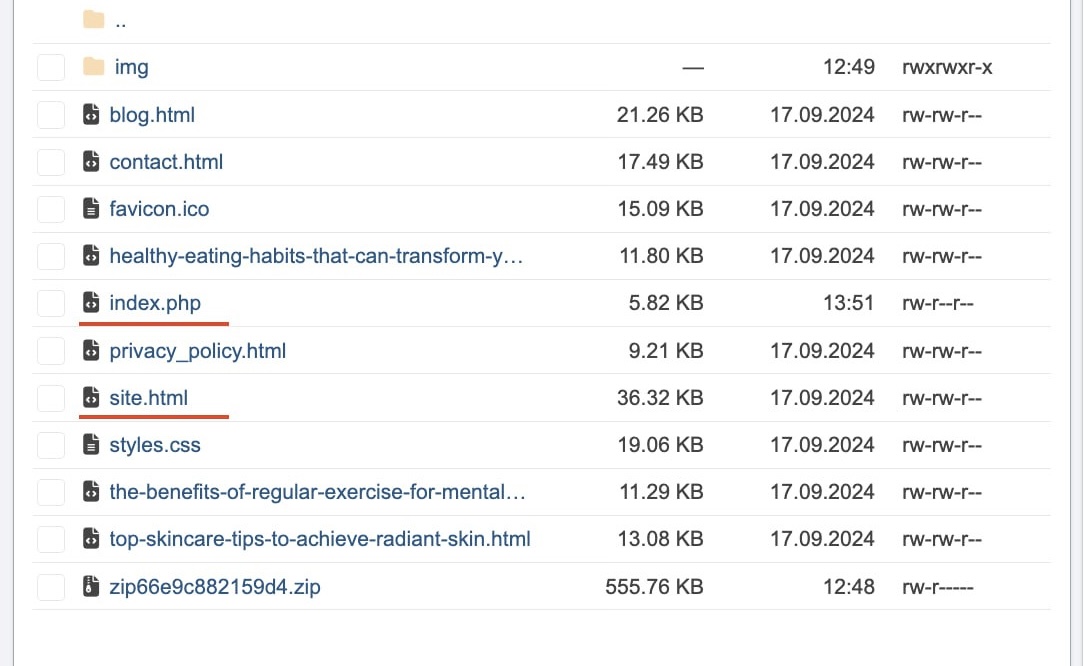
index.php(orindex.html) and rename it tosite.php.
Why do this? The
index.phpfile provided by the cloaking service must become the primary file. Your "safe" site will then load fromsite.phponly when the system detects a bot or moderator.
Step 2: Configuring the Flow in Cloaking.House
Now, let's set up the "brains" of your filter.
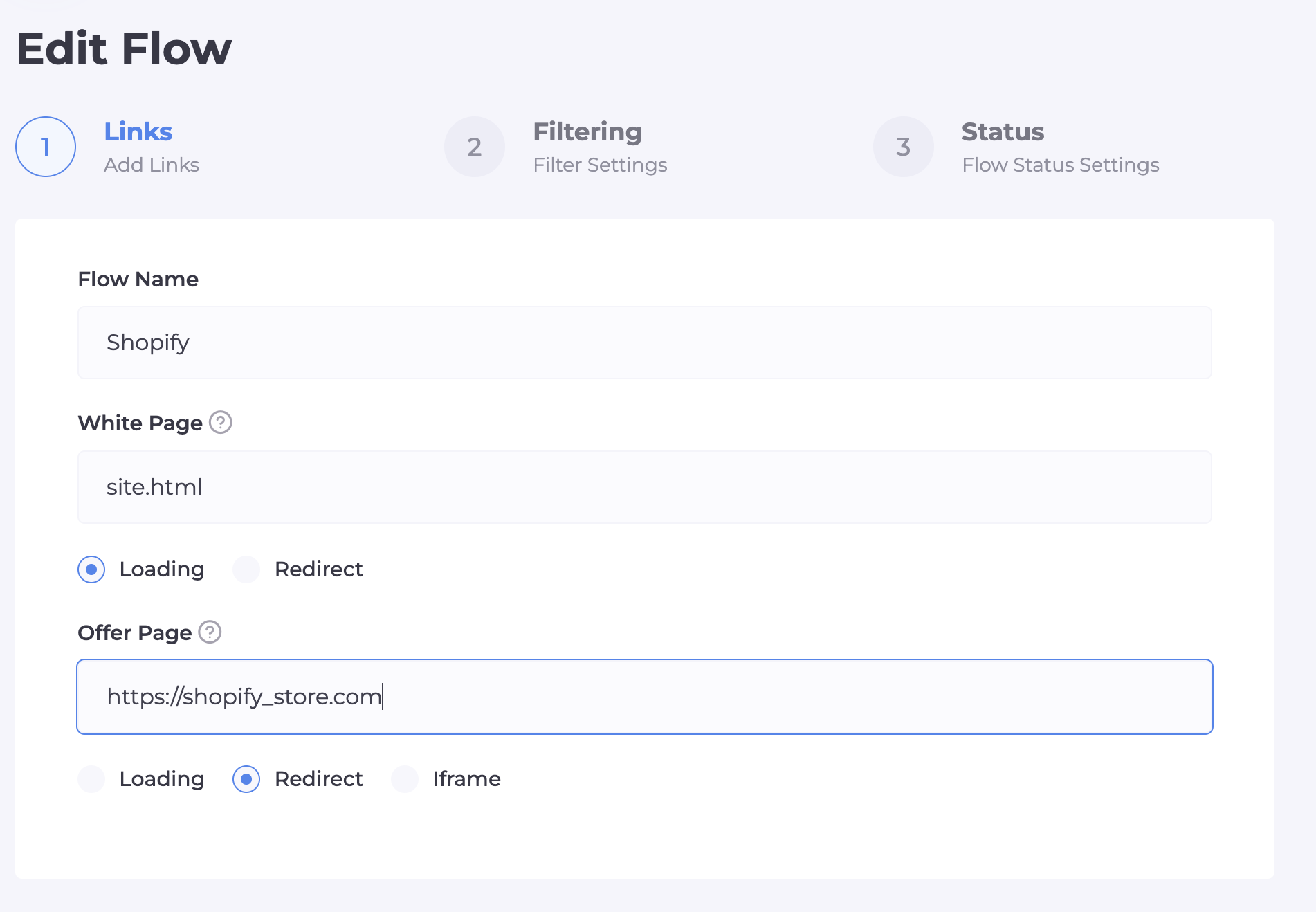
In the "Flows" section, click "Create Flow."
White Page: Select the "Loading" type and enter the filename:
site.php.Offer Page: Select the "Redirect" type and paste your direct Shopify store link.
Step 3: Fine-Tuning Your Filters
This is the most critical stage. We are building an "intelligent barrier" to separate target leads from bots and moderators.
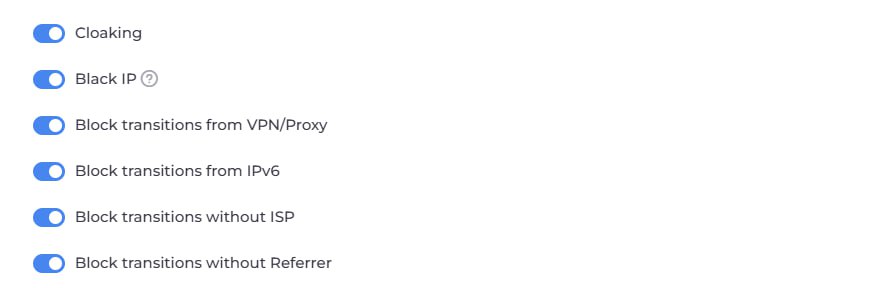
Primary Defense Toggles:
Cloaking & Black IP: Your fundamental defense. This cuts off visits based on constantly updated databases of moderators and known bot networks.
Block VPN/Proxy: One of the most important filters. 99% of moderators use IP masking. Real customers usually buy using home or mobile data. Enabling this cuts out the bulk of "dangerous" traffic.
Block IPv6: Most server bots and automated ad checkers operate on this protocol. Disabling it adds a significant layer of security.
Block without ISP: This "kills" visits coming from data centers (Amazon, Google Cloud, DigitalOcean, etc.). If a user doesn't have a real Internet Service Provider, you're likely dealing with a spy bot.
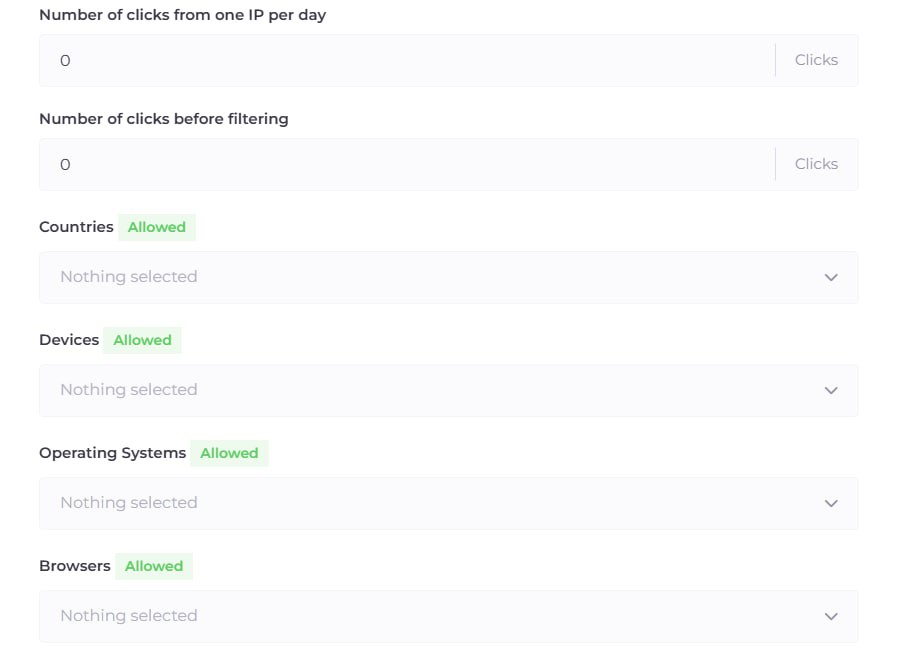
GEO Targeting: Specify the exact country where your ads are running. Anyone entering from other regions (including moderation offices in Ireland or the US) will be stuck reading your White Page.
Audience Segmentation:
Under the flow settings, you can filter by Device, OS, and Browser.
Pro Tip: If you are running Facebook mobile traffic only, disable Desktops. This narrows the funnel and prevents moderators from accessing your offer from their office PCs.
Advanced Settings:
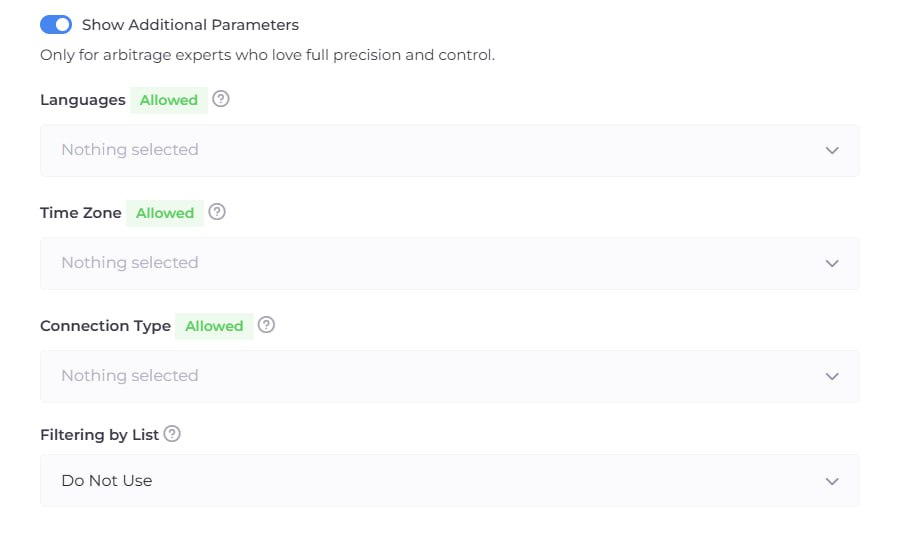
Languages & Time Zones: If you are targeting Italy but the visitor's browser language is English, that’s a red flag. Send them to the White Page.
Connection Type: You can allow only mobile data (Wi-Fi/4G), which is highly trusted by ad networks.
Step 4: Final Integration
Once your flow is saved, the system will provide an integration file.
Click the "Download" button next to your flow and select the
index.phpfile.Upload this file to the root folder of your hosting (the same place where your
site.phpis located).You’re all set! Your ad link is now the URL of the domain on your PHP hosting.
Step 5: Management and Analytics
Inside Cloaking.House, you have total control:
Flow Status: You can Pause the flow at any time. In this mode, every visitor (bot or human) will see the White Page. This is perfect for letting accounts "warm up."
White List IP: To check if your Shopify redirect is working without turning off the cloak, simply add your own IP to this list. The system will let you through to the offer, bypassing all filters.
"Clicks" Tab: This is where your data lives. If you aren't seeing leads, check here. The filters might be too strict, or you might notice a high volume of moderator hits from specific regions.
Cloaking Shopify via PHP integration is the most stable method in 2026. You gain the trust of ad networks by using a clean domain and "white" content on your hosting, while keeping all your sales and operations on your primary Shopify store.
Happy scaling!






Be the first to share your opinion!
We value your feedback — share your thoughts.