


Many still believe that the formula is simple: buy the "right" proxy, take a good antidetect browser, pass the fingerprint check and get an unlimited number of accounts with a low ban rate. In 2026, it does not work that way. Anti-fraud systems look at dozens of signals at once: network behavior, device fingerprint, how the cursor moves, how fast a CAPTCHA is solved and how many accounts were created from a single IP in recent days.
Therefore, passing all proxy and fingerprint checks is not enough. The main thing is - exactly how you use your tools. In this guide, the WexProxy team breaks down the main factors, starting with the one the site sees first: your IP and network.
How anti-fraud actually evaluates you
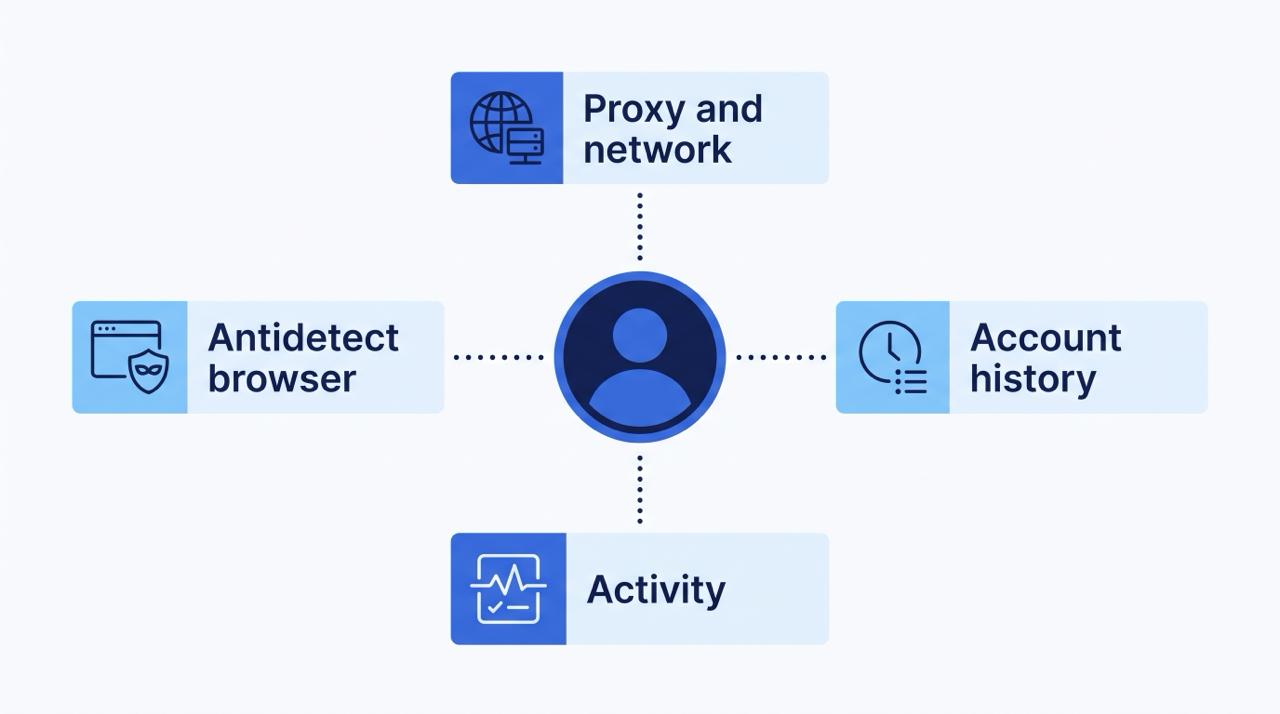
A platform rarely bans an account because of a single signal. Instead, it adds up many small signals into a risk score (often called fraud score) and takes action when the sum becomes too high. A single mismatch, such as a blocked QUIC connection, will not lead to an instant ban, but it will raise the score. Several small mismatches together may already turn out to be enough.
This is the key idea of everything described below: your goal is - not to be "invisible", but to look consistent and normal. Every level, from the network stack to the cursor, should tell the same story about a normal person with a normal device.
Factor 1: proxies and network setup
An IP address is - almost the first thing a site learns about you, so proxy setup should be given the most attention. You need to check three areas.
SYN exchange (TCP/IP fingerprint)
First of all, the site looks at how your connection sends packets: what ciphers the device supports, what TTL is used and how the network stack behaves. Each operating system has its own parameters. If the declared OS says one thing, and the network stack says - another, it is a flag. WexProxy mobile proxies have an Android fingerprint, so the network stack matches a real Android device.
IP type and why mobile ones are often safer
Some platforms, for example LinkedIn, look very closely at the IP itself. But in most cases, anti-fraud is primarily interested in the TCP/IP stack (see above) and the activity that comes from the account. Real users register from different IPs, so when ten accounts appear from a single address, bans follow. Use IP rotation.
For sensitive platforms, such as Instagram and TikTok, we recommend mobile proxies. The reason is - CGNAT: in mobile networks, there can be thousands of real people behind a single IP. The platform is afraid to ban such an IP because it will affect a lot of real users.
- Datacenter IPs are dedicated (one IP - one user), so the platform bans them without hesitation.
- Residential IPs are usually shared by approximately 10 to 100 people, and for the platform this is still a small risk of collateral damage.
- Mobile IPs are shared by many more people, and platforms ban them rarely.
Little things that matter
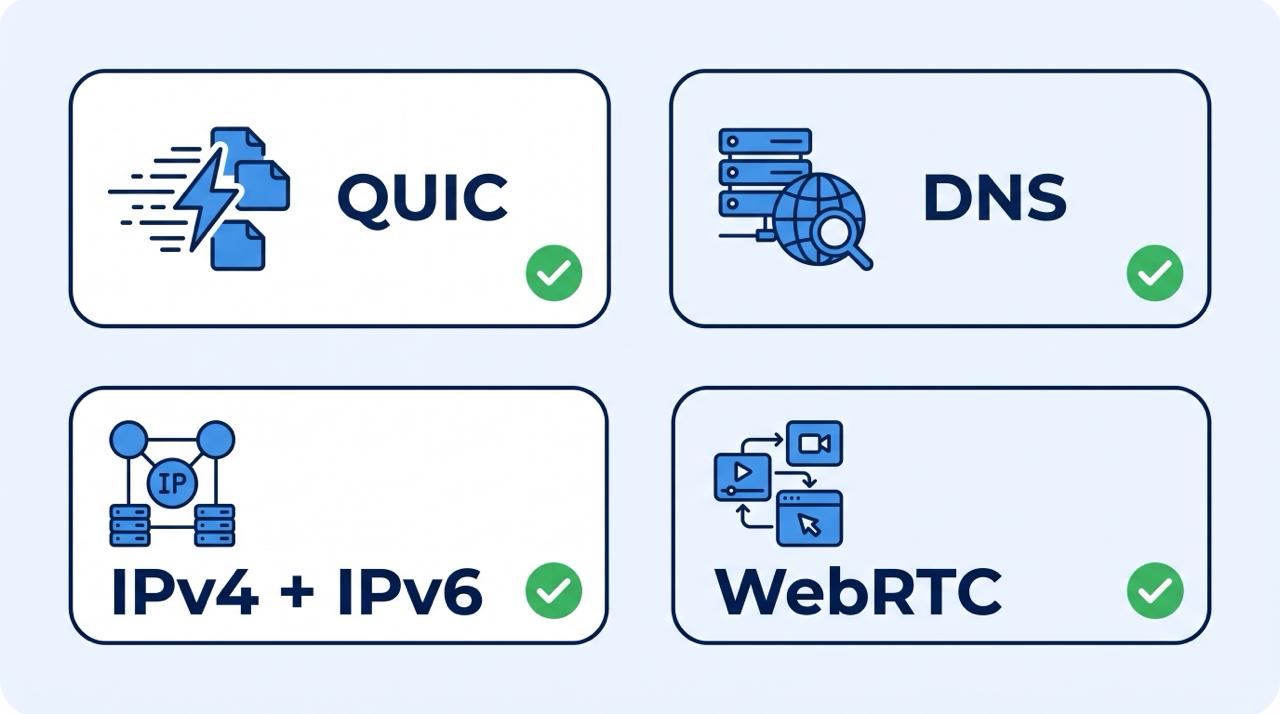
- QUIC support. QUIC is supported by all major browsers. If a site tries to establish a connection via QUIC, and it is blocked, there will be no immediate ban, but your fraud score will be higher than that of a regular user.
- DNS leaks. This detail is forgotten by almost all proxy services. Check the proxy and browser on browserleaks.com, and QUIC support - on detectme.pro. WexProxy mobile proxies support QUIC and protect against DNS leaks.
- Dual stack IPv4 + IPv6. IPv4 addresses are running out, so operators increasingly use IPv6. Having both can look more reliable, but if you are spoofing the OS, you need to spoof the fingerprints of both stacks.
- WebRTC leaks. They depend on both the antidetect browser and the proxy. Some proxies "leak" the real IP via UDP, so before starting work, check if there is an IP mismatch (again browserleaks.com).
How to check the setup before starting
A short check before work saves accounts. Go through it every time you change a proxy, browser or profile:
- Open the profile and check the IP. Make sure the IP, country and city are as you expect, and the time zone and profile language match the proxy location.
- Check for leaks. On browserleaks.com, look at DNS and WebRTC. DNS servers must belong to the proxy network (for mobile proxies - to the mobile operator), and WebRTC must not show your real IP.
- Check QUIC. On detectme.pro, make sure QUIC works through the proxy.
- Compare stacks. If you spoof the OS, make sure the TCP/IP fingerprint and the browser fingerprint do not contradict each other, for both IPv4 and IPv6.
- And only then log into the account. A profile that has not passed any of these checks should not touch a real account.
Why SDK and botnet proxies often kill accounts on social networks
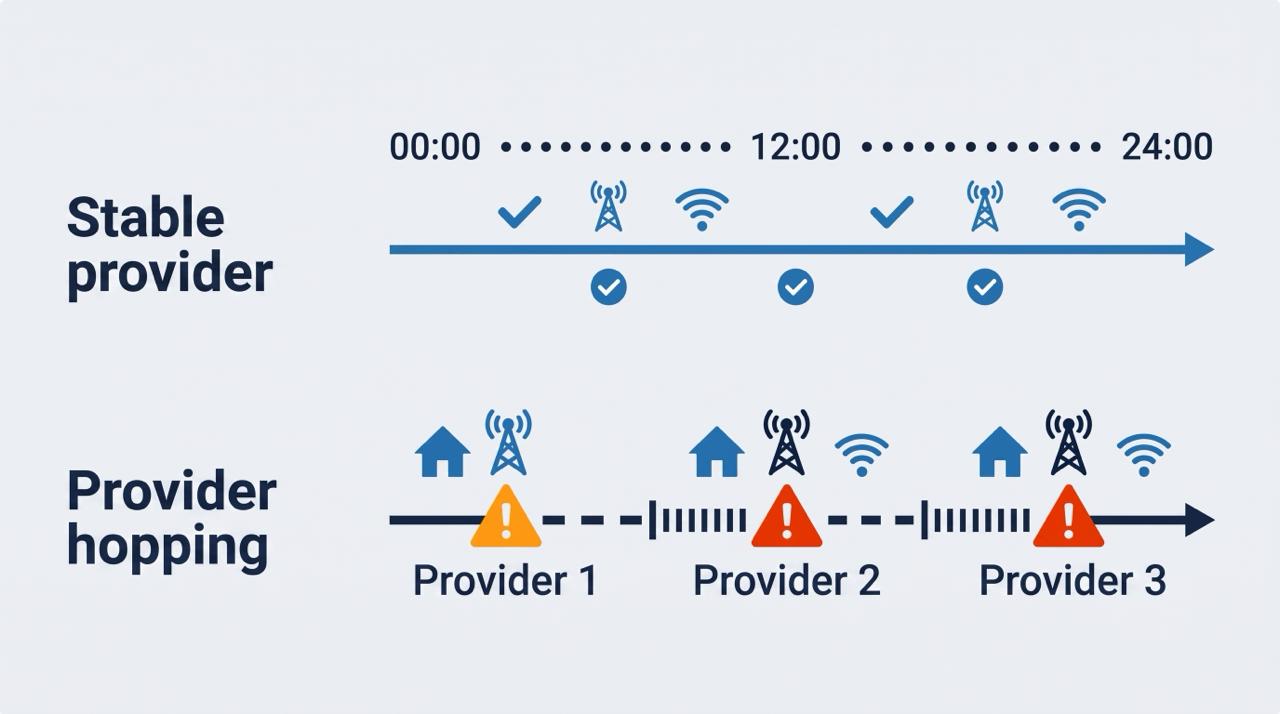
To look like a real user, think about how a real person works with their account. In the morning they log in from home Wi-Fi. In the office or on the road they use a phone, and their IP changes to a mobile operator. In the evening the home connection returns again. Total: one home provider, one mobile operator and a predictable pattern.
Now compare this with proxies based on SDKs or botnets, which are usually sold as "proxies on real people's devices". When the phone owner's battery runs out or they enter a store, the connection drops, and you get another IP of another provider without warning. From the platform's point of view, it looks like this:
This morning the user logged in from a Comcast IP in Washington. Six hours later the provider is already Verizon in New York. Another two hours later it changed again. And every time the TCP/IP fingerprint is different.
This is a suspicious pattern, and the account can be banned in just a day solely because of provider jumps, even if everything else was clean.
WexProxy cannot guarantee unlimited account creation and 0% bans, but the setup is built to keep the ban rate as low as possible:
- QUIC and UDP support - the software works more stably, and the fraud score is lower
- Protection against DNS and WebRTC leaks - you appear with the mobile operator's DNS
- Owned and rented devices with sticky sessions for months on the same provider
- 99.9% proxy uptime - farmers take care of the devices
- Real mobile IPs, without virtual operators
Factor 2: activity
This factor is critical if you work with automation. Sites monitor how the cursor moves, how quickly a CAPTCHA is solved and many other behavioral signals. That is exactly why high-quality account creators add pauses and human-like delays.
Also, you should not register 10 or more accounts from a single IP at the same time. This alone is enough to get bans. A few practical rules stem from this:
- Stretch registrations over time. Real people do not create a batch of accounts in a few minutes.
- Make pauses irregular. Identical delays between actions look like a script.
- Do not rush in the first days. A new account that immediately performs heavy or monotonous actions differs from a regular new user.
- Tie one account to one stable environment (one profile, one provider), rather than moving it from place to place.
Factor 3: antidetect browser
What to pay attention to when choosing and setting up:
- Protection against DNS and WebRTC leaks and UDP support
- Spoofing quality. Spoofed values must be consistent with each other.
- Browser engine version. Check what version of Chrome is used and how often it is updated. Avoid outdated antidetect browsers: platforms, as a rule, have already learned to detect them, so look at up-to-date solutions.
- Device realism. Make sure the profile characteristics match real devices, because some antidetect browsers can generate profiles of non-existent devices.
- Do not change the OS. Use your own operating system and keep the profile consistent with it.
Common mistakes
- Trusting only checkers. A green fingerprint test result does not cover behavior, account history and provider stability.
- Mixing signals. A mobile proxy with a desktop-only profile and mismatching language and time zone creates exactly the contradictions that anti-fraud is looking for.
- Ignoring leaks. DNS, WebRTC and QUIC problems are small, but they add risk every time.
- Using one IP for batches of accounts. This is one of the fastest ways to get bans.
- Working on unstable networks. Frequent provider changes do not look like a real user's day at all.
Where does landing page filtering fit in here
Everything listed above protects the account side: who logs in and how they behave. A campaign also has a second side - the page the ad leads to. Moderators and bots check it too, so it needs its own layer of protection. This is where a traffic filtering service like Cloaking.House comes into play: it separates real visitors from checkers and bots on the server side, so that account setup and landing page setup complement each other and leave no loopholes.
Short checklist
- Proxy type matches the platform's sensitivity (for the most sensitive ones - mobile)
- No more than a few accounts per IP, rotation is set up
- DNS, WebRTC and QUIC are checked before starting work
- OS spoofing covers both IPv4 and IPv6 fingerprints
- Sessions stay on the same provider and do not jump between networks
- Automation uses realistic pauses and does not create accounts in batches
- Antidetect browser is up-to-date and generates realistic devices
- Landing page traffic is also filtered
Conclusion
We have analyzed the main detection factors, there are others that we have not touched upon. But if you apply what is described above, you already know most of what is needed to make your accounts look like the accounts of real social network users.





Be the first to share your opinion!
We value your feedback — share your thoughts.