


Using WordPress as a White Page is one of the most reliable methods to pass moderation checks on platforms like Facebook, Google, and TikTok. Advertising network bots often trust websites built on WordPress as they resemble legitimate content sources.
In this detailed guide, we'll walk you through how to transform your WordPress site into a robust traffic filter using Cloaking.House.
Step 1: Preparing WordPress (on Hosting Side)
Before setting up the filtering system, you need to prepare your site’s file structure. The aim is to make WordPress a secondary process that only opens to bots and moderators.
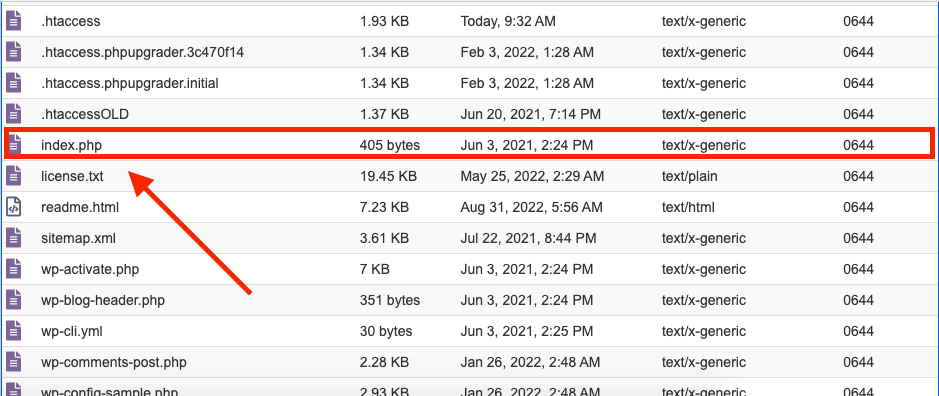
- Access your hosting control panel (cPanel, ISPmanager, or via FTP client).
- Navigate to the root folder of your site, usually public_html.
- Locate the index.php file, the main file that initiates WordPress.
- Rename this file to something like site.php (or any name you prefer).
Note: At this stage, visiting your site may result in an error or a blank page, but don’t worry. Functionality will be restored in the final step.
Step 2: Creating and Configuring a Flow in Cloaking.House
Next, proceed to your service account to create the filtering logic.
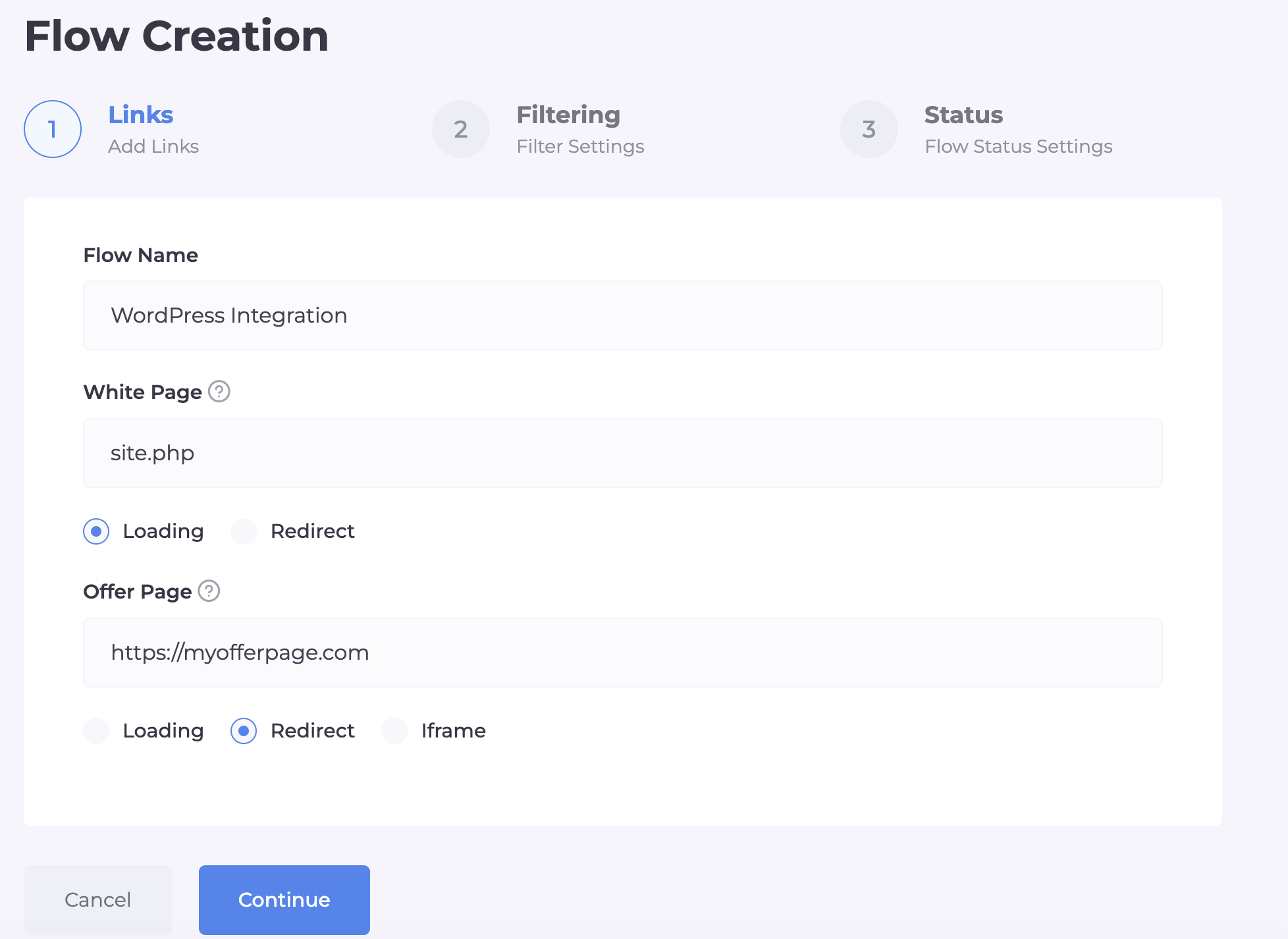
- Enter the "Flows" section and click "Create Flow".
- In the "Name" field, specify a name for your campaign (e.g., WP_Blog_Mexico).
- For the "White Page" field, select "Loading" and insert the name you gave WordPress — site.php.
- In the "Offer Page" field, insert the link to the real landing page where target traffic should go.
Step 3: Fine-tuning Filters
This critical step involves setting up an "intelligent barrier" that distinguishes targeted leads from bots and moderators. The more precise the filters, the longer your account’s lifespan.
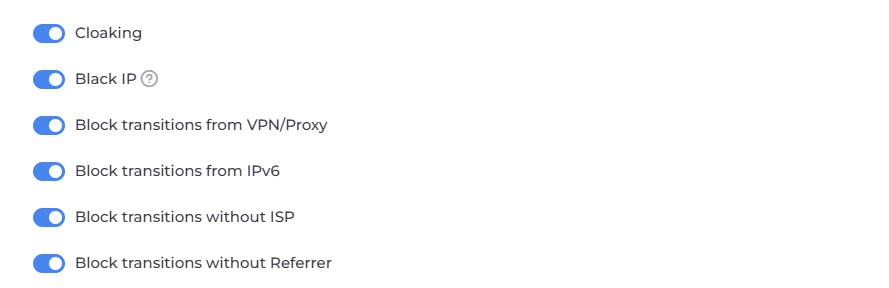
Key Protection Switches:
Cloaking and Black IP: Foundational protection that filters visits from known bot networks and moderator databases.
Block VPN/Proxy: This crucial filter deters moderation attempts, as most moderators mask their IPs, whereas typical customers use home or mobile internet. Activating this greatly reduces risky traffic.
Block IPv6: Many server bots operate on this protocol. Disabling it adds another security layer.
Block No ISP (Provider): Filters out traffic from data centers, implying bot activity if a user lacks an ISP.
GEO Targeting: Specify the country targeted by your ads so traffic from other regions (like moderation offices) will remain on the White Page.
Target Audience Segmentation:
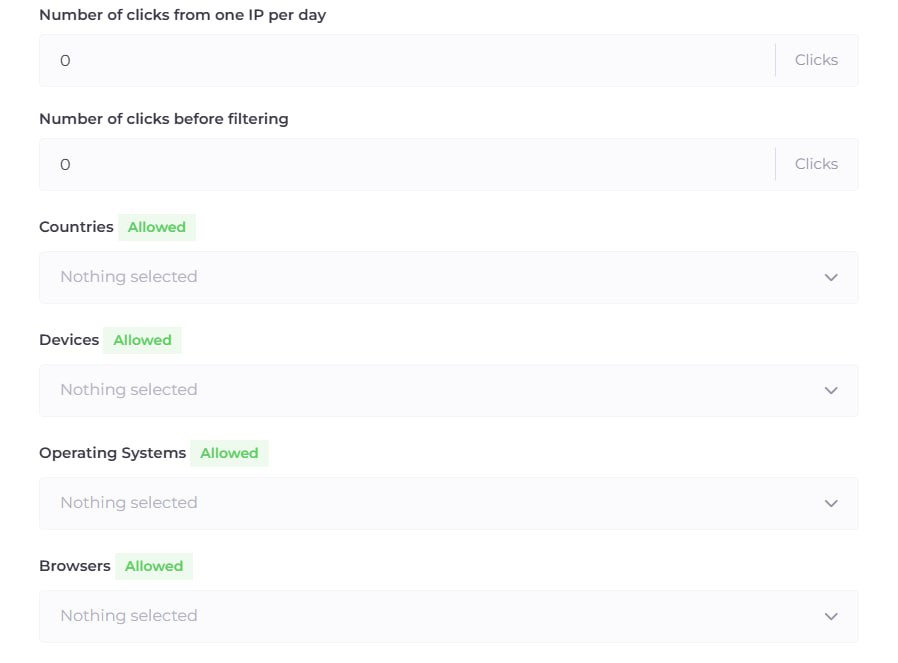
Explore filter options for Device, OS, and Browser at the lower settings of your flow.
Tip: If targeting only mobile Facebook traffic, disable desktops to narrow the funnel and prevent moderation access from office PCs.
Advanced Settings:
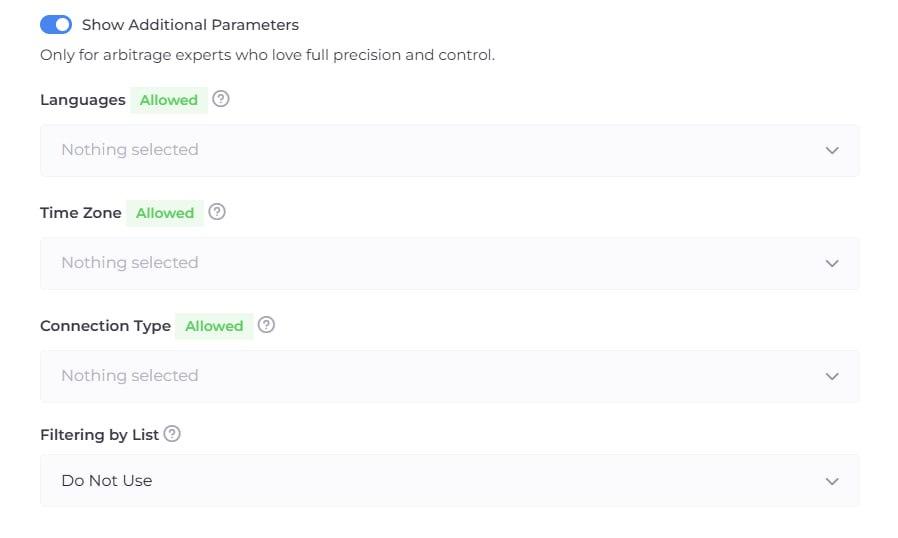
If default filters aren’t sufficient, activate "Advanced Settings" for fine-tuning:
- Languages and Time Zones: For example, if targeting Italy and visitors use an English browser, redirect them to the White Page.
- Connection Type: Allow only mobile internet (Wi-Fi/4G) for maximum trust from advertising networks.
- Filtering Lists (White/Black Lists): Use custom filtering rules if you maintain lists of "bad" IPs or wish to allow access to specific services.
Step 4: Final Integration
Once your flow is created and saved:
- Download the generated index.php from your Cloaking.House account.
- Upload this file to the same public_html folder on your hosting alongside the renamed site.php.
- Your folder should now contain both files: the new index.php (from the service) and your site.php (WordPress).
Step 5: Testing Integration and Whitelisting
To ensure the system recognizes your traffic and set up a personal redirect, conduct a test visit.
- Navigate to your website (the same domain where you configured WordPress).
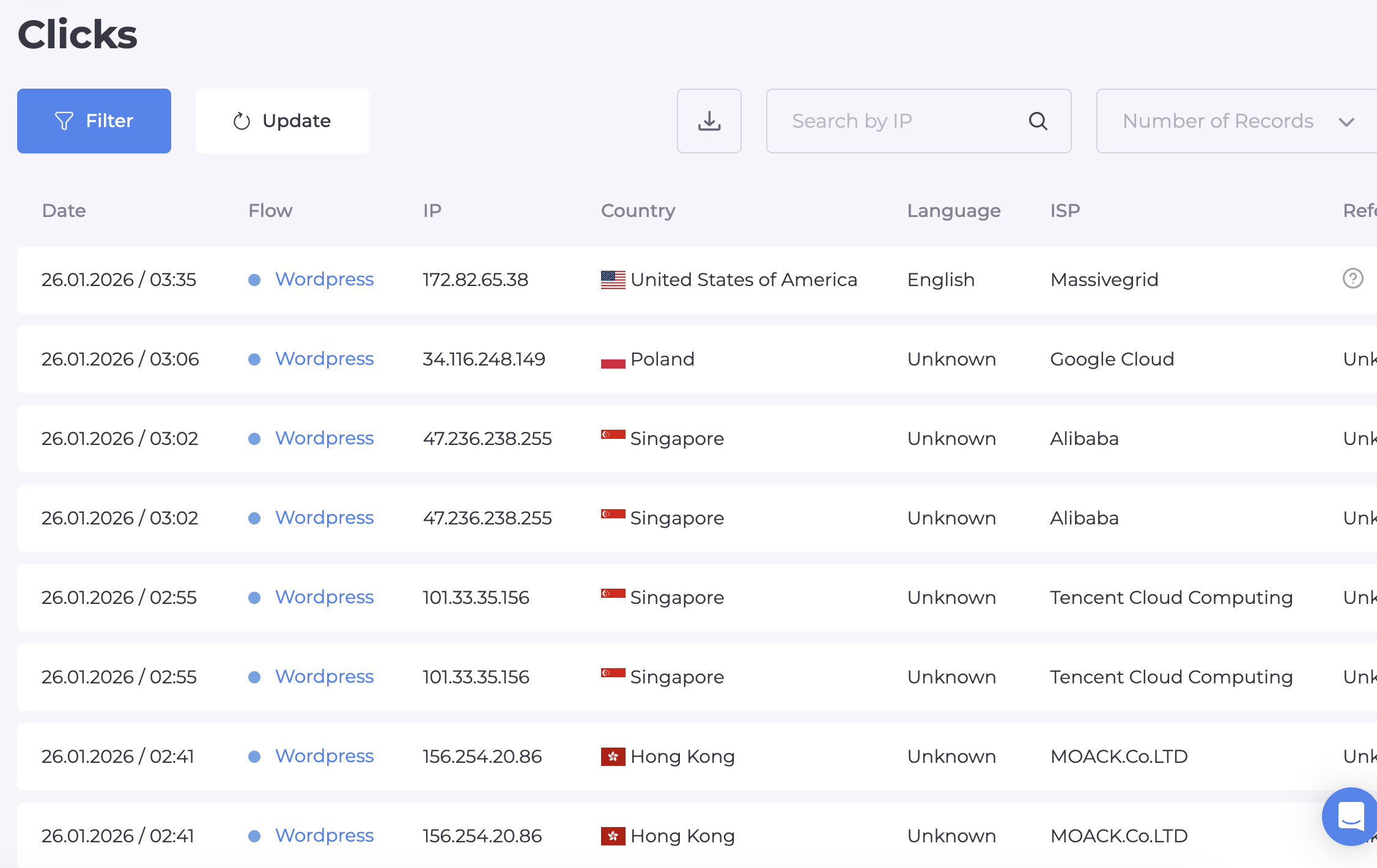
- Return to your Cloaking.House account and open the "Clicks" tab.
- If everything was set up correctly, your visit will be visible. Check your current IP as the system displays your latest access address. This is the best way to verify integration.
- Copy this IP and enter it in your flow settings in the "Allowed IPs" field. Filters will no longer activate for you, and on your next visit, you'll access the offer page instead of the White Page.
How It Works Now
Whenever a user (or bot) visits your domain:
- The index.php from Cloaking.House activates first.
- The service instantly analyzes the visitor against multiple parameters.
- If it's a bot, the system discreetly loads content from site.php (your WordPress).
- If it's a real client from the target country, they are redirected to the Offer Page.
Conclusion
Integrating WordPress with Cloaking.House is the "gold standard" for security, providing not only reliable cloaking but also detailed real-time click analytics.






Be the first to share your opinion!
We value your feedback — share your thoughts.