


Marketing campaigns can look different in different countries. Landing pages might display the wrong currency, product prices may vary, and ads can redirect users to unexpected pages.Residential proxies help marketers test these regional differences by routing connections through IP addresses associated with home ISPs. They are useful for e-commerce teams, affiliate marketers, and developers who need to check localized content or collect permitted public data.This guide explains how residential proxies support marketing and automation, when to choose rotating or static IPs, and how to choose the right provider.
What are residential proxies?
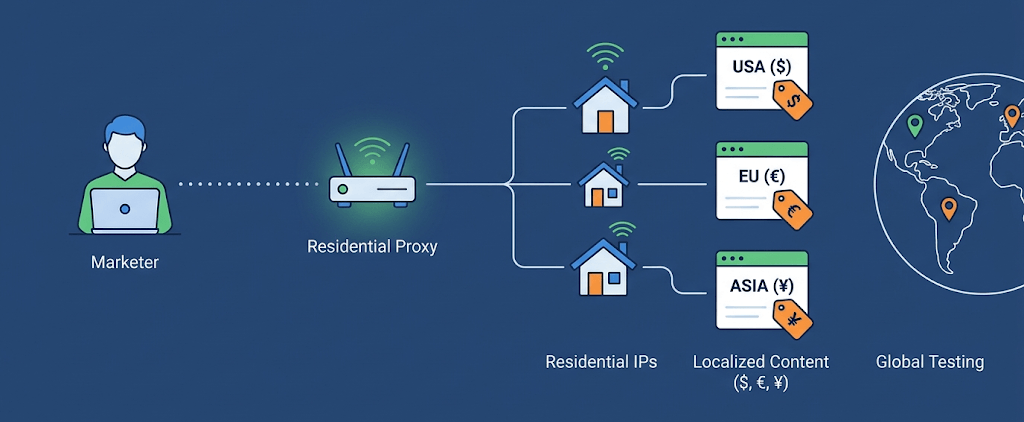
A residential proxy acts as an intermediary between your application and the target website. Your traffic passes through the proxy and exits through an IP address associated with a home internet connection.
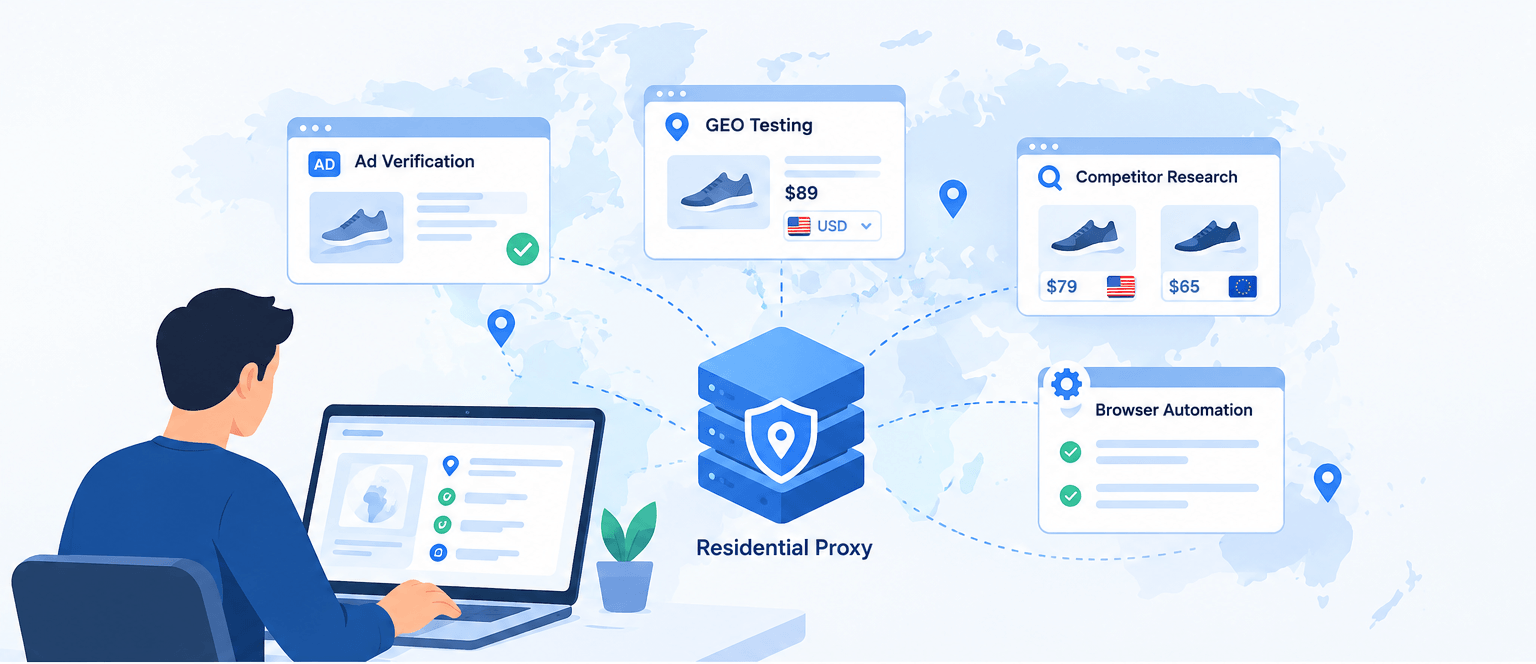
Main use cases:
Checking search results in various geographical markets.
Verifying ads and landing page redirects.
Monitoring public e-commerce prices.
Collecting permitted public web data.
Testing localized websites using browser automation.
Residential proxies are especially useful when the same site displays different content depending on the visitor's location. They allow teams to study these variations without needing a physical connection in each target market.
Why marketing teams use residential proxies
Geographical testing
International websites may display different languages, currencies, promotions, or product availability depending on the visitor's location. Geo-targeted residential proxies help marketers check these differences without relying solely on their office network. Keep your browser settings and testing procedures consistent to make regional comparisons more reliable. Record the target location and the displayed page so you can investigate unexpected discrepancies later.
Ad verification
Advertising is only effective if its target audience reaches the right address and sees the expected content. Residential connections help marketing teams verify if landing pages load correctly in target regions, if tracking parameters are preserved during redirects, and if localized content is displayed properly. A practical verification process should record the source URL, target country, final destination endpoint, and loading status. Regular checks help identify broken links, missing translations, or incorrect regional content.
E-commerce and competitor research
Online stores can show different prices, promotions, and shipping conditions in different markets. Residential proxies help teams compare public product information taking geographical perspectives into account. By collecting data in a uniform format, it is easier to track changes over time. Record timestamps, product URLs, currencies, and locations. If official APIs are available, consider them first.
Browser automation
Browser automation simplifies routine tasks such as checking page elements, validating forms, and testing user journeys. A developer can use a script to open a landing page, check key elements, and record the final URL. For reliable results, combine proxy settings with correct browser parameters and reasonable request intervals.
Rotating vs. static residential proxies
The correct configuration depends on whether the task requires different IP addresses or a stable connection.
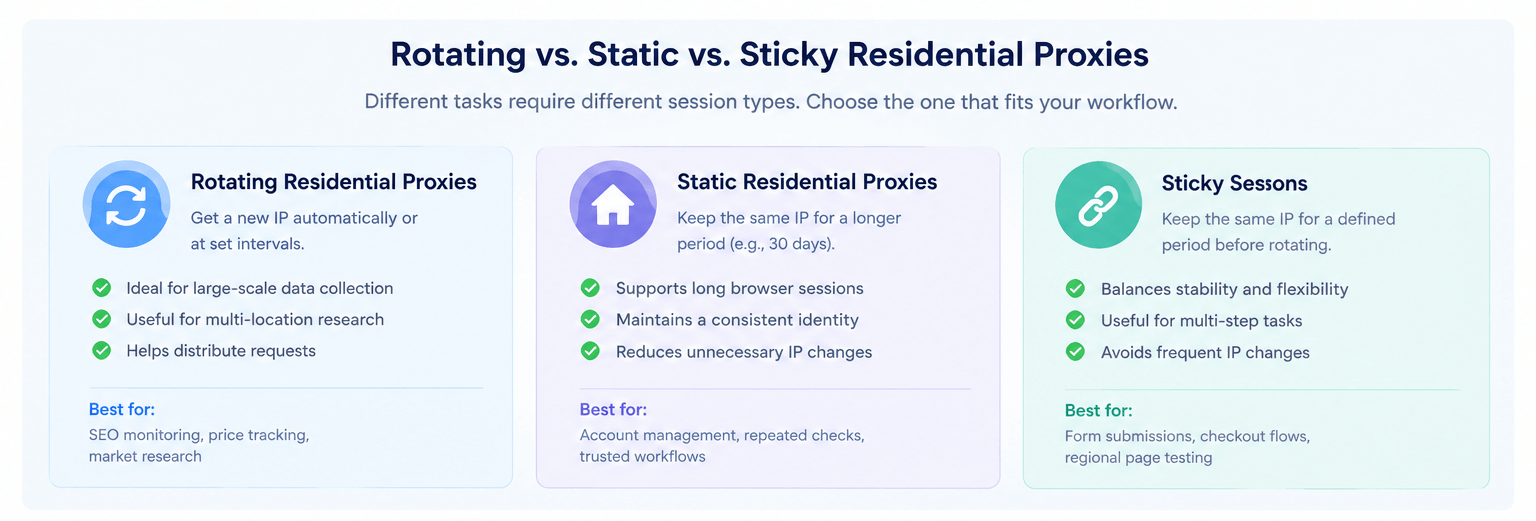
Rotating residential proxies
They change the outgoing IP according to the provider's settings (between requests, after a set interval, or upon a new session). They are useful for independent requests requiring geographical diversity (data collection, SERP checking). The provider Swiftproxy offers such proxies for flexible IP selection in different locations. However, frequent IP changes can interrupt sessions, complicating the comparison of results.
Static residential proxies
Provide an IP that remains fixed for a long period. They are suitable for long sessions, repeated site checks, and authorized operations where continuity is important. Swiftproxy also offers static proxies for workflows that require a stable connection.
Sticky sessions
Keep the same IP for a specific period before changing. This is useful for multi-step tests when you need to open a page, submit a form, and check the result under a single connection.
| Requirement | Suitable option |
| Independent requests across multiple pages | Rotating residential proxies |
| Long browser sessions | Static or sticky residential proxies |
| Repeated checks of regional landing pages | Static or sticky residential proxies |
| Multi-country research | Geo-targeted residential proxies |
Choosing a residential proxy provider
Evaluate providers based on your actual workload:
Geographical coverage: Ensure the required countries and cities are supported.
Session management: Check for rotating, sticky, and static options.
Protocol compatibility: Ensure HTTP(S) or SOCKS5 work with your software.
Performance: Check the connection success rate and response time.
Pricing: Compare bandwidth costs and session limits.
Documentation and support: Clear guides simplify integration.
Why consider this option?
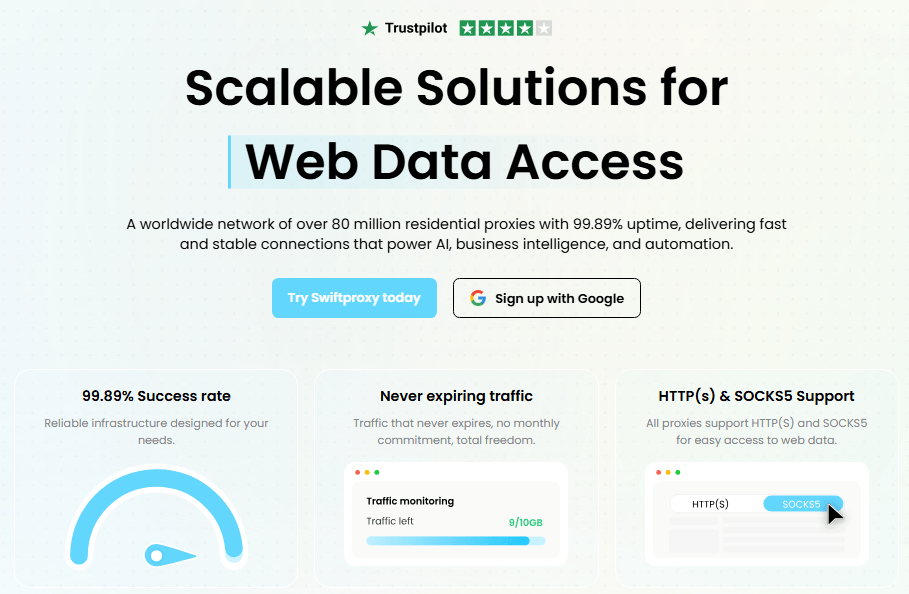
For teams seeking infrastructure for marketing research and GEO-testing, Swiftproxy offers:
Over 90 million residential IPs in 220+ locations.
Rotating and static options for various requirements.
Support for HTTP(S) and SOCKS5.
Targeting by country, city, and ISP.
Flexible authentication via API and login/password.
Non-expiring traffic (subject to terms).
Before a major purchase, start with a small test to verify locations, compatibility, and response speed.
Common mistakes to avoid
1. Rotating IPs too frequently
Frequent rotation can interrupt sessions and make multi-step tests unreliable. Use static or sticky connections when continuity is required.
2. Not using cloaking
Using only proxies is often not enough to bypass complex filtering systems and content protection. Not using cloaking for traffic distribution and filtering can lead to bans. An excellent example is using the Cloaking.House service for reliable campaign protection and routing.
3. Assuming geolocation data is always accurate
IP geolocation databases can vary. Selecting a country does not guarantee that every site interprets the IP location identically.
4. Ignoring browser settings
Proxies do not automatically sync cookies, language settings, and time zones. Keep these variables constant during testing.
5. Scaling too early
High concurrency makes failure diagnosis difficult. Test a small sample first, and then expand gradually.
6. Expecting proxies to solve all access problems
Sites evaluate request patterns, browser characteristics, and session states, not just the IP. Use proxies alongside a reasonable request rate and proper error handling.
Conclusion
Residential proxies help marketing teams test regional sites, verify ads, research markets, and run automation. Swiftproxy offers wide geographical coverage and flexible settings for various tasks. Test the required locations and session types, measure results, and scale campaigns only when the setup provides a predictable and stable environment.






Be the first to share your opinion!
We value your feedback — share your thoughts.