



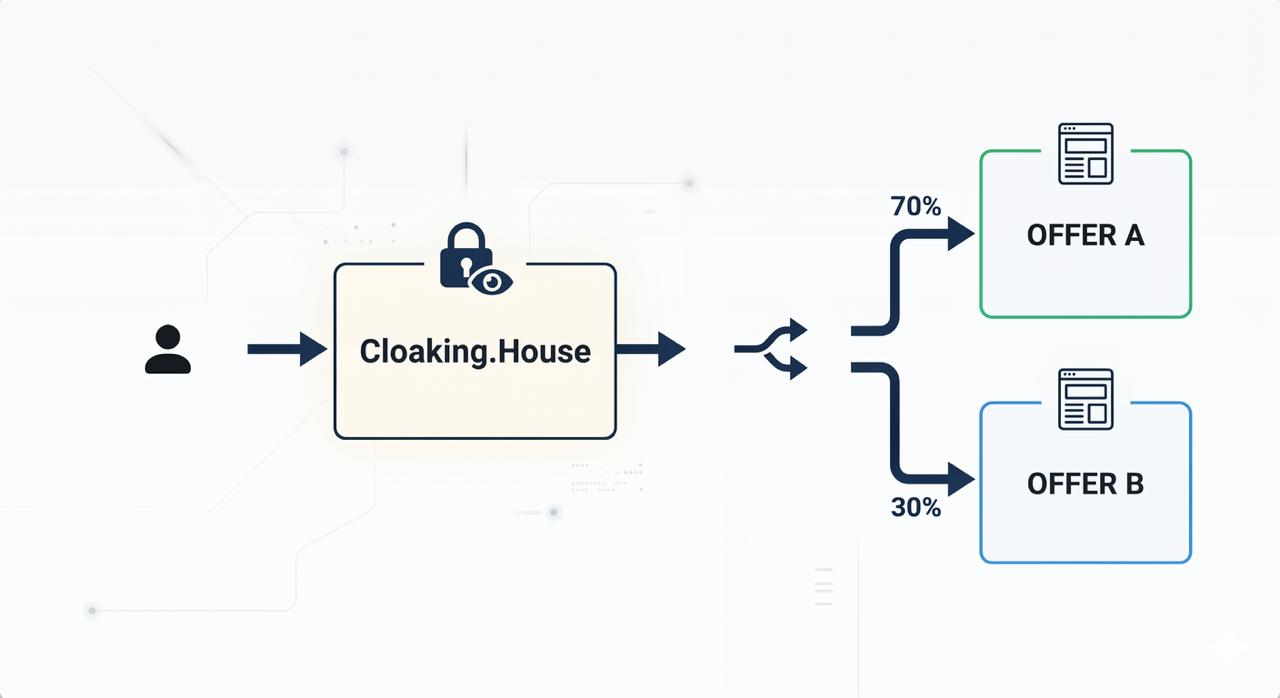
Usually in Cloaking.House there is one offer page per flow. But what if you want to check which of the two offers works better without stopping the campaign and creating everything from scratch?
There is a simple solution for this: a splitter file that decides by itself which visitor to send to offer A and which to offer B. You only specify the links and the weight of each offer. Everything else happens automatically.
This article is written for those who have never worked with code. Just follow the steps.
What we will need
An account in Cloaking.House
Hosting with a domain (the same one where your flow is already configured)
Two links to the offers you want to compare (or more)
15 minutes of time
Part 1. Installing Cloaking.House on hosting
If you already have a flow configured with PHP integration - skip this part and go straight to Part 2.
If not - first you need to install the Cloaking.House file on your hosting. Here is how it is done.
Step 1. Upload your White Page to the hosting
White Page - this is a regular page that moderators and bots see. It can be any simple website: a blog, a landing page, an article.
If you do not have a White Page - you can generate a high-quality one in your Cloaking.House dashboard
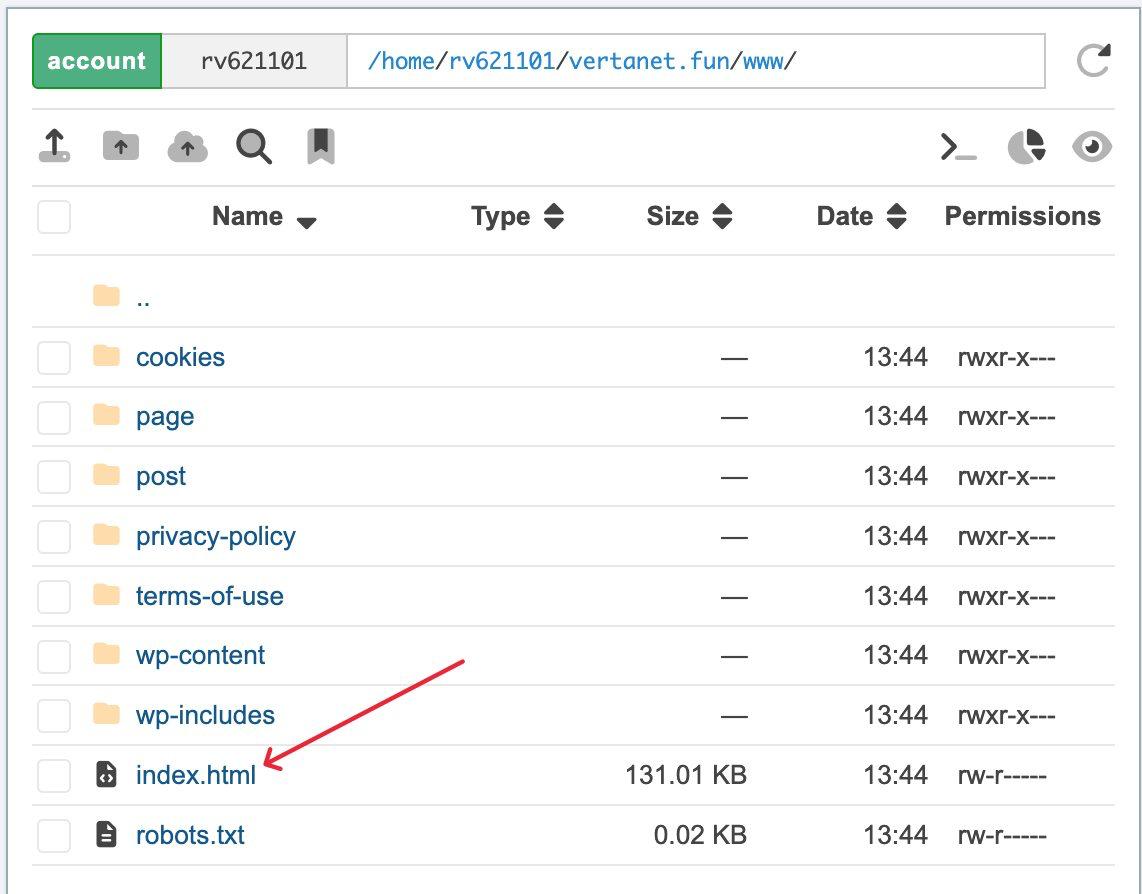
Open the file manager of your hosting (it is available in the personal account of any hosting provider). Upload your White Page file there.
Step 2. Rename the White Page file
This is an important moment. Your White Page file is most likely named index.html or index.php. Rename it - for example, to site.html or site.php.
Why? Because now we will add a new index.php file from Cloaking.House. If both files are named the same - a conflict will occur.
To rename: right-click on the file in the file manager -> "Rename".
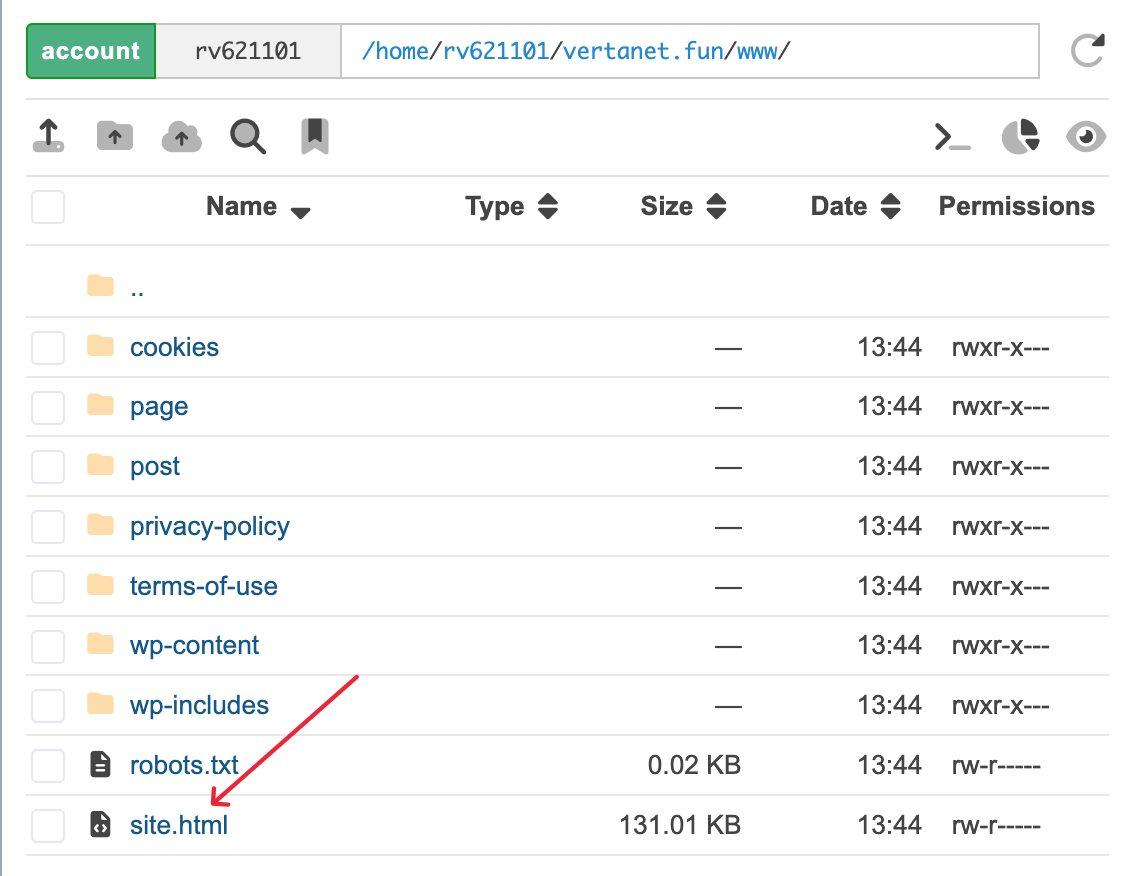
Important: After the file is renamed - your website might stop working, do not be alarmed, after we upload the index.php file - your website will become functional again.
Step 3. Create a flow in Cloaking.House
Log into your Cloaking.House personal account. Go to the "Flows" tab and click "Create flow".
Fill in the fields:
Name - any convenient one, for example "test"
White Page - specify the name of the file you just renamed (for example, site.html). Method - "Loading"
Offer Page - you can immediately insert the link to the splitter file: https://your-domain.com/redirect.php. Method - "Redirect"
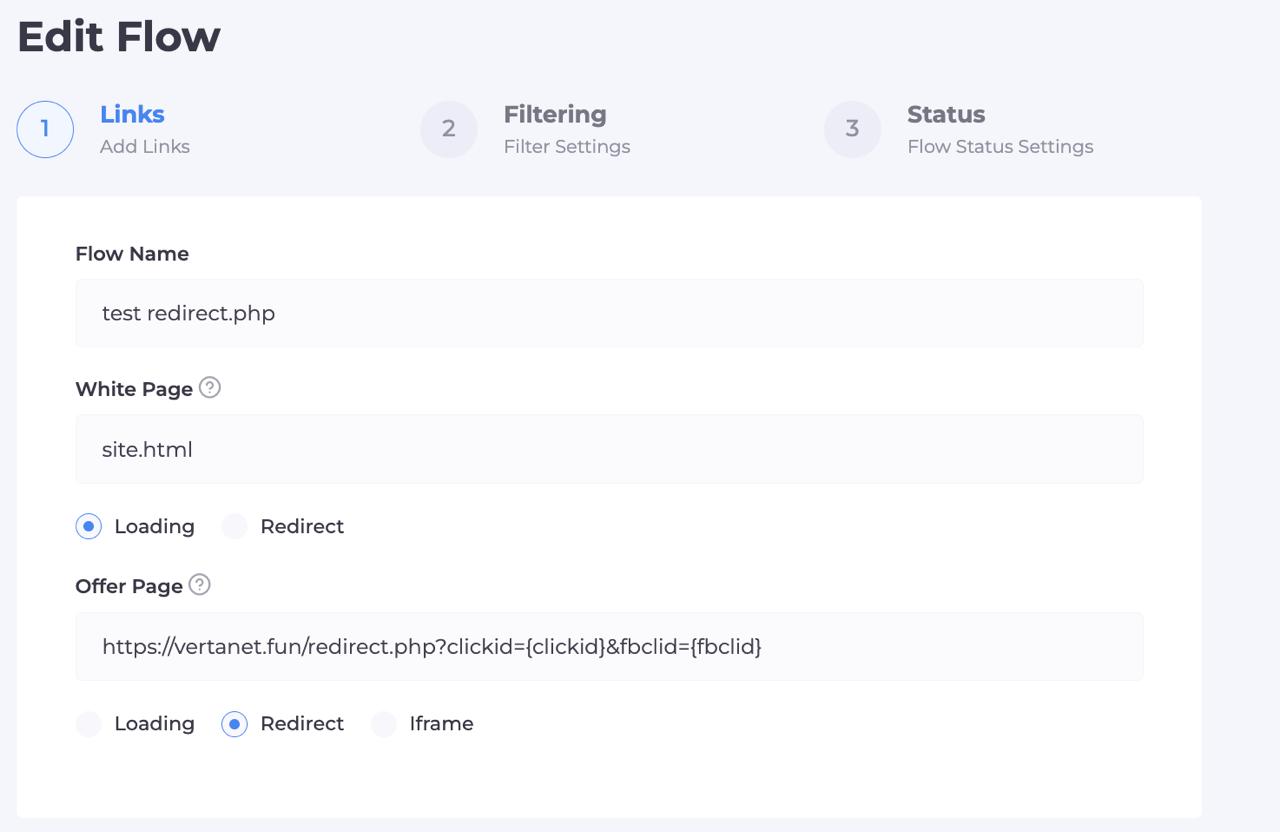
Click "Continue" and configure the necessary filters (countries, devices, etc.).
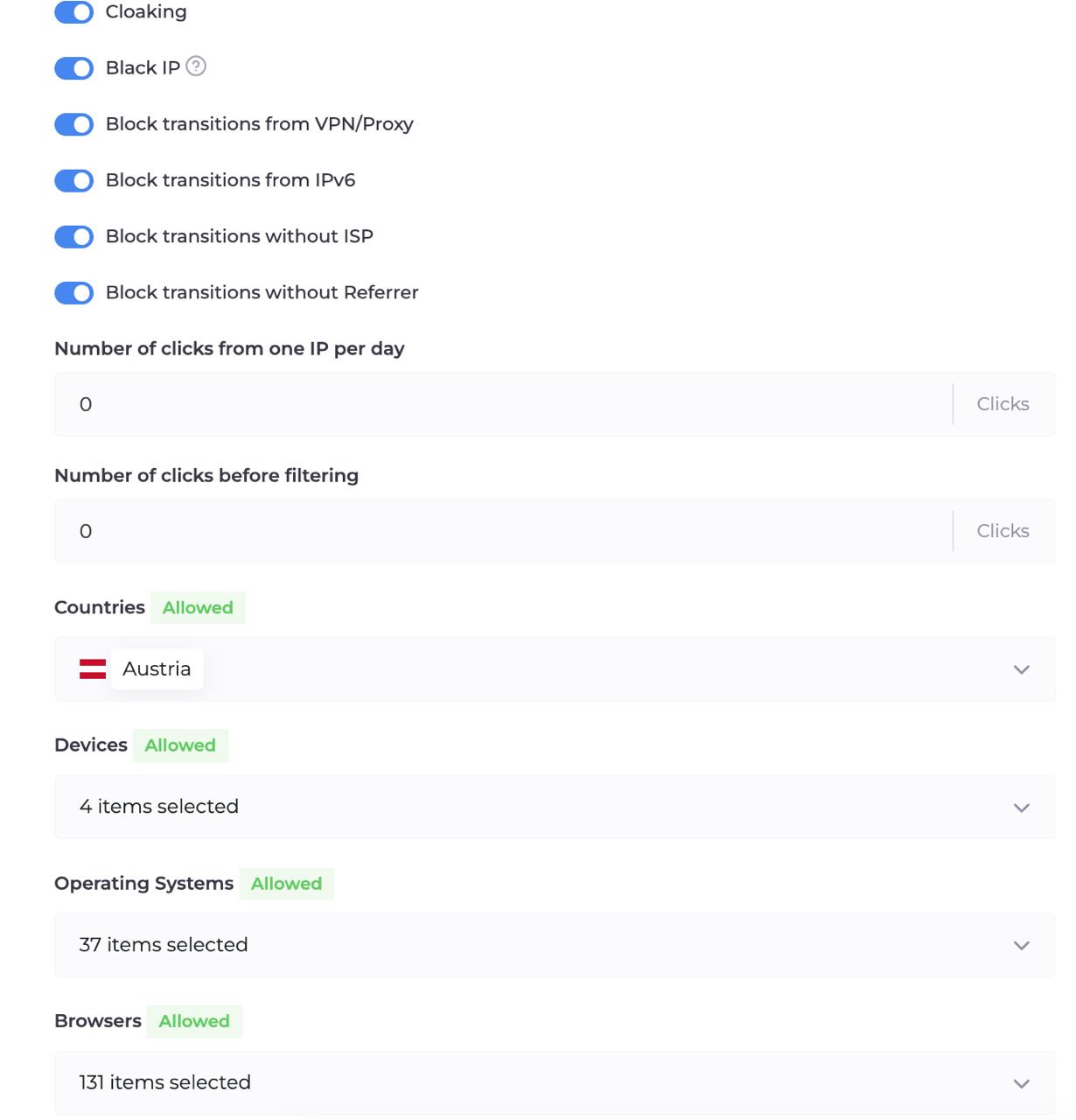
Step 4. Download and upload the index.php file
After creating the flow, Cloaking.House will offer to download the index.php file. This is the main file that filters all traffic.
Download it and upload it to the root folder of the website on your hosting - the same place where your renamed site.html lies.
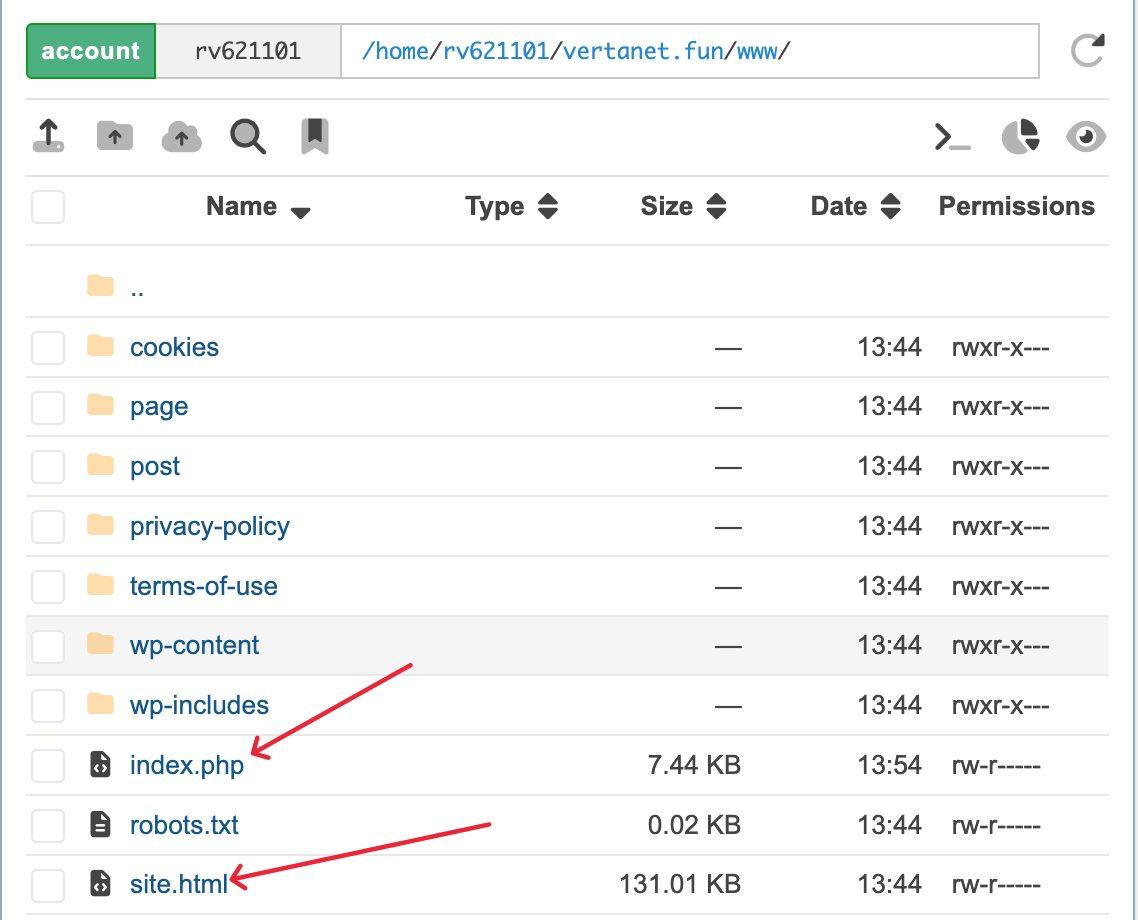
Done - Cloaking.House is installed. Now let's move on to splitting traffic between offers.
Part 2. Splitter file for two offers
Now let's create a file that will automatically distribute visitors between offers.
Step 1. Download the script and paste it into a file
Download the ready-made archive from the link below and unpack its contents into the root of your website.
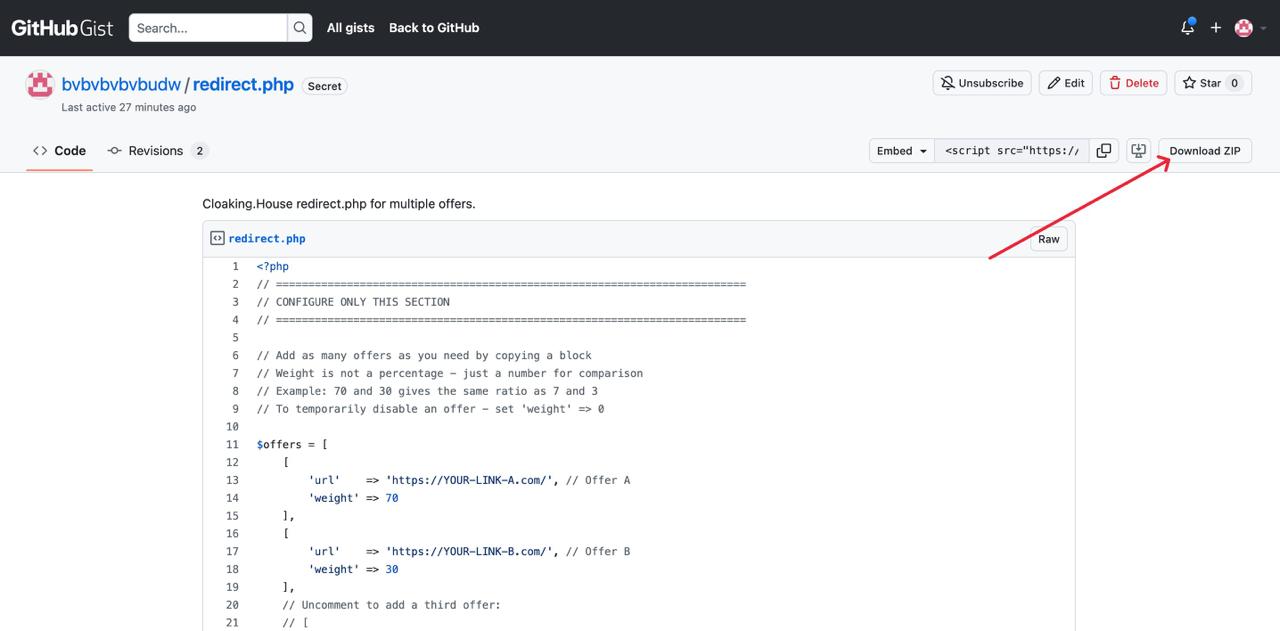
Step 2. Integration into your website
Place the downloaded file from the archive into the root of your website. It should look like this:
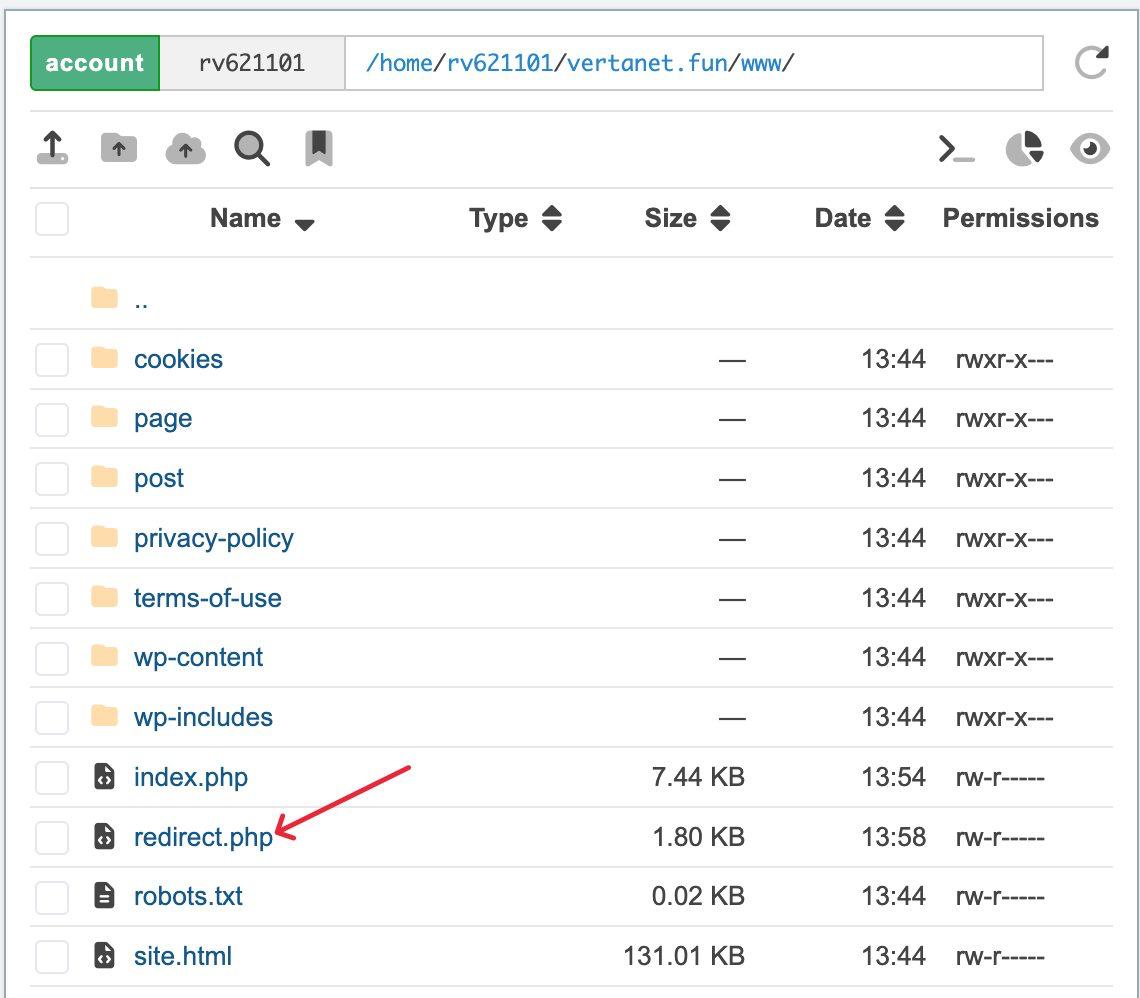
Step 3. Insert your links
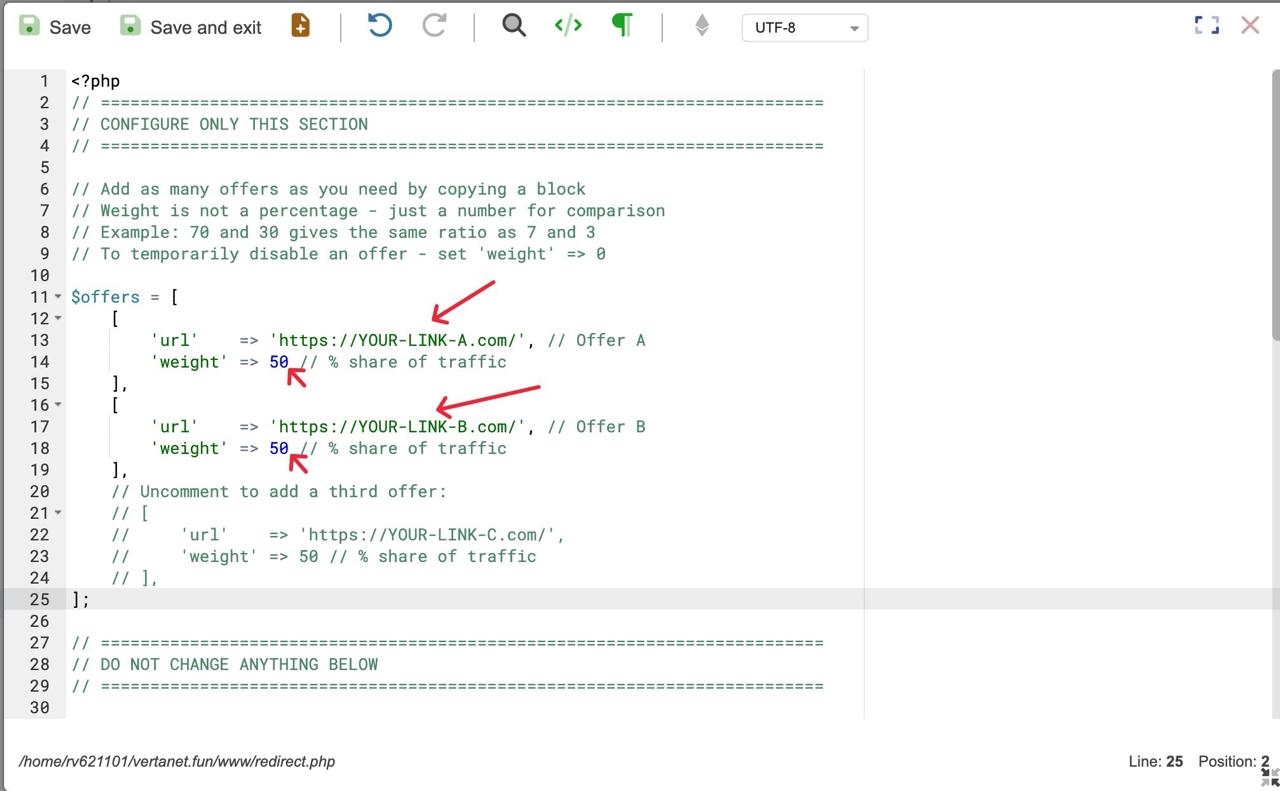
Open the file and find the section at the very top - it says "CONFIGURE ONLY THIS PART". Replace the placeholders with real links and set the weight for each offer.
What is weight? These are not percentages, but simply numbers for comparison. If offer A has 70 and offer B has 30, then A will receive approximately 70% of traffic, and B - 30%. You can write 7 and 3 - the result will be the same. You can add a third offer and write 5, 3, 2 - the script itself will calculate the proportions.
If you want to split traffic equally - set identical numbers. If you want to test a new offer carefully - set 80 and 20.
Step 4. Update the link in the Cloaking.House flow
Go to the flow settings in Cloaking.House. In the Offer Page field, replace the current link (if you have not already done so) with the address of your new file:
https://your-domain.com/redirect.php
Save the flow.
Everything is ready. Now when a real visitor passes through the Cloaking.House filter - they automatically land on one of the offers in the ratio you specified. Moderators and bots still see only the White Page.
How to change weight or replace an offer
Just open the redirect.php file in the hosting file manager, change the required values in the upper part, and save. The changes will take effect immediately.
If you want to temporarily stop one of the offers - set its weight to 0. All traffic will automatically go to the remaining flows.
How to pass parameters to an offer
The script automatically passes all parameters that came to it in the link. For example, if a clickid came to it - it will go to the offer as well.
For this to work, Cloaking.House needs to pass parameters to the script. To do this, in the flow settings in the Offer Page field, append the necessary parameters to the link to the script:
https://your-domain.com/redirect.php?clickid={clickid}&sub1={sub1}
The macros in curly brackets will be substituted by Cloaking.House automatically - then the script will pass them to the offer.
When this really helps
Test a new offer without risk. You found a new offer and want to understand if it works - but you are not ready to fully switch from the one that is already bringing in money. Set the weights to 80 and 20 and look at the statistics.
Compare two affiliate networks. The same offer is available in two CPA networks. Split the traffic equally and compare after a week where the approval rate and payouts are better.
Play it safe when reaching the limit. If an advertiser has lowered the daily cap - part of the traffic will automatically go to the backup offer, and the campaign will not stop.
Try Cloaking.House for free for 7 days and set up your first A/B test - cloaking.house. For blog readers, there is a promo code BVBV_BRO_30 - a 30% discount on any plan.






Be the first to share your opinion!
We value your feedback — share your thoughts.