


For traffic buyers and affiliate marketers, launching new campaigns on Instagram often hits one fundamental problem: Meta's algorithms are extremely hostile to new profiles. Freshly registered accounts have zero "trust". Any attempt to run ads, link a Business Manager, or start mass DMing leads to an instant shadowban, checkpoints (selfie/document verification), or permanent suspension.
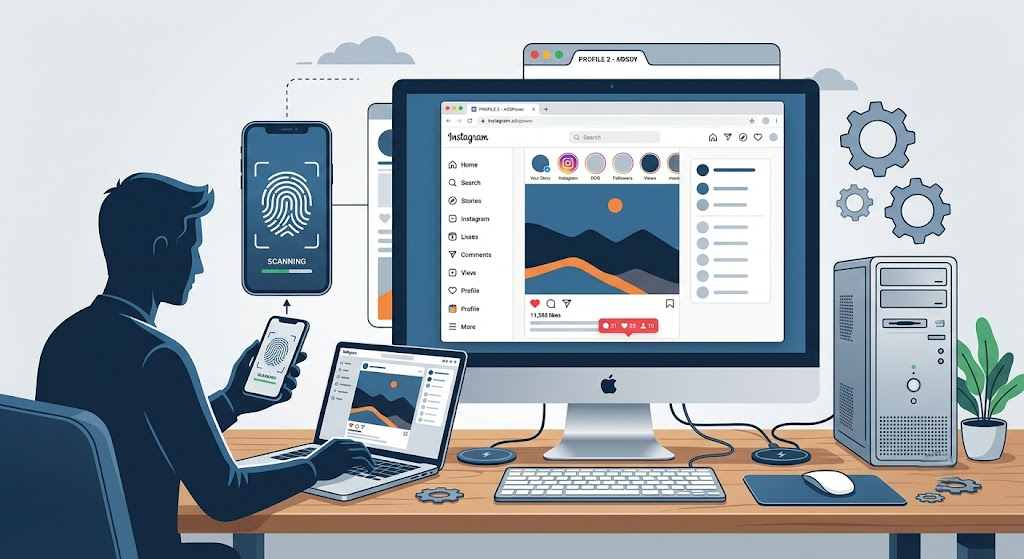
The economics of affiliate marketing is simple: time is money. Farming accounts yourself takes two to four weeks. Buying ready-made profiles allows you to skip this stage, instantly scale your campaigns, and get inventory ready for aggressive work. However, this violates the platform's terms of service. If you transfer an account incorrectly, it will die on the very first login.
Below, we will detail the anatomy of trusted accounts, the tech stack for working with them, and the safe transfer protocols used by top teams.
Types of Instagram Accounts: What Are You Paying For?
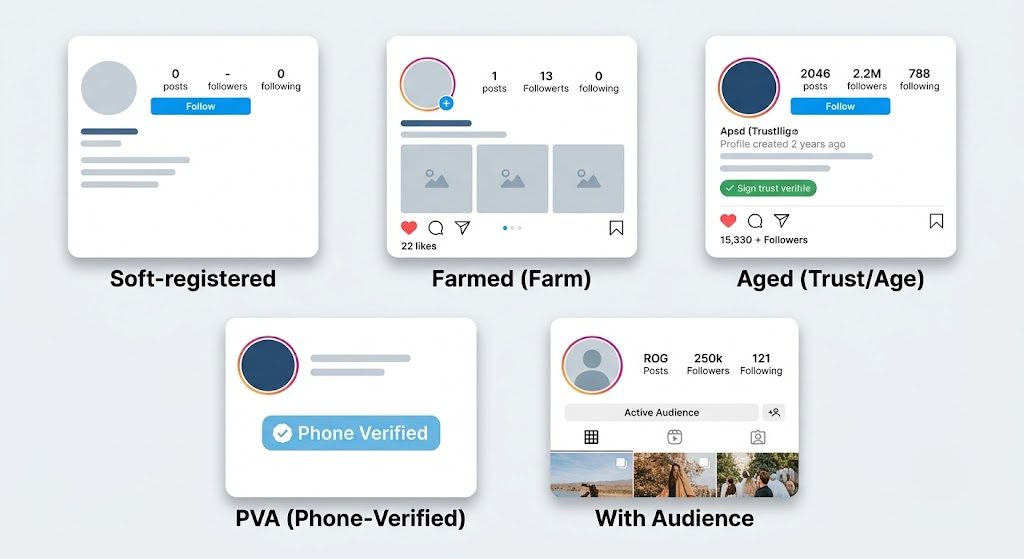
The classification of profiles on the market depends on their history, registration method, and package. Their survival rate under advertising loads directly depends on these parameters.
| Account Type | Specification | Ideal Use Case |
| Soft-registered (Fresh) | Mass-registered by software. Verified only by email (sometimes SMS). Minimal trust. | Consumables for grey niches, mass creative testing, spam mailing. |
| Farmed | Accounts "warmed up" manually or by special software. Contains simulated real activity. | Linking to Business Manager (BM), launching targeted ads. |
| Aged / Trusted | Profiles "aged" from six months to several years. The highest level of algorithm trust. | Long-term ad campaigns, creating Fan Pages, working with high limits. |
| PVA (Phone-Verified) | Profiles verified via a real SIM card. Reduces the chance of hitting a checkpoint. | Basic protection for any mass account purchases. |
| With an Audience | Accounts with a real or artificially boosted follower base. | Quick social proof (e-commerce brands, OnlyFans, crypto offers). |
The Anatomy of Bans: Why Accounts Die
A huge mistake beginners make is thinking that Instagram only checks your login and password. In reality, the platform analyzes dozens of parameters before you even click the "Log In" button.
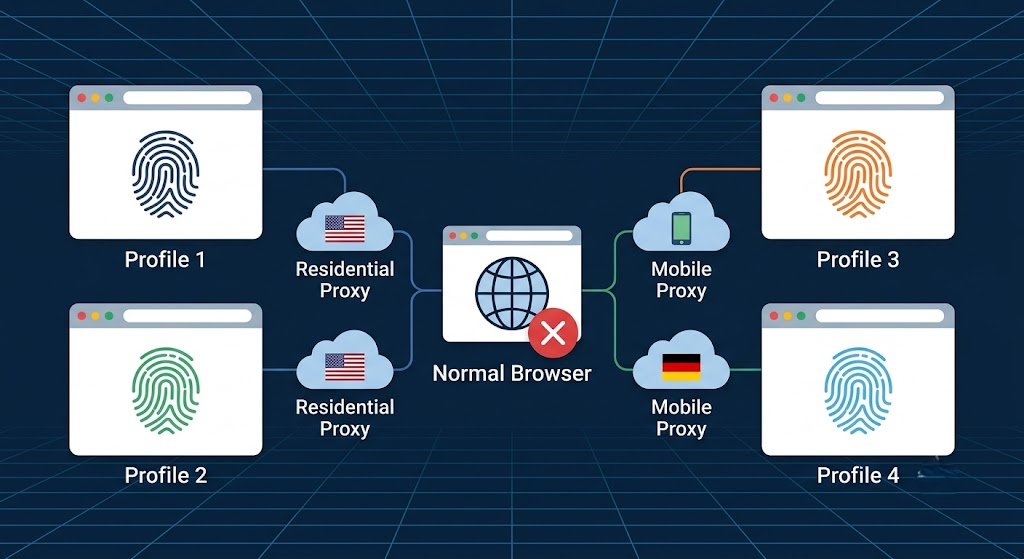
If you log into a purchased profile using the same device and IP address you use for your personal account, Meta's anti-fraud system instantly links them. Logging into 10 purchased accounts from a single standard browser (Chrome, Safari) guarantees a hardware ban for your entire network.
What exactly Instagram sees:
IP Address and Provider (ASN): How well your IP matches the account's original registration GEO.
Digital Fingerprint: Operating system version, User-Agent, screen resolution, installed fonts, and plugins.
Hardware Data: Graphics rendering (WebGL, Canvas), audio card parameters.
Behavioral Patterns: An abrupt change in the device's GEO location within 2 minutes triggers an "Account Hacked" alert.
The Tech Stack: How to Hide from Meta's Algorithms
For purchased accounts to live long, each of them must be in a strictly isolated digital environment. Building such an environment consists of three key elements:
1. Antidetect Browser
This is the foundation of any affiliate marketing infrastructure. An antidetect browser doesn't just clear the cache; it spoofs your computer's fingerprint at the browser's core level. To Instagram's algorithms, every new tab (profile) looks like a completely new, unique computer.
2. The Right Proxy Servers
Proxy selection determines 80% of your success. Never use VPNs or free proxies when working with purchased accounts.
Datacenter: Critical risk. IPs belong to data centers; Meta blocks them automatically.
Residential: Safe. IP addresses of real home Wi-Fi networks. High trust.
Mobile: Maximum trust. IP addresses of cellular operators. Meta doesn't ban them, as thousands of real users share them.
3. Authorization via Cookies
Logging into a purchased account with a username and password is the riskiest method. Professional sellers provide accounts with a Cookies file. Importing cookies allows you to "hijack" an existing session. To Instagram, it looks as if the user simply closed the browser yesterday and opened it today, without changing devices.
Step-by-Step Protocol for Launching a Purchased Account
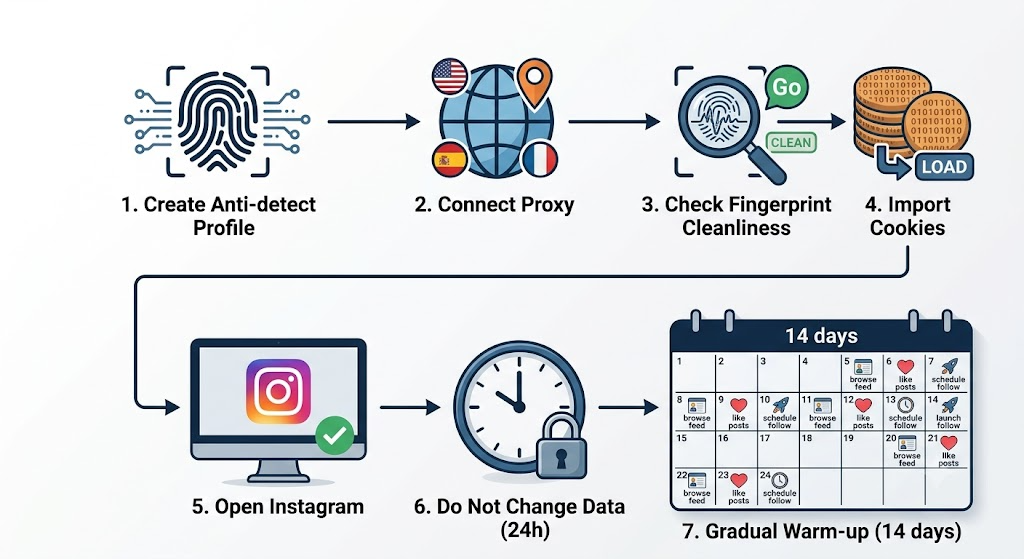
Following a strict sequence of actions during the first contact minimizes the risk of getting banned.
Create a profile in the antidetect browser. Generate a new, clean fingerprint.
Bind the proxy. Ensure the proxy's GEO strictly matches the account's registration GEO (e.g., USA account = USA proxy).
Check the fingerprint's cleanliness. Go to sites like Pixelscan or BrowserScan. All indicators must be green.
Import Cookies. Upload the cookie file into the antidetect profile settings.
Open Instagram. If the cookies are valid, you will instantly be logged in without entering a username and password.
Do not change anything in the first 24 hours. It is strictly forbidden to immediately change the password, email, or unlink the phone number. This triggers an instant checkpoint.
Warm-up Algorithm: The First 14 Days
Even aged and trusted accounts don't tolerate sudden shifts in activity. They have a history, but to the platform, you are a new user.
Days 1-3 (Passive Farming): Just scroll through the feed for 10-15 minutes twice a day. Watch a couple of stories, like 2-3 posts from random people. Your behavior should be lazy.
Days 4-6 (Light Activity): Follow 3-5 large, verified accounts. Leave a couple of neutral comments.
Days 7-10 (Infrastructure Binding): Slowly begin to change data: update the password via settings, link your own 2FA authentication.
Day 11+ (Smooth Launch): You can start running ad campaigns on minimal budgets (from $5-$10 a day), gradually scaling the spend.
Main advice for media buyers: Plan your purchases in advance. You should always have a backup pool of accounts undergoing the passive warm-up stage.
Conclusion
Technical preparation and careful warm-up are useless if the source material is of low quality. Buying accounts from random Telegram bots almost always results in a ban right from the start due to missing cookie files or mismatched GEOs.
Your success directly depends on choosing the right marketplace that provides a detailed specification for each profile and offers a replacement guarantee for defective accounts.
As one of the most stable sources on the market, we can highlight the AccsZone store. This platform specializes in affiliate marketing infrastructure. There, you can find the entire spectrum of necessary profiles: from cheap fresh accounts for mass testing to trusted aged accounts with followers, PVA (phone verification), and ready-made sessions.





Be the first to share your opinion!
We value your feedback — share your thoughts.