


Two-factor authentication in the Cloaking.House service - is an additional layer of account protection that helps secure access even if the password has been compromised. Today, a single password is no longer enough: it can be brute-forced, stolen via a phishing link, intercepted on an infected device, or accidentally obtained through a fake login page.
In Cloaking.House, two-factor authentication works based on the Google Authenticator app. After enabling the protection, when logging into the account, the user enters not only the login and password but also a one-time code from the app. This code is regularly updated and is only available on the account owner's device. Therefore, even if an attacker finds out the password, they will not be able to authorize without the code from Google Authenticator.
This method of protection is especially important for services where work data, project settings, accesses, financial information, and advertising process management tools are stored. Losing access to an account can lead not only to temporary inconvenience but also to serious risks for work and budget.
How to connect Google Authenticator in Cloaking.House
Log into your personal dashboard and click on the "Profile" icon - where the account email is specified:
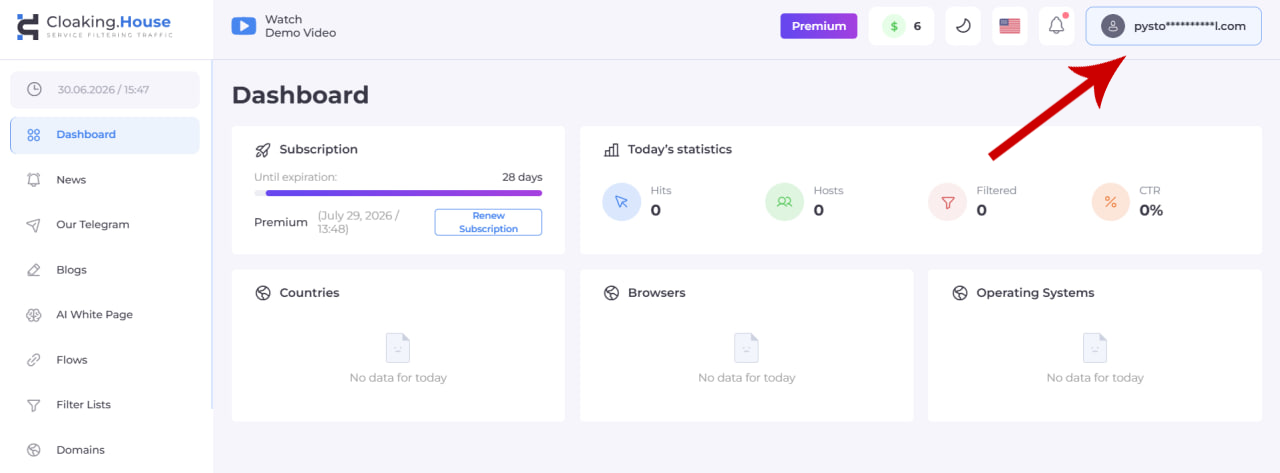
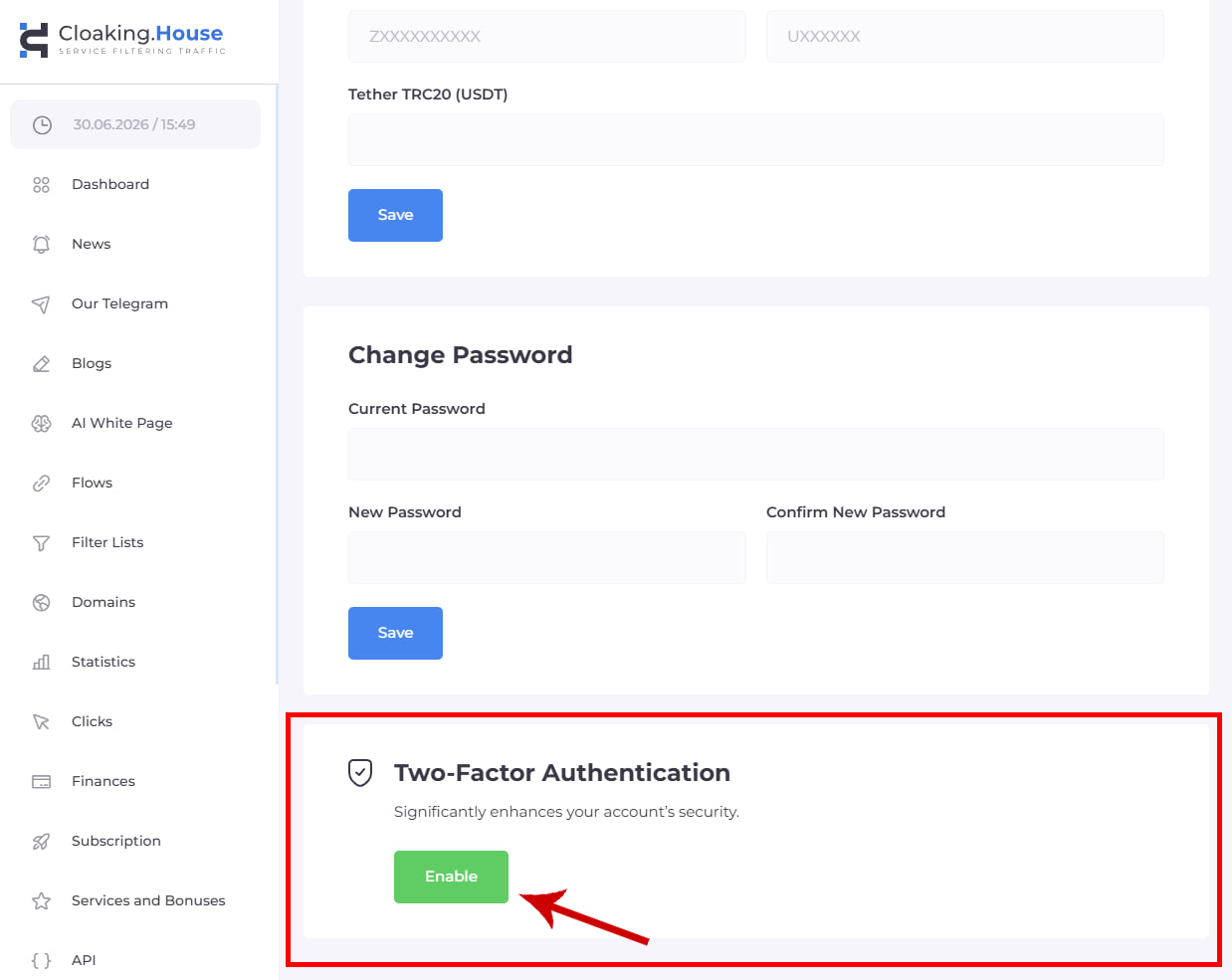
A page with your profile data will open. Scroll down a bit until you find the "Two-step authentication" field.
Click on the "Enable" button:
Install the Google Authenticator app on your device (iPhone / Android)
In the Google Authenticator app, click "+", and then "Scan a QR code"
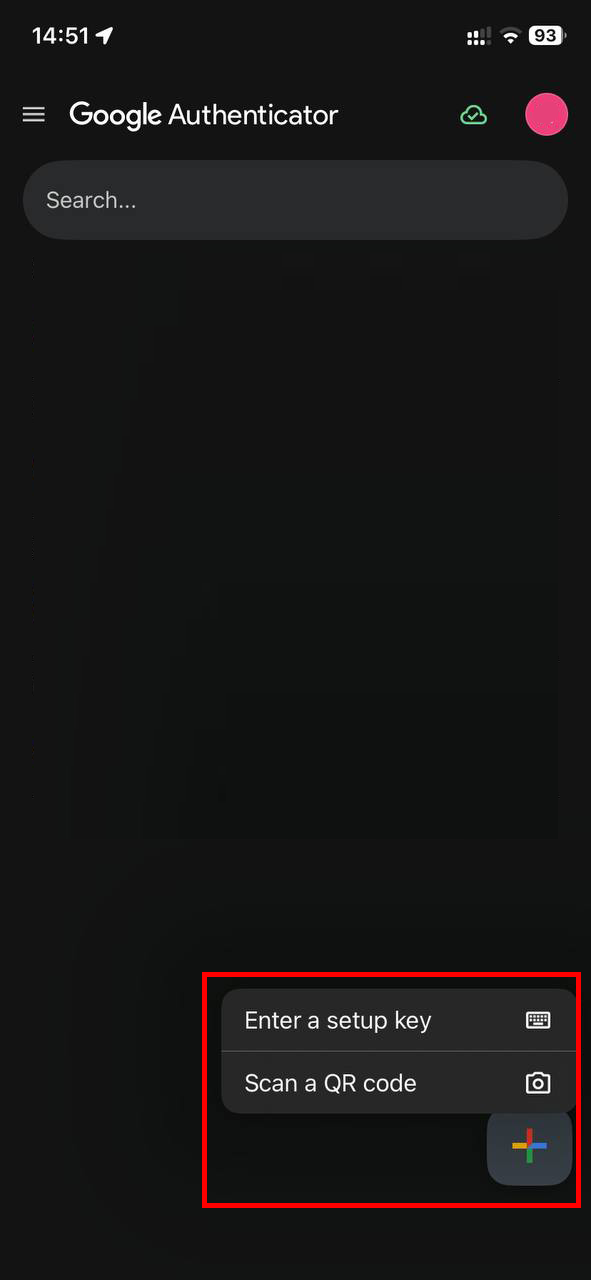
Scan your QR code in your personal profile dashboard:
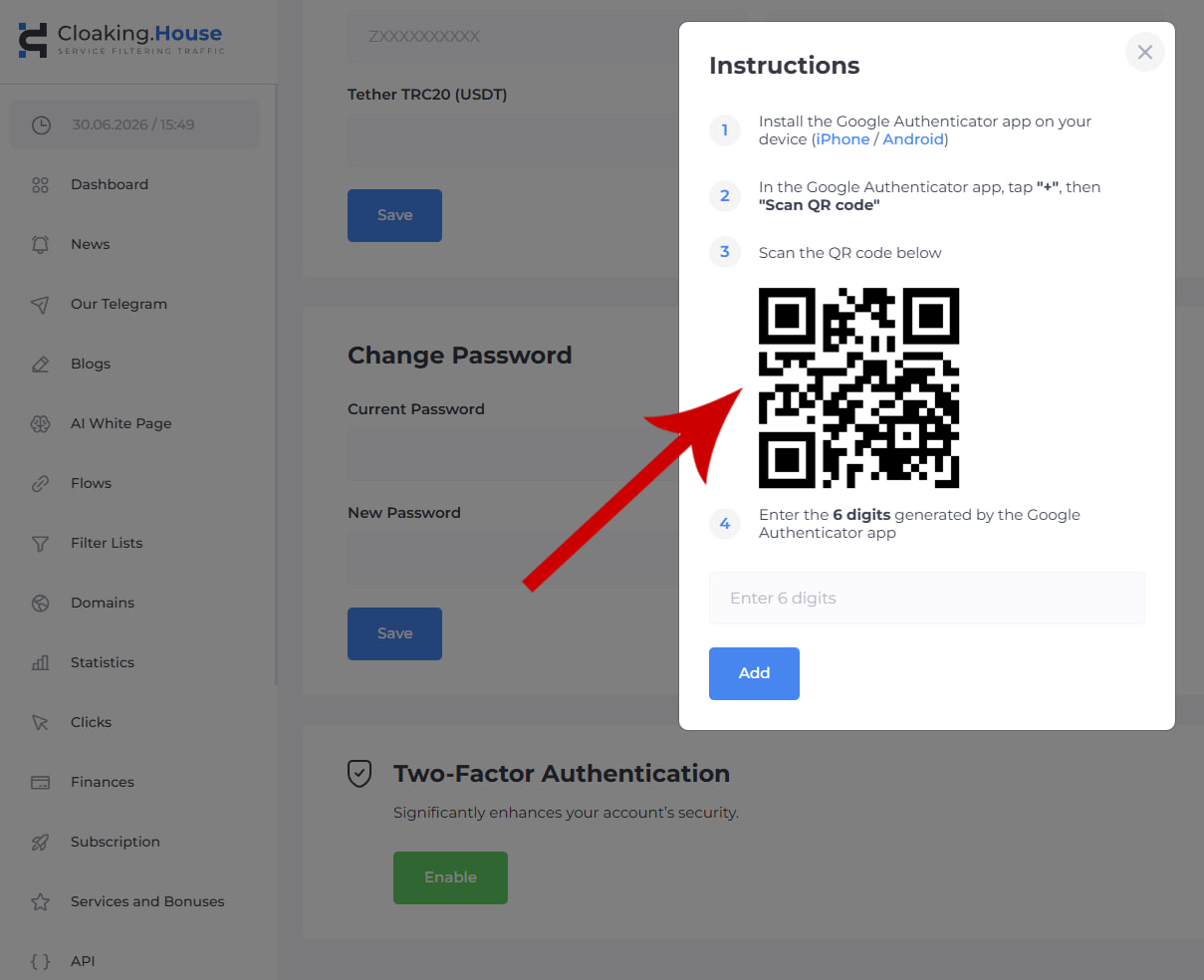
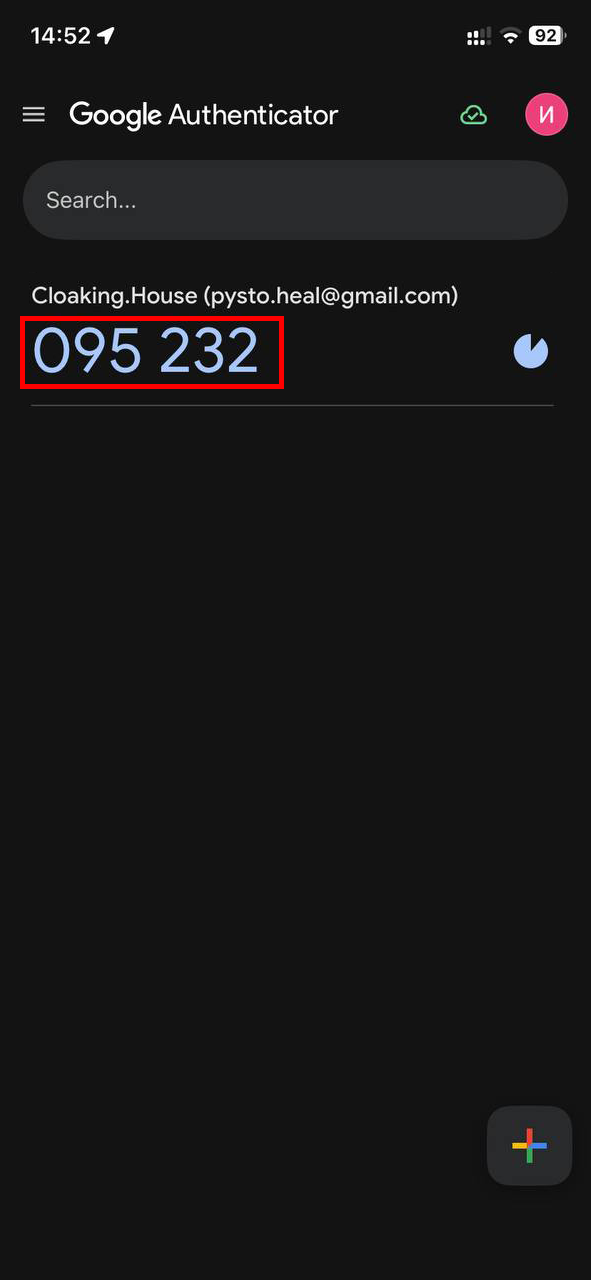
Enter the 6-digit code generated by the Google Authenticator app
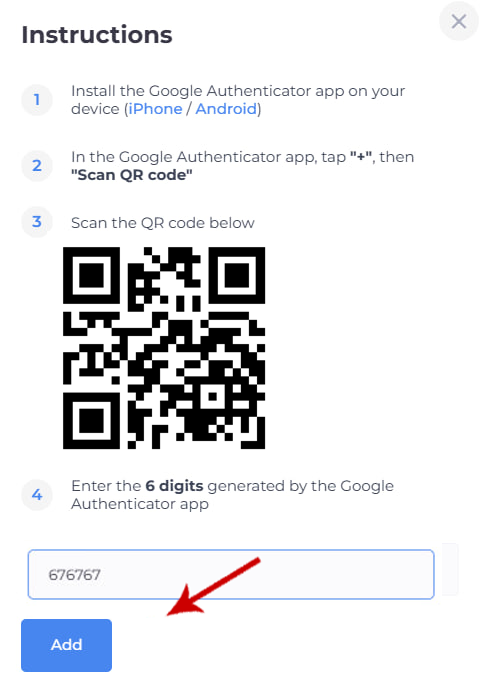
After you have pasted the code into the text field, click the "Add" button.
Congratulations, you have enabled two-factor authentication. Now, every time you log into your account, after entering your login and password, the system will also request the code from the Google Authenticator app.
 Connecting Google Authenticator - is a simple and smart step for those who want to protect their account, maintain control over their work tools, and reduce the risk of unauthorized login.
Two-factor authentication in Cloaking.House helps to significantly increase account security without any complex actions on the user's part. The setup takes just a few minutes, and at each login, the additional verification adds a reliable barrier between your account and unauthorized access.





Be the first to share your opinion!
We value your feedback — share your thoughts.