


Adsterra has long ceased to be just "another pop network". Today it is a set of formats: Popunder, In-Page Push, Social Bar, Native Banners, Interstitial and Direct Link. Each format provides its own type of traffic with its own behavior. Entering the network is not difficult, but the campaign still undergoes moderation. In sensitive verticals like gambling, the check, judging by reviews, is noticeably stricter. So the question of "what the reviewer will see" remains practical for the affiliate marketer.
 In this material, we will break down how to set up cloaking for Adsterra through Cloaking.House. First, we will understand how this traffic source differs from others, then we will assemble the campaign setup: domain, white page, flow, PHP file, test and launch.
Why you cannot use "standard" filters for Adsterra
The main mistake of beginners is to take a settings template from a previous traffic source and simply change the campaign name. Adsterra traffic is structured differently, and this can be seen in the click statistics.
Let's start with the referrer. In Popunder and Direct Link, the user gets to your page as a result of an action on a third-party site, and not after a conscious click on a noticeable ad. The referrer is often empty or hidden by the referrer policy settings on the publisher's side. A referrer filter, which works well on other traffic sources, will easily cut off real people here. They will see the white page, and you will pay for traffic that will never reach the offer page.
The second difference is the share of mobile traffic. Social Bar and In-Page Push work mostly with a mobile audience. For such campaigns, filters by connection type, ISP, and operating system are the most important. Desktop Popunder, on the contrary, provides many corporate networks, VPNs and office NATs, where dozens of people sit simultaneously from one IP.
The third is the nature of the click itself. In pop formats, the user did not choose your page, so the value of the transition is lower, and there is more bot traffic and accidental opens. Good filtering allows you to separate traffic by GEO, device, and network type..
How the click route works
The principle is the same for any traffic source. The user follows the link you specified in the Adsterra campaign and lands on your domain. The index.php file from Cloaking.House is located there. Even before delivering the page, it contacts the service, checks the visitor against the flow settings, and makes a decision. A suitable visitor goes to the offer page. The rest get the white page, and the address in the browser does not change.
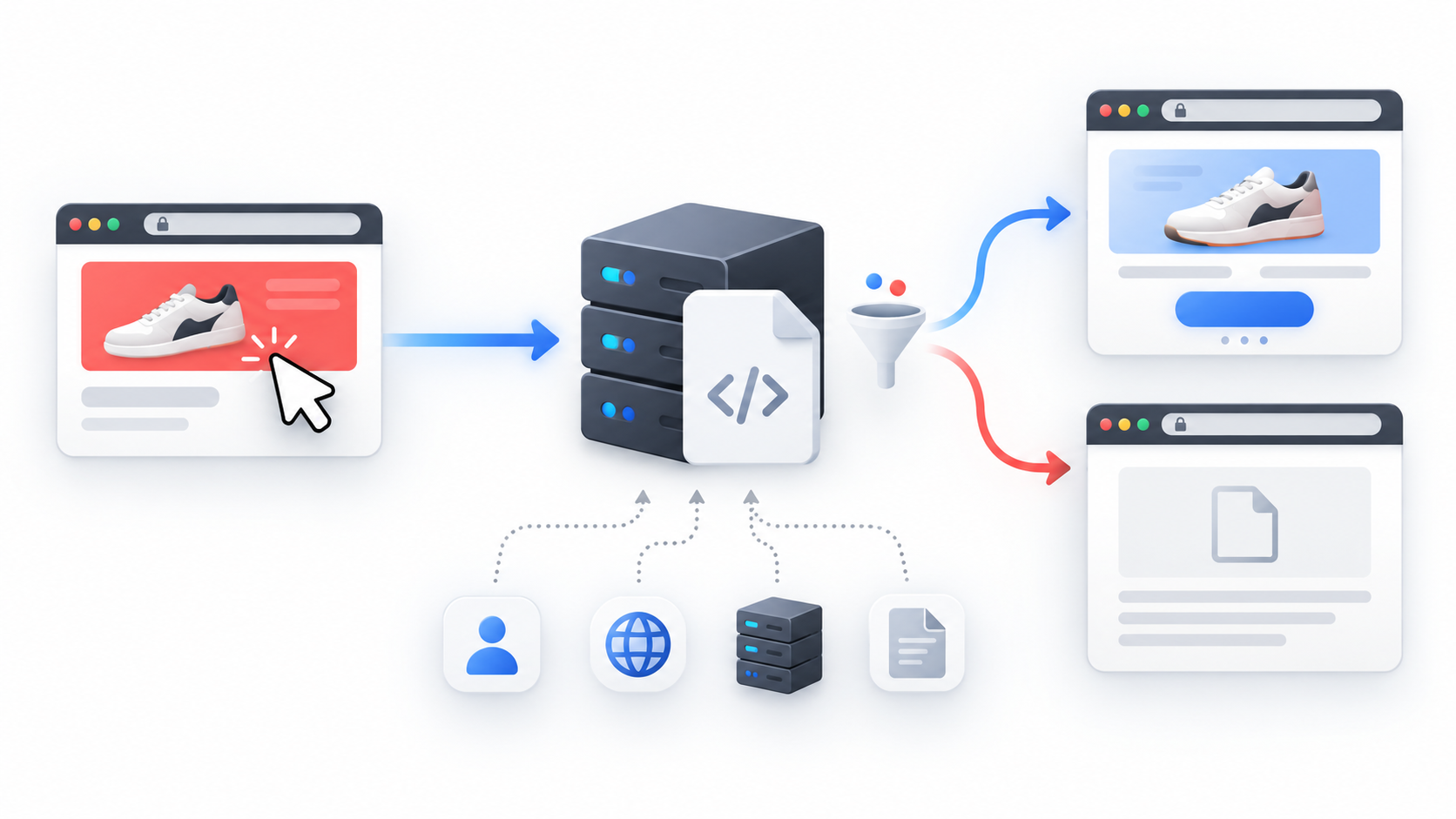 Four things are needed for this scheme: an account in Cloaking.House, a domain, hosting with PHP 7.4 or higher, and a prepared white page. Nothing else is required. Neither a CMS nor programming experience is needed, everything rests on two files in one folder.
Platform preparation
Start with the domain. For a campaign in Adsterra, it is better to allocate a separate domain and not mix it with other campaign setups. If the domain gets "burned", you will lose only one campaign and will not affect the rest. Many affiliate marketers also give a new domain a few days to work with regular content before driving traffic to it, but this is a matter of taste and budget.
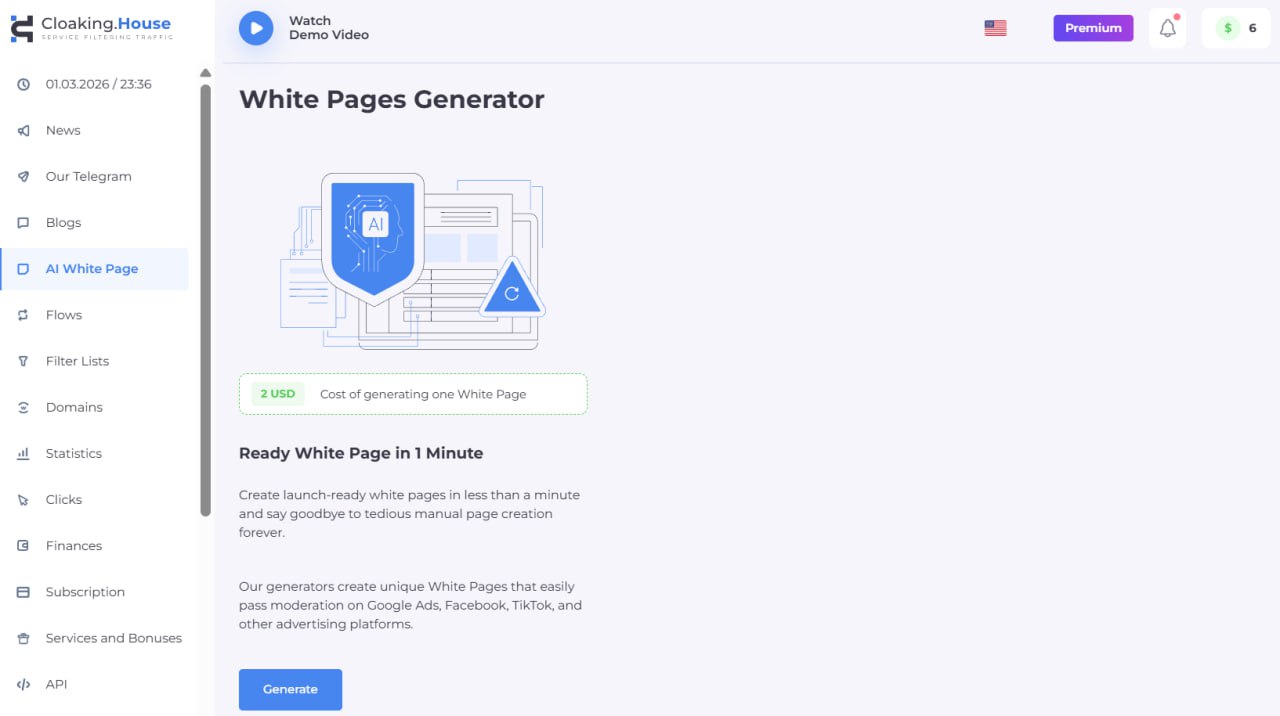 Then take care of the white page. It can be assembled manually or generated in Cloaking.House itself: the vertical, language, design theme, and page format are specified in the generator. The main requirement is - logic and compliance with the creative. The white page should look like a normal page related to what the creative promises. If one topic is stated in the banner or push text, and the white page shows a completely different one, this raises unnecessary questions. The format - HTML or PHP - does not matter, the cloaking does not care.
Upload the white page files to the hosting via the file manager and open the domain in the browser. The page should open without errors. After that, rename index.html to site.html, and if you have PHP - to site.php. Without this step, the two index files will conflict when you add the cloaking file.
Creating a flow: setting up for the format
Register in Cloaking.House. Upon registration, a 7-day trial access opens immediately, this is enough to fully work out the campaign setup. Go to the "Flows" section and click "Create flow".
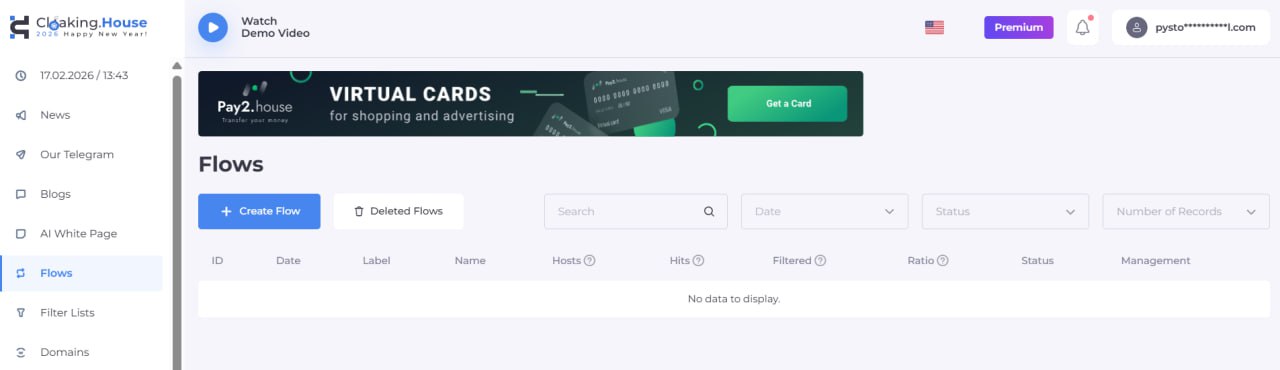
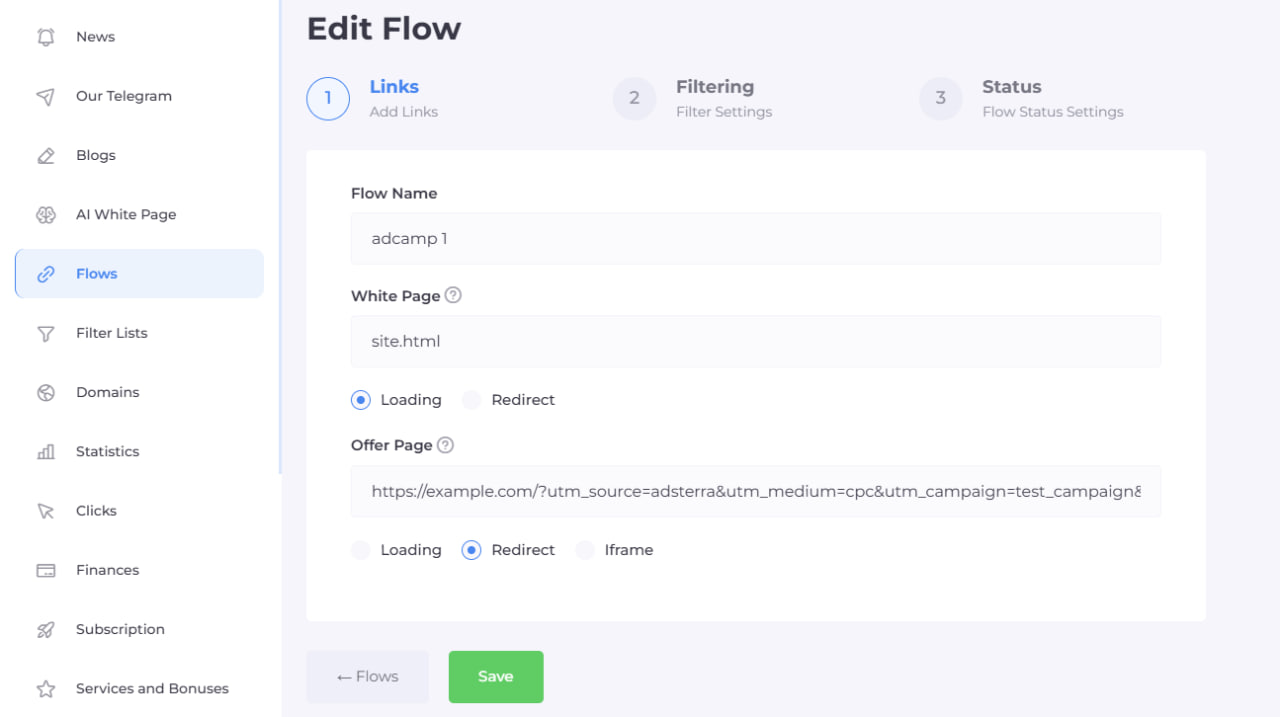 In the first step, you need to set three things: name, White Page, and Offer Page. In the White Page field, enter site.html and select the "Loading" method. The page will be served directly from your domain, without changing the address. In the Offer Page field, insert your affiliate link or landing page address and select "Redirect".
Next come the filters, and here the difference between Adsterra formats begins. It makes the most sense to create a separate flow for each format, and preferably for each GEO.. Then you immediately see where the filters work and where they overdo it.
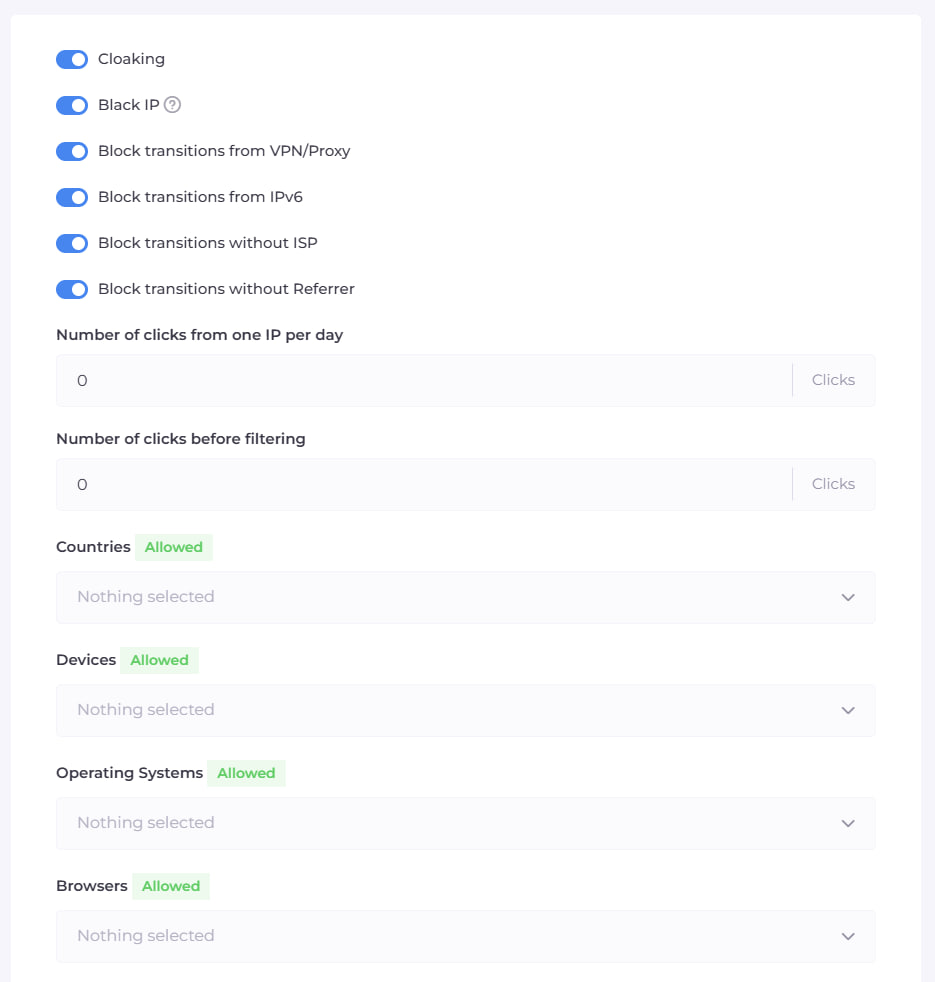
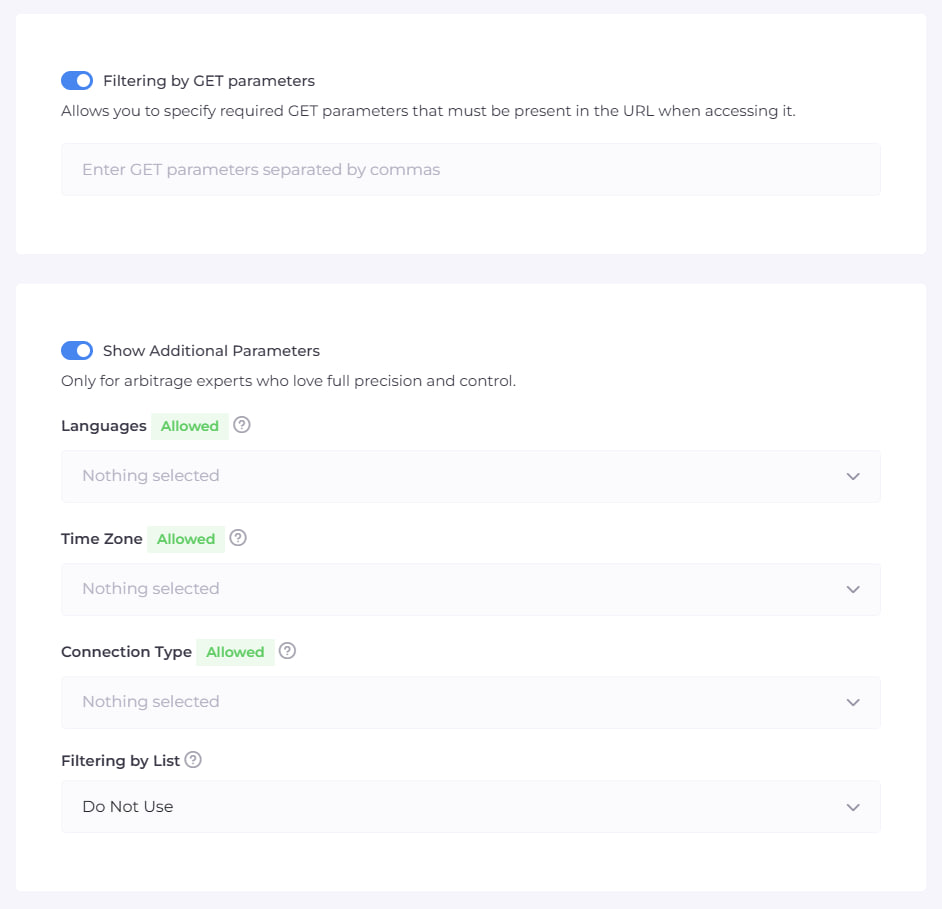 Popunder. Always enable the basic Cloaking Filter and Black IP. Also enable VPN/Proxy: on desktop, a lot of verification and bot traffic comes through it. Leave the referrer filter disabled or as soft as possible, for the reasons described above. In the connection types, select Cable/DSL and Mobile, and exclude Corporate Network and Satellite. Corporate networks and data centers are the most frequent source of non-targeted clicks. Set the limit of clicks from one IP per day with a margin: pop traffic often goes through shared NATs, and a strict limit will cut off real people.
In-Page Push and Social Bar. Here the audience is mostly mobile. Leave only the necessary devices - Mobile - and operating systems - Android and/or iOS. In connection types, leave Mobile. Synchronize language and time zone filters with the GEO. Test the IPv6 filter on a test budget. In a number of countries, a significant part of mobile operators distributes exactly IPv6, and a strict ban can cut off normal users.
Native Banners. Here the referrer is already more informative, since the transition comes from publisher sites. The referrer filter can be enabled. The remaining filters are configured as for mobile or desktop traffic, depending on what you are buying.
Direct Link. The most "raw" format. Expect a large share of non-targeted clicks and insure yourself with strict filters by device, OS, browser, and country. If the traffic is too dirty, narrow down the connection types and add a language filter.
Separately, there are a couple of parameters that are useful specifically in Adsterra. "Number of clicks before filtering" sets how many initial clicks will go only to the white page. Leave the "Countries" parameter strictly within the selected GEO: everything else will go to the white page.
Click "Save". On the third settings page, nothing needs to be changed yet, save the flow again.
Installing the PHP file
Now connect the Flow to the domain. In the "Flows" section, download the index.php file created for your flow, and upload it to the hosting in the same folder where the white page is located. As a result, two files should be located in the root of the domain:
index.php - cloaking
site.html - white page
They must be located in the same directory, otherwise the script will not find the page.
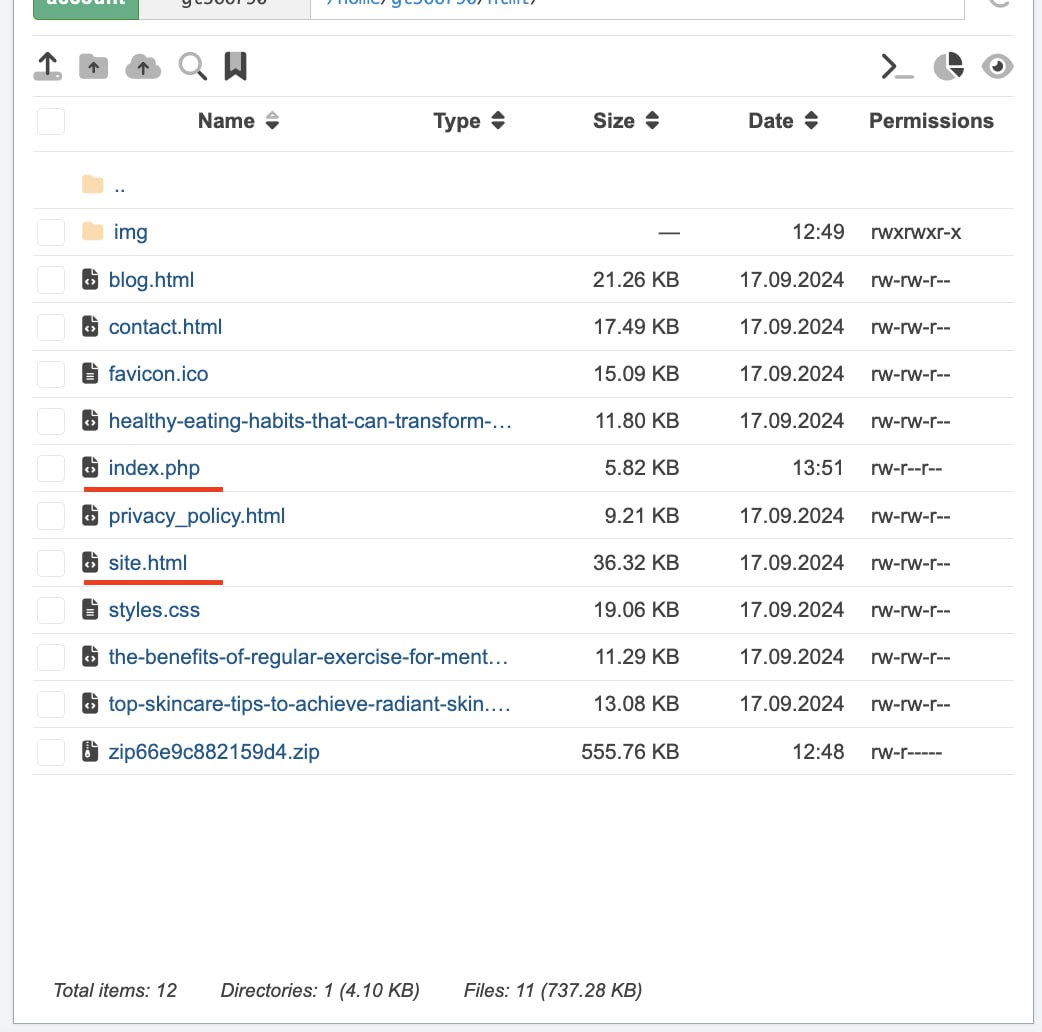 The advantage of PHP integration is that filtering occurs on the server before the page is sent.
Before submitting to Adsterra, make sure of three more things:
- the offer page opens correctly;
- the parameters from your link reach the right place;
- the white page is displayed without broken images and errors.
Campaign launch and the first 24 hours
Create a campaign in Adsterra, specify the domain with the installed cloaking file in the link field, and send it for moderation. To start, choose one format and one GEO, and make the budget moderate. If you change several parameters at once, you will not be able to understand what exactly affected the result later.
While the campaign is undergoing review, clicks from early network tests may go to the white page. After the launch, analyze the actual data and adjust the settings based on the statistics.
Analyzing Clicks
A few hours after launch, open the "Clicks" section and look at the ratio of the white page and the offer page.
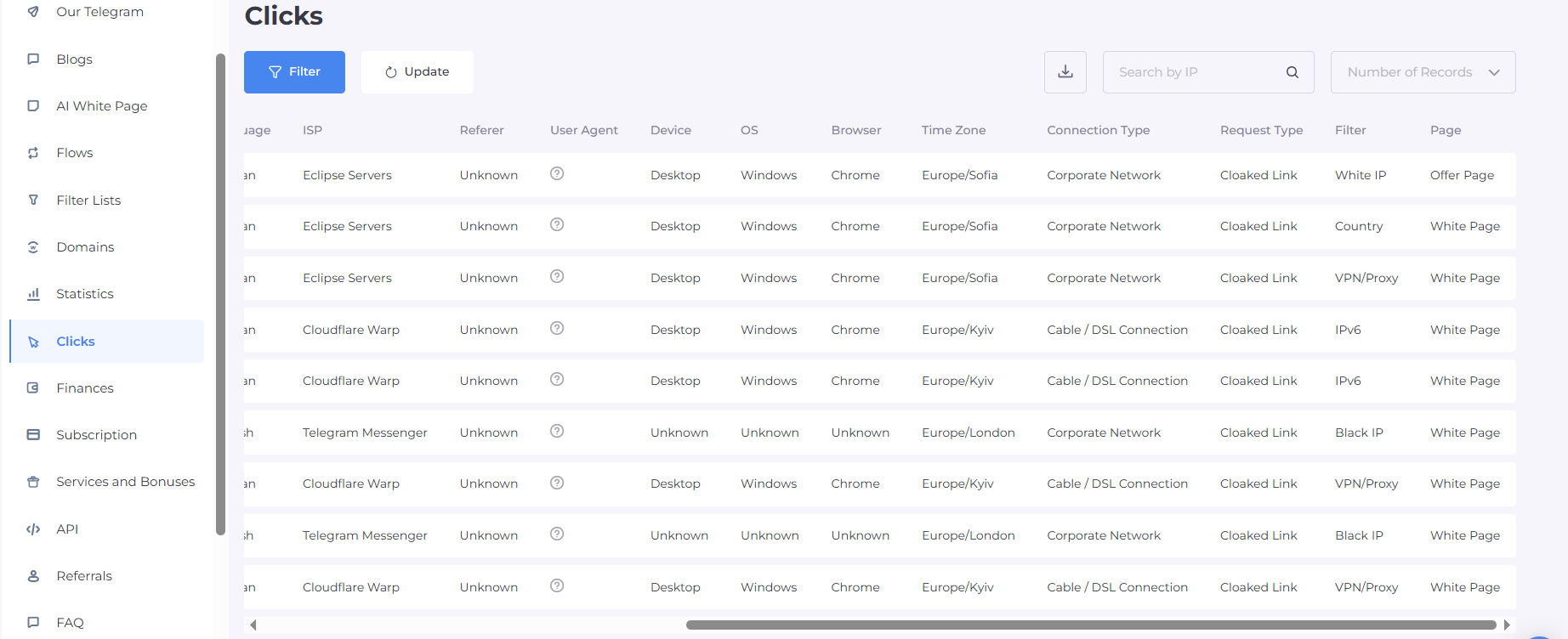 If very few clicks reach the offer page, the filters are most likely redundant. Check if anything extra is being cut off:
- referrer;
- IPv6;
- click limit.
If, on the contrary, there are many suspicious clicks going to the offer page, look at the User Agent, ISPs, and connection types and adjust the necessary filter.
It is useful to compare formats with each other. If Popunder and In-Page Push work in one flow, the statistics get mixed up, and the conclusions turn out to be vague. Separate flows give a clear picture: you can see which format provides more passed traffic and which filter triggers most often.
Typical mistakes
Most often, the simplest things break:
- forgetting to rename index.html, and the two indices conflict;
- putting index.php and site.html in different folders;
testing the campaign setup with a VPN and wondering why they only see the white page; - enabling a referrer filter that is too strict on pop traffic;
- making a white page that is completely unrelated to the creative;
- mixing different formats and GEOs in one flow, and then being unable to understand what worked and what didn't.
Conclusion
A good campaign setup for Adsterra is built following a simple sequence. First, prepare the domain and white page, then create a separate flow for the format and GEO, configure the filters taking into account the features of the traffic source, install the PHP file, and check the chain.
Launch on a limited budget and analyze "Clicks" for each format separately. This way, you will quickly see which settings work and which require adjustment.






Be the first to share your opinion!
We value your feedback — share your thoughts.