


Affiliate marketing is not just about finding profitable offers, setting up ad campaigns, and working with creatives. Behind every launch stands a technical infrastructure that determines the convenience of account management, the organization of teamwork, and the stability of daily processes. One of the tools that has long become part of the standard toolkit for many affiliates is an antidetect browser. It allows you to create separate browser profiles with independent settings, store data for different accounts separately, and organize work across multiple projects within a single interface.
But how exactly does this technology work? How does an antidetect differ from a regular browser, what role do digital fingerprints and proxies play, and what should you pay attention to when choosing a solution? Let's break it down step by step.
What Is an Antidetect Browser
An antidetect browser is specialized software that allows you to create and manage multiple independent browser profiles. Each profile has its own set of parameters, data, and settings. In a regular browser, a user can open multiple tabs and even switch between accounts. However, they all continue to use a shared browser environment: device settings, some system parameters, storage, and other characteristics.
An antidetect solves a different problem. It allows you to divide your workspace into isolated profiles, each with its own configuration.
For example, a media buying team works on several advertising projects. One separate profile is used for the first project, and another for the second. Each can have its own cookies, browser settings, extensions, and proxy connection. This way, information between work environments does not mix, making project management much more convenient.
How a Browser Fingerprint Works
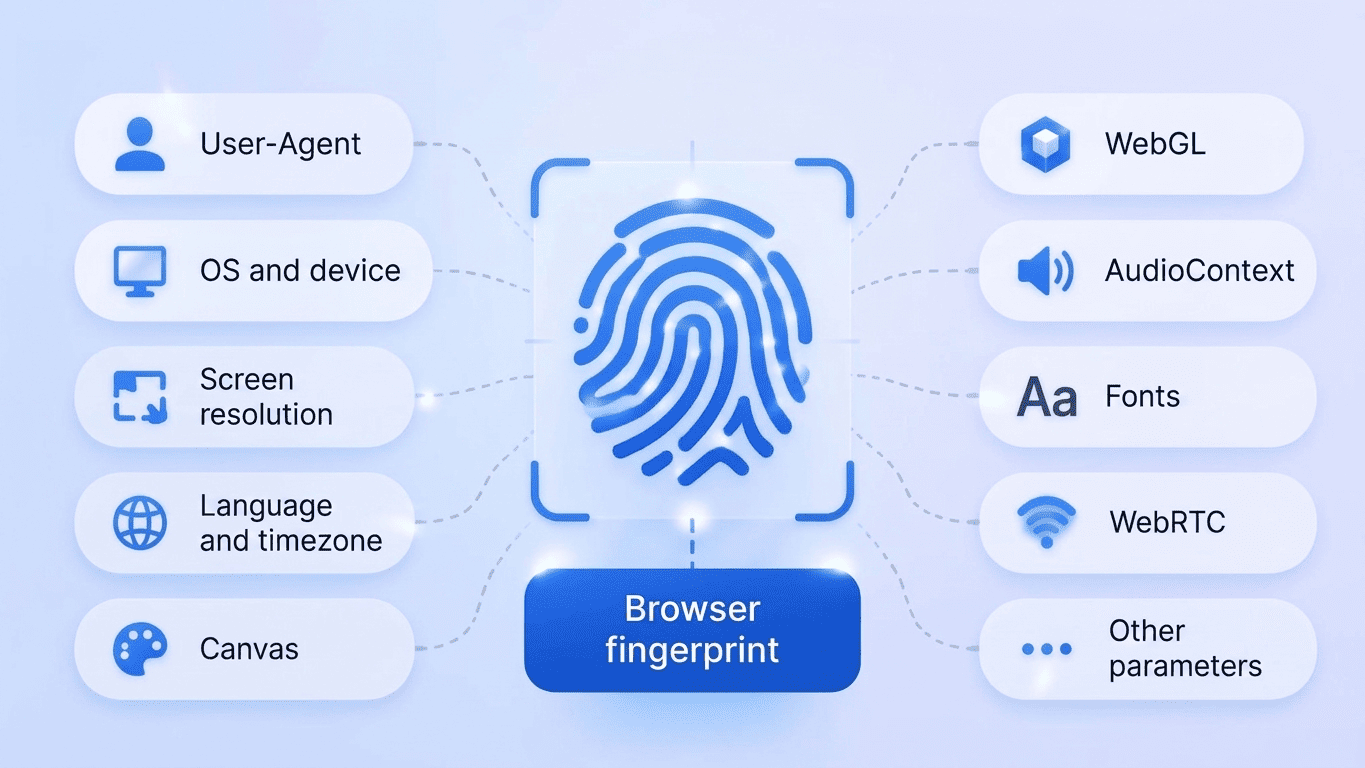
To understand how an antidetect browser operates, you first need to grasp the concept of a Browser Fingerprint - a digital fingerprint of the browser.
When a user opens a website, the browser transmits specific technical information. It helps websites display pages correctly, determine device compatibility, and support various functions. Taken together, these characteristics can form a fairly detailed profile of the browser environment.
The main parameters include:
User-Agent - information about the browser, its version, and the operating system.
Operating System - the platform on which the browser is running.
Screen Resolution - the dimensions of the available display area.
Language and Time Zone - localization settings.
Canvas - specifics of graphic rendering in the browser.
WebGL - characteristics of the graphics environment and hardware acceleration.
AudioContext - audio processing parameters.
Fonts - the available set of system fonts.
WebRTC - real-time communication technology that, under certain settings, can reveal network information.
Individually, many of these parameters are not unique. However, their combination can help websites distinguish between browser environments and link specific actions to a single device. That is why simply switching between accounts is not enough when you need to organize multiple independent workspaces.
Antidetect browsers allow you to customize individual characteristics of the digital fingerprint for each profile. Some parameters can be set manually, while others are generated automatically. At the same time, it is important to maintain configuration consistency. For example, combining a User-Agent from one operating system with the characteristics of another may look technically incorrect. Therefore, when setting up a profile, you should pay attention not only to individual values, but to the entire configuration as a whole.
Why You Need an Antidetect Browser in Affiliate Marketing
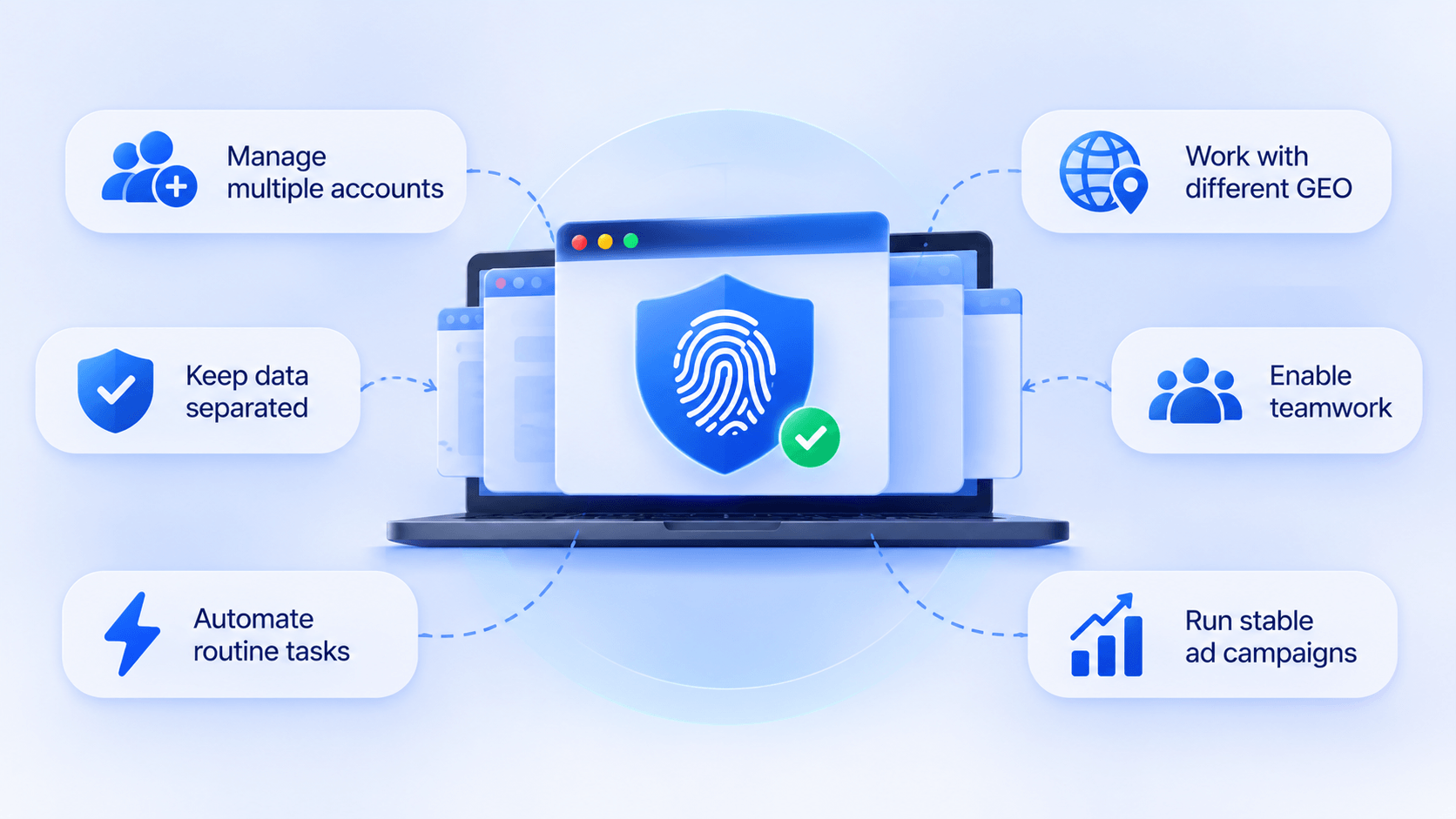
In affiliate marketing, work is rarely limited to a single ad account or a single project. As a team grows, the number of work environments, accesses, and tasks that need to be controlled increases.
An antidetect browser helps solve several practical problems.
1. Managing Multiple Accounts
One of the primary tasks is separating work accounts into individual browser profiles. Instead of constantly logging out and logging back in within a single browser, you can create a separate environment for each project. It will store its own cookies, session history, extensions, and settings.
This is especially convenient when a specialist works simultaneously with multiple ad accounts, client projects, or verticals.
2. Separating Work Data
Profile isolation helps prevent the accidental mixing of user data.
For example, cookies from one account should not automatically leak into another profile. The same applies to local storage, cache, and other browser session data. This approach simplifies workflow organization and reduces the likelihood of technical errors when switching between projects.
3. Working with Different GEOs
When launching campaigns across multiple geographic markets, you need to consider not only the language of the ad creatives, but also the technical specifics of the environment. In separate browser profiles, you can set different language, time zone, screen resolution, and network connection settings. Combined with suitable proxies, this helps organize separate testing environments for different regions.
For example, a specialist can use one profile to check the localized version of a website in the German market, and another to test a page intended for users from Spain.
4. Teamwork
When multiple people work on advertising projects, it is crucial to control the distribution of access rights and work resources. Antidetect browsers with team management features allow you to organize profiles into groups, assign permissions to employees, and transfer necessary work environments.
This is particularly relevant for agencies and media buying teams where individual specialists are responsible for different verticals.
5. Automating Routine Tasks
Some solutions support APIs and automation tools. With their help, you can streamline repetitive operations: opening profiles, managing settings, and performing specific actions.
This reduces manual work and frees up time for analyzing campaigns and optimizing results.
Bitbrowser: Managing Browser Profiles in One Interface
When the number of work accounts grows, it becomes important not just to create separate browser environments, but to manage them conveniently.
For such tasks, you can use Bitbrowser - an antidetect browser focused on multi-accounting and organizing browser profiles.
The service allows you to create separate profiles with independent Fingerprint settings, connect proxies, and manage browser environment parameters.
Key features of Bitbrowser include:
Creating and configuring independent browser profiles.
Configuring Browser Fingerprint parameters.
Connecting proxies of various types.
Grouping and batch management of profiles.
Working with cookies and other browser data.
Transferring profiles and organizing team access.
Support for API and automation tools.
For instance, if a media buying team runs multiple advertising projects, profiles can be sorted into groups according to business verticals. This simplifies navigation, helps maintain order, and reduces the time spent searching for the right work environment.
Team management capabilities deserve special attention. They allow you to distribute access among team members and organize collaborative work with browser profiles.
Proxies and Antidetect Browser: Why Both Tools Matter
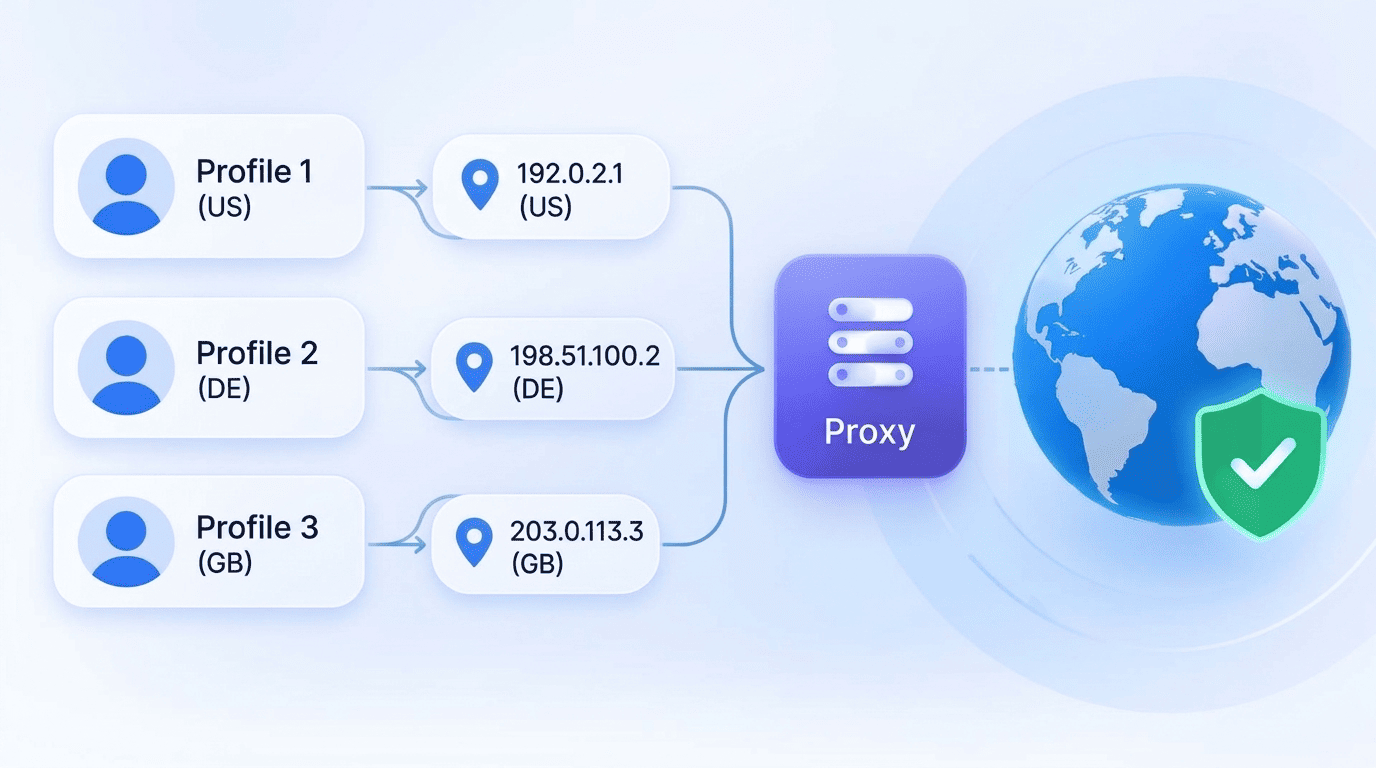
A common mistake when setting up work infrastructure is assuming that an antidetect browser completely solves network identification issues. In practice, a browser fingerprint and an IP address are different components of the technical environment.
An antidetect manages the parameters of the browser environment, while a proxy is responsible for the network connection and the IP address from which the website is accessed.
If multiple profiles use the same IP address, it can create unwanted overlaps in the network environment. Conversely, different IPs without proper browser profile organization do not provide full separation of work data.
Therefore, when preparing your infrastructure, it is essential to account for both components.
When choosing proxies, pay attention to the following characteristics:
IP Geography. The country and, if necessary, the city must match the project's objectives.
Proxy Type. Residential, mobile, and ISP proxies have different features and use cases.
Connection Stability. Frequent disconnections can interfere with account management and page testing.
IP Cleanliness. The reputation of the address and its usage history can affect the accessibility of specific resources.
Configuration Consistency. The network environment and browser parameters must match each other.
It is especially important to test the connection before starting work. This allows you to catch configuration errors in advance rather than during an active ad campaign launch.
Antidetect Browser and Cloaking.House: Different Tasks of One Infrastructure
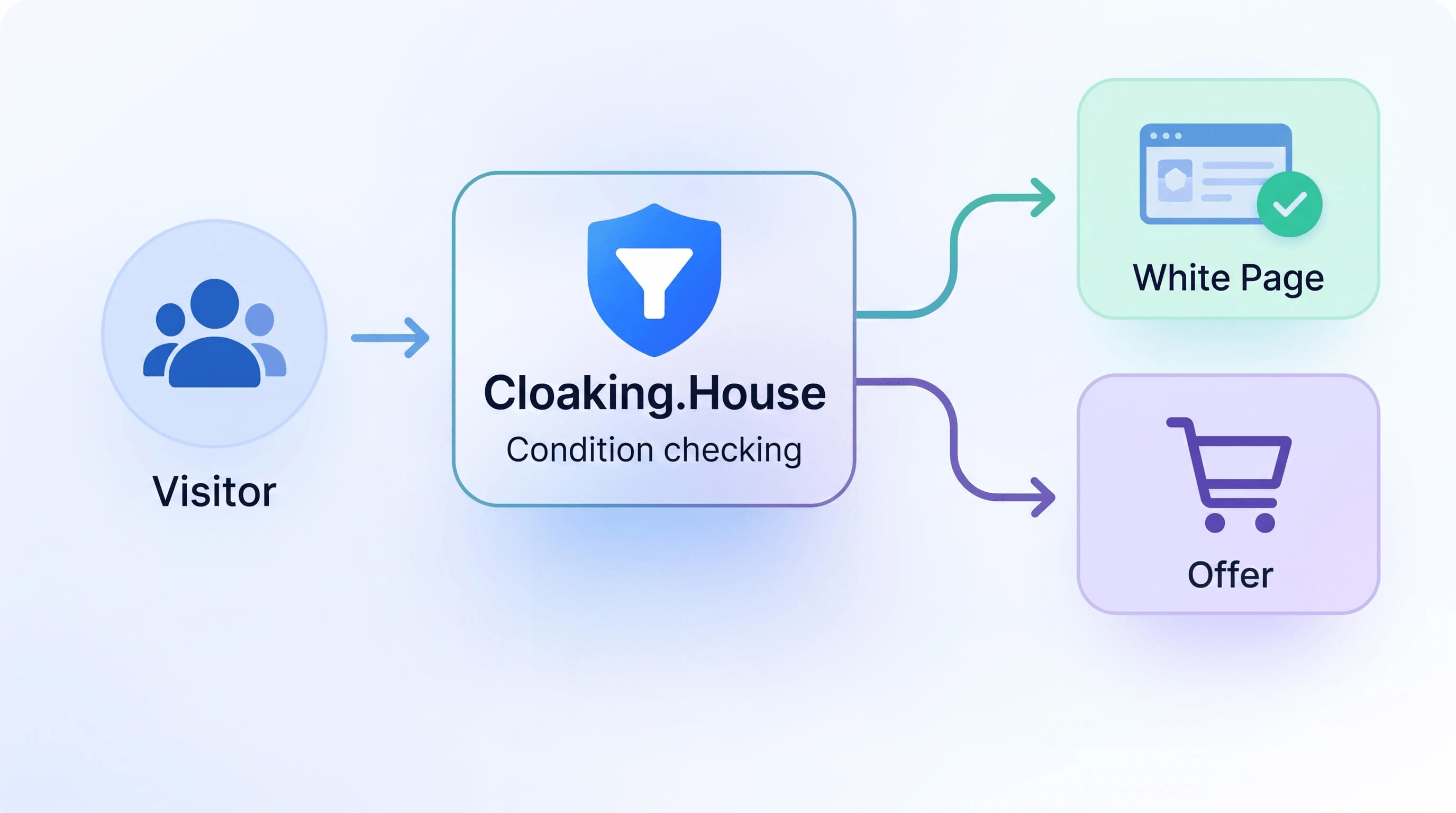
Browser profiles and proxies help organize a specialist's work environment. However, this is only part of the technical infrastructure of affiliate marketing. A separate task is managing incoming ad traffic. This is where filtering tools come into play, allowing you to distribute visitors according to preset conditions.
For example, Cloaking.House is a cloud-based traffic filtering service designed for affiliate marketers, webmasters, and media buying teams. Unlike antidetect browsers, it does not work with employees' browser profiles, but with incoming visits to a website.
With Cloaking.House, you can set up visitor processing rules based on various parameters:
Geographic location: country and city.
Device type and operating system.
Browser and User-Agent.
Use of VPN and Proxy.
IPv4 and IPv6.
Provider and ISP.
Referrer and browser language.
IP addresses and other filtering conditions.
Based on the specified rules, the system determines where to direct the visitor: to the White Page or the Offer.
For example, when preparing a campaign for a specific GEO, you can configure the appropriate conditions and verify how the system processes clicks from different devices and network connections.
Common Mistakes When Working with Antidetect Browsers
Even a great tool will not solve problems if the workflow is organized improperly.
Here are several common mistakes to avoid:
Using identical settings unnecessarily. Creating a large number of profiles with identical parameters does not always fit the project's goals. Configurations should be chosen deliberately.
Ignoring proxy quality. A browser may be configured properly, but an unstable or unsuitable network connection will still cause issues.
Frequent parameter changes. Constantly altering fingerprints and the network environment without a technical need complicates profile control.
Lack of structure. If you do not sort profiles into groups and use clear naming conventions, it is easy to get confused when handling a large number of accounts.
Granting access without control. In teamwork, it is important to give employees only the necessary permissions and monitor who has access to work profiles.
Expecting complete protection against bans. An antidetect browser does not guarantee account safety. Account status is also affected by user actions, platform requirements, the quality of ad creatives, and compliance with service rules.
Conclusion
An antidetect browser is a valuable tool for specialists who need to work with multiple browser profiles, separate data, and organize account management. It helps structure the workspace, simplifies team collaboration, and allows flexible customization of browser environment parameters.
However, a complete affiliate infrastructure is not limited to a single software solution. Proxies, analytics tools, landing page preparation, and incoming traffic management are equally important for operations.
Therefore, it is best to view an antidetect browser as one element of an overall system. Bitbrowser can handle browser profile management tasks, while Cloaking.House complements this infrastructure with traffic filtering and routing tools.
Well-chosen tools and properly organized processes allow the team to focus more on testing hypotheses, analyzing results, and scaling ad campaigns.
FAQ: Frequently Asked Questions
1. What is an antidetect browser and what is it used for?
An antidetect browser is a tool for creating and managing independent browser profiles. It allows you to separate data across different accounts, customize Fingerprint parameters, and organize work with multiple projects.
2. How does an antidetect browser differ from a regular one?
A regular browser uses a shared environment for working with different accounts. An antidetect allows you to create separate profiles with their own cookies, settings, extensions, and browser fingerprint parameters.
3. What is a Browser Fingerprint?
A Browser Fingerprint is a digital fingerprint of a browser formed based on technical characteristics: User-Agent, operating system, screen resolution, language, time zone, Canvas, WebGL, and other parameters.
4. Why are proxies needed when using an antidetect browser?
An antidetect manages the browser environment parameters, while a proxy handles the network connection and IP address. Using both tools helps organize separate work environments and account for connection geography.
5. What tasks does Bitbrowser solve?
Bitbrowser allows you to create and configure browser profiles, manage Fingerprints, connect proxies, group profiles, and organize team access. The service also supports APIs and automation tools.
6. Why is Cloaking.House needed in affiliate marketing?
Cloaking.House is a cloud-based incoming traffic filtering service. It allows you to filter traffic by GEO, IP address, device, operating system, browser, language, and other parameters. Based on set conditions, the system filters out non-target traffic, bots, and moderators.





Be the first to share your opinion!
We value your feedback — share your thoughts.