


You launched a campaign, clicks are coming in, CTR is higher than usual, and conversions are almost non-existent. Your first thought: weak creative or the wrong offer. However, the reason is often different: a significant share of clicks did not come from humans. Ad fraud (bots, click farms, click fraud, source spoofing) drains your budget on traffic that will never buy anything.
In this article, we will break down the types of fraud, the signs that reveal it in your statistics, how traffic filtering works, and most importantly, how to verify that your protection blocks bots rather than your customers.

What Fraud Costs in Practice
Fraud hits three metrics at once, and it is not always obvious:
- Direct losses. You pay for clicks that could never bring a result.
- Distorted analytics. Conversion rate, CPA, and ROI are calculated on a mix of humans and bots, meaning scaling decisions are made based on inaccurate data.
- Corrupted algorithm training. Ad platforms optimize delivery based on the behavior of past audiences. If there are many bots in it, the system learns to look for similar traffic.
A hypothetical example. Your daily budget is $500, and 20% of it went to non-target clicks. That is $100 a day, or about $3,000 a month, that brought zero sales. And these are only direct losses, without accounting for false conclusions about the campaign.
What Is Ad Fraud and What Are Its Types
Ad fraud refers to any impressions, clicks, installs, or leads that look like user actions but are not. The advertiser pays for them the same way as for real traffic.
| Type of Fraud | How It Looks | What to Look Out For |
|---|---|---|
| Bots | Scripts and headless browsers open pages and click. Simple ones come from server IPs, advanced ones disguise themselves as regular browsers | Data center IPs, identical user-agents, visits lasting 0-2 seconds |
| Click farms | Real devices and people clicking for money | Repetitive patterns, activity outside the active hours of the target geo |
| Click fraud | Competitors or dishonest partners intentionally exhaust your budget | Many clicks from the same IPs or subnets |
| Source spoofing | Traffic is disguised as traffic from a high-quality placement | Referrer does not match the declared placement |
| Fake installs and leads | Forms and apps are filled out automatically to get payouts | Identical data in forms, spikes in leads without sales |
Moderation bots from ad networks stand apart. They are not fraud, but for your statistics, they are also non-target traffic: they check the ad and the landing page rather than buying.
Signs of Bot Traffic in Statistics
One sign alone proves nothing yet, but several together are a reason to investigate:
- high CTR with near-zero conversion;
- visits lasting 0-2 seconds and a bounce rate around 100%;
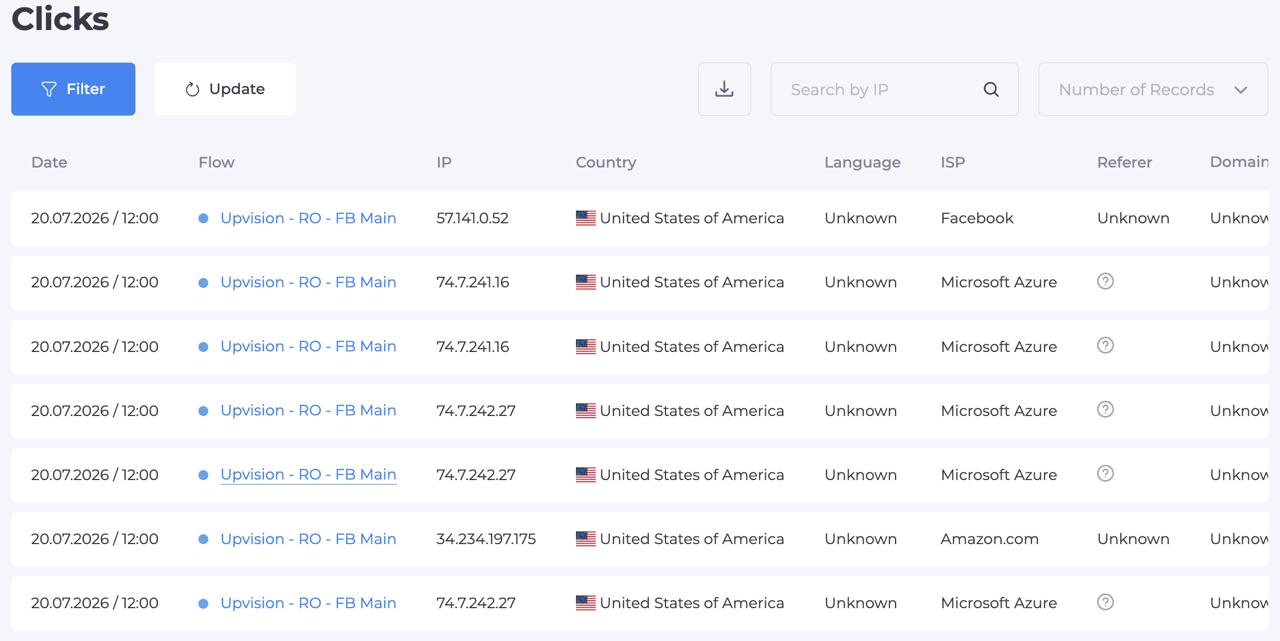
- a noticeable share of clicks from data center and hosting IPs;
- identical user-agents, screen resolutions, and browser versions across hundreds of visits;
- spikes in clicks at night according to the target geo's local time;
- browser language and time zone do not match the IP country;
- clicks are concentrated within one or two ISPs or a single subnet;
- visits without a referrer or with a referrer that does not match the placement.
How to Run a Quick Diagnosis
- Compare clicks in your ad account with visits in your analytics. A large discrepancy means some clicks do not reach the page, or they are bots that do not execute analytics scripts.
- Segment traffic using tracking tags. Separate UTM tags for each placement and creative will show where strange visits are coming from.
- Check distribution by ISPs and countries. A sharp skew toward a single network or a country outside your targeting is suspicious.
- Check the timing. Spikes during nighttime hours in the target geo are often linked to automated traffic.
How Traffic Filtering Works
A filtering service checks every visit before it reaches the main page and decides what to show. The check happens at several levels:
- IP data. Country and city, ISP, network type. Data center addresses, public VPNs, and known proxy networks are most often blocked first.
- Device and browser. Operating system, browser, device type, signs of automation. A bot running an "ideal" Chrome on a server gives itself away through a set of minor mismatches.
- Visit context. Referrer, link tags, browser language, time zone. If parameters contradict each other, the visit looks suspicious.
- Behavior and limits. How many times a single IP or device clicked over a period. Repeats exceeding the limit are a typical trace of click fraud.
- Lists. Blacklists of addresses and subnets accumulated from past campaigns, and whitelists for your own tests.
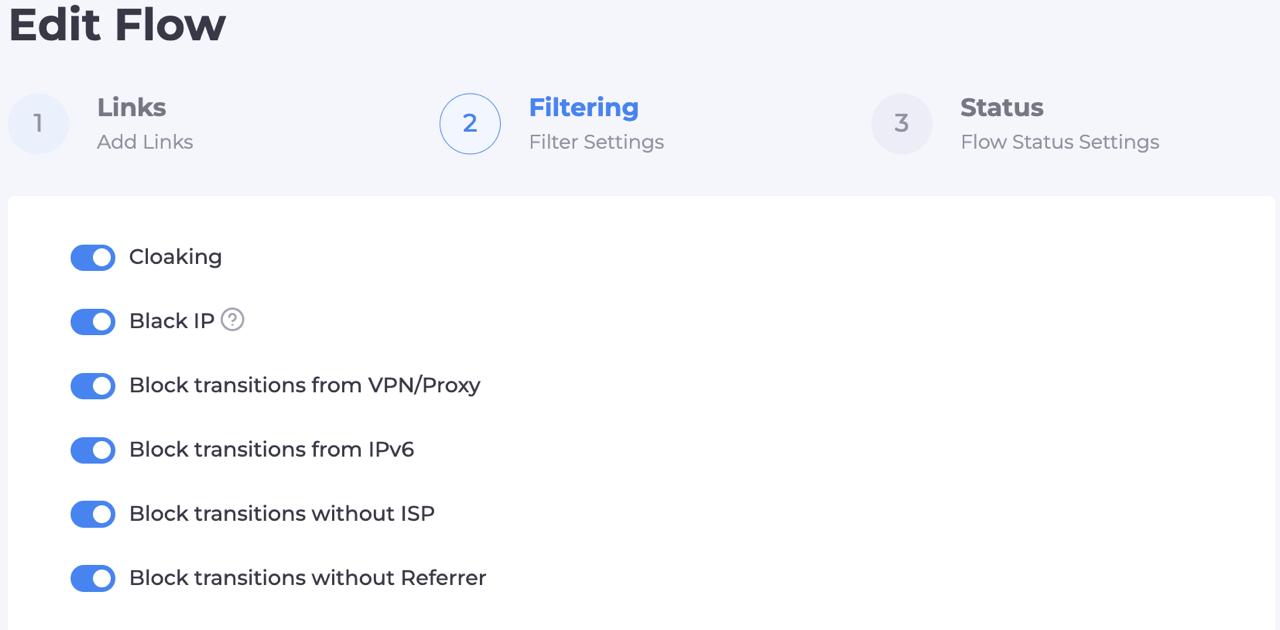
For example, in Cloaking.House, filters are combined in a single Flow: you can block traffic by IP, VPN and proxy, IPv6, ISP, referrer, device, OS, browser, language, and time zone, set click limits, and maintain your own blacklists and whitelists. A non-target visit sees a separate page, while a target one passes through. In the click log, you can see the result and the triggered filter for each visit, meaning decisions can be verified rather than taken on faith.
Where to Start the Setup
| Level | What to Enable | When It Fits |
|---|---|---|
| Basic | Data centers, VPN and proxy networks, geo mismatch | First launch, small budget |
| Intermediate | Plus device, OS, browser, language, and time zone | Campaigns with a clearly defined audience |
| Advanced | Plus click limits, referrer filter, and custom lists | Large budgets, suspected click fraud |
Start with the basic level and add complexity based on log data, not the other way around. The stricter the rules, the higher the risk of blocking real people.
How to Verify That Filters Work Properly
Setting up filters is not enough: they must be tested from both sides. A bot must be blocked, while a real user from the target country must land on the right page. A mistake in the second part costs more: you pay for the click and send the buyer to the wrong place yourself.
| Test | How to Perform | Expected Result |
|---|---|---|
| Visit as a bot | Open the campaign link from a server IP or via a public VPN | Non-target page |
| Visit as a user from the geo | Open the same link from a residential IP of the target country | Main page |
| Visit from a foreign country | The same test with an IP from another geo | Non-target page |
| Visit from another device | If targeting is mobile-only, open the link from a desktop | Non-target page |
| Cross-check with logs | Check the service log | Each test received the expected decision and reason |
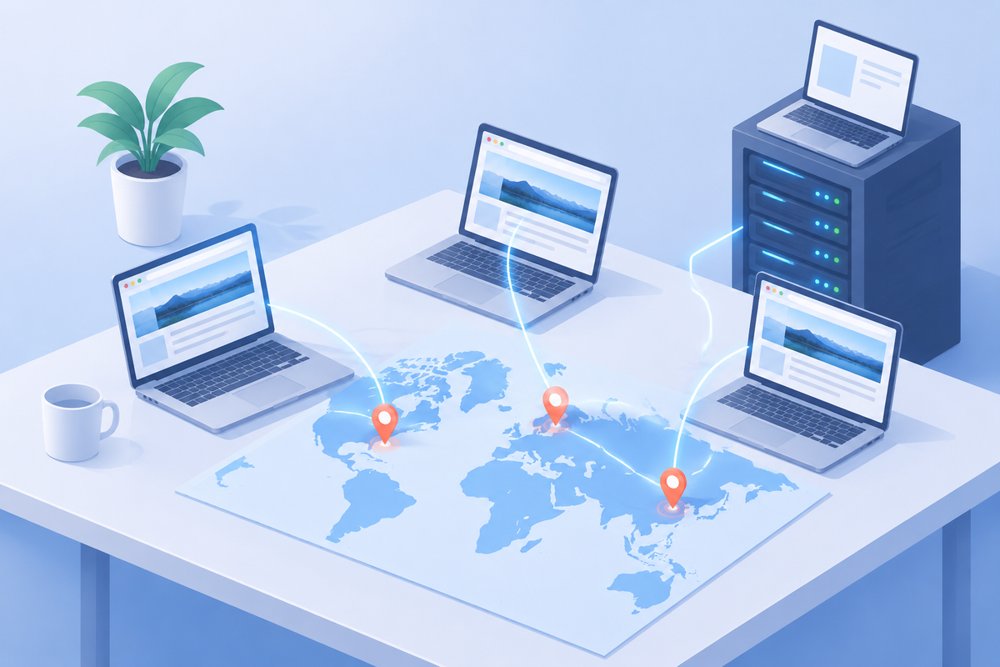
For the second test, residential proxies with country, city, and ISP selection are suitable: the visit looks just like that of a local user. You can read more about how ads and landing pages are verified across different regions on the page about proxies for ad verification.
It is convenient to keep a separate browser profile for each geo with an appropriate proxy, language, and time zone. This way, the check can be repeated in a couple of minutes after any filter adjustment.
What to Do If a Filter Blocks Real People
This is the most expensive mistake, so it should be monitored separately:
- Open the click log and find visits from the target geo that landed on the non-target page.
- Check which filter was triggered: most often it is the ISP, IPv6, language, or referrer.
- Loosen that specific rule, not all of them at once.
- Repeat the test visits and check the log after the next batch of clicks.
Change one setting at a time; otherwise, you will not understand what exactly affected the result.
Budget Protection Plan
- Enable basic filters: data centers, VPN and proxy networks, geo mismatch.
- Add a click limit from a single IP and device.
- Segment campaign traffic with tags to see which placement brings bots.
- Update your subnet blacklist weekly based on log data.
- After every filter adjustment, repeat test visits as a bot and as a user.
- Compare clicks in your ad account with visits that passed the filter. A large gap is a signal to check the source.
- Turn off placements and spots that consistently bring non-target traffic.
Which Metrics to Track
| Metric | What It Shows |
|---|---|
| Share of filtered clicks | How much traffic was sent to the non-target page |
| Click-to-visit discrepancy | How many clicks failed to reach the page |
| Share of non-target traffic by placement | Which placement brings the most junk |
| Conversion rate on passed traffic | The real CR of the campaign without bots |
| Share of real people on the non-target page | An indicator of overly strict filters |
Common Mistakes
- Overly strict filters. If you block all VPN traffic and all rare browsers, real users leave along with the bots.
- One filter instead of several. A bot on a residential IP passes an IP filter, but gives itself away at the browser or click-limit level.
- No testing after changes. A new rule can silently block access for the target geo.
- Nobody checks the logs. Without analyzing logs, it is impossible to understand where fraud comes from and which placement to turn off.
- One setup for all placements. Traffic structure varies across different sources, and a universal set of rules performs worse.
Pre-Launch Checklist
- Basic filters enabled (data centers, VPN, proxy, geo)
- Click limits set
- Traffic tagged by placements and creatives
- Tests completed: bot, user from geo, foreign country, different device
- Click log checked after initial visits
- A day chosen for regular log analysis and blacklist updates
Summary
Fraud cannot be eliminated completely, but it can be made expensive for the fraudster and cheap for you. Multi-level filtering by IP, device, context, and behavior cuts off the bulk of bots, while regular test visits from IPs of the target countries confirm that real buyers see the right page. Remember that ad network rules apply under any technical setup, so filtering should be used to protect your budget within those rules.
If you want to test the setup in practice, Cloaking.House offers 7 days of free access with no feature restrictions: this is enough to configure filters and run test visits.
Frequently Asked Questions
What is ad fraud? These are impressions, clicks, installs, or leads that mimic user actions. They are generated by bots, click farms, or dishonest partners, while the advertiser pays for them.
How do I know if a campaign has bot traffic? Look for a combination of signs: high CTR without conversions, visits lasting 0-2 seconds, clicks from data center IPs, identical browser parameters, or a mismatch between language or time zone and the IP country.
Can a filter block real buyers? It can if the rules are too strict. Therefore, after every adjustment, you need a test visit from a residential IP of the target country and a log check.
Why use proxies to test filters? To see the campaign through the eyes of a user from the target country. Residential proxies provide a home IP of the chosen geo, while a server IP helps verify that a bot is blocked.
Is the protection provided by ad networks enough? Networks filter out some invalid traffic on their own, but not all of it. Your own filtering and log analysis help reveal what remained in the campaign statistics.
How often should filters be reviewed? Check the log and update blacklists once a week, and repeat test visits after any change to the campaign or filters.






Be the first to share your opinion!
We value your feedback — share your thoughts.