


Most cloaking issues occur not because of the service itself, but due to incorrect testing logic. Many only check whether the offer opens on their own device. But the real test is how the system behaves across different traffic types, infrastructure, and access conditions.
We’ll break down how to properly set up checks and where mistakes are most often made when configuring cloaking in Cloaking.House—mistakes that can cost accounts and budgets.
How to Test Cloaking
1. Offer Check via Whitelist
The first step is to ensure that the technical setup works correctly. The safest method is to use a whitelist IP.
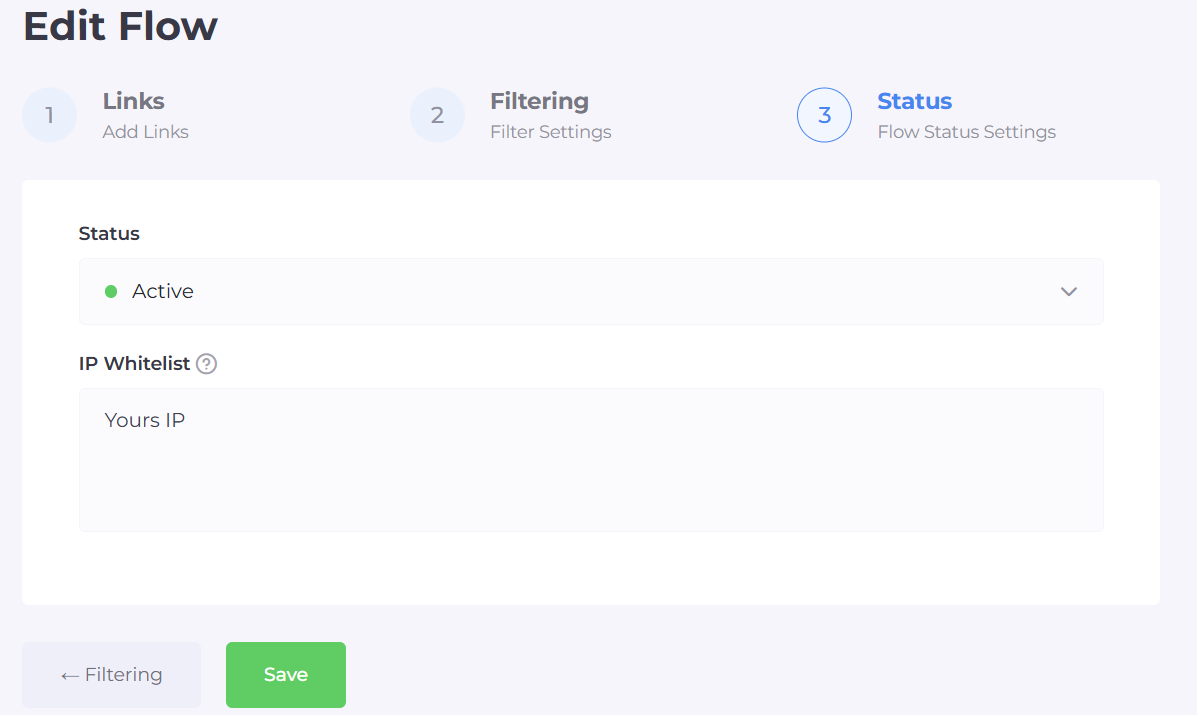
By adding your IP to the whitelist, you:
are guaranteed to reach the offer page;
check the redirect and landing page functionality;
do not interfere with the filtering logic.
This approach allows you to test the offer without creating extra signals for ad algorithms.
2. Emulating Moderation and “Suspicious” Traffic
After checking the offer, it’s important to see how the system reacts to traffic resembling ad platform checks.
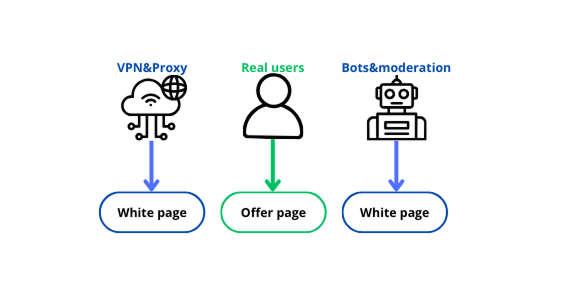
For this, use:
data center IPs;
VPNs with different geos;
access without cookies or authorization;
IPs with a questionable history.
The goal is to ensure that in such scenarios, the white page is consistently displayed. If the offer “leaks” even partially, the filtering is not strict enough.
3. Analytics and Traffic Distribution
The final and most objective step is analyzing statistics.
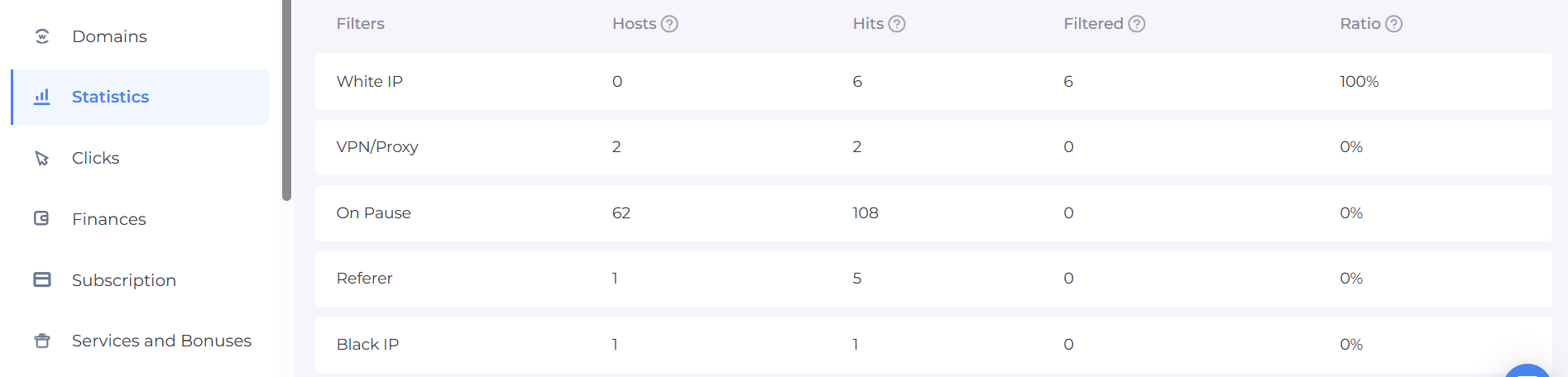
It’s important to track:
the ratio of white to offer pages;
sudden changes in distribution;
repeated IPs, User-Agents, and behavioral patterns.
Common Cloaking Mistakes
1. Weakened or Partially Disabled Filters
A common mistake is temporarily “softening” the filtering.
This includes:
disabling certain checks;
working only with basic parameters (IP and GEO);
no analysis of behavioral signals.
As a result, moderation gains access to the offer page, leading to rejections and further checks.
2. Weak or Template White Page
Even with correct filtering, a poor white page undermines the entire protection.
Typical problems:
empty or formal content;
lack of structure and logic;
mismatch with the ad;
using the same page across multiple campaigns.
For algorithms, this signals the need for deeper verification.
3. Problematic Domains
Domains are part of the infrastructure signal.
Risks arise if:
the domain has a history of blocks;
there’s no warming-up;
domains are changed chaotically;
one domain is used for multiple verticals.
Domain history is analyzed as carefully as the content itself.
4. Low-Quality Hosting
Server infrastructure directly affects trust.
Common issues:
cheap shared hosting with a bad IP reputation;
unstable server response;
using IPs previously involved in gray schemes;
lack of basic protection.
Even properly configured filtering can “leak” due to weak technical infrastructure.
5. Problems with the Entire Setup: Accounts, Proxies, Infrastructure
A mistake is treating cloaking separately from the rest of the setup.
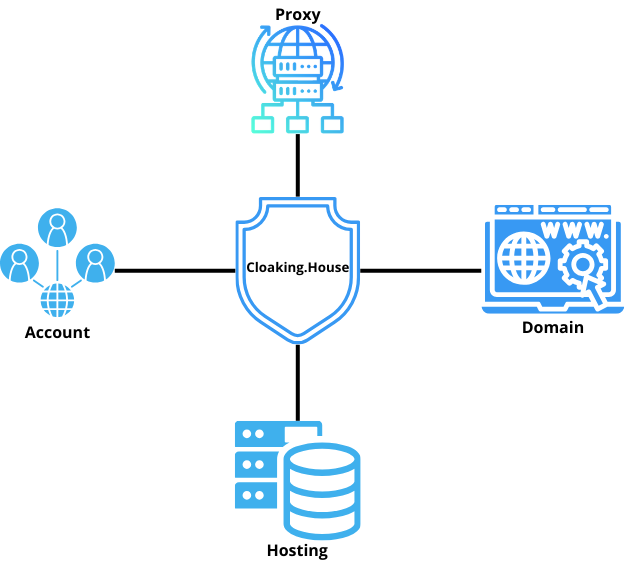
At risk are:
accounts with a history of blocks or manual reviews;
very “young” ad profiles without trust;
low-quality or public proxies;
mismatch of account geo, proxies, and domain;
chaotic IP and infrastructure changes.
Ad platforms analyze everything in combination. Even perfectly configured cloaking cannot compensate for a weak setup.
Conclusion
Cloaking testing is not a single action but a comprehensive sequence of steps. We covered the main problem areas: weakened filters, weak white pages, domains without history, unreliable hosting, and an uncoordinated setup with accounts and proxies. Any of these elements can nullify even properly configured cloaking.
The Cloaking.House team recommends a systematic approach: test, analyze, and account for the entire infrastructure. Only then does cloaking become a reliable tool for protecting ad campaigns.






Be the first to share your opinion!
We value your feedback — share your thoughts.